16
nal von minden GmbH · Manual
Reac f Touch
Sec on 6 Specimen Test
A en on: For the analyzers without the Strip Lockout func on, skip the sec on Ente-
ring the Canister Code and go directly to the next sec on Specimen/Strip
Prepara on on the next page.
For analyzers with Strip lockout func on, begin with the sec on Entering
the Canister Code.
For instruc ons on how to iden fy if the analyzer has the Strip Lockout
func on, refer to the Ini al Screen on page 8. Analyzers without the
lockout func on will not display Strip Quan ty.
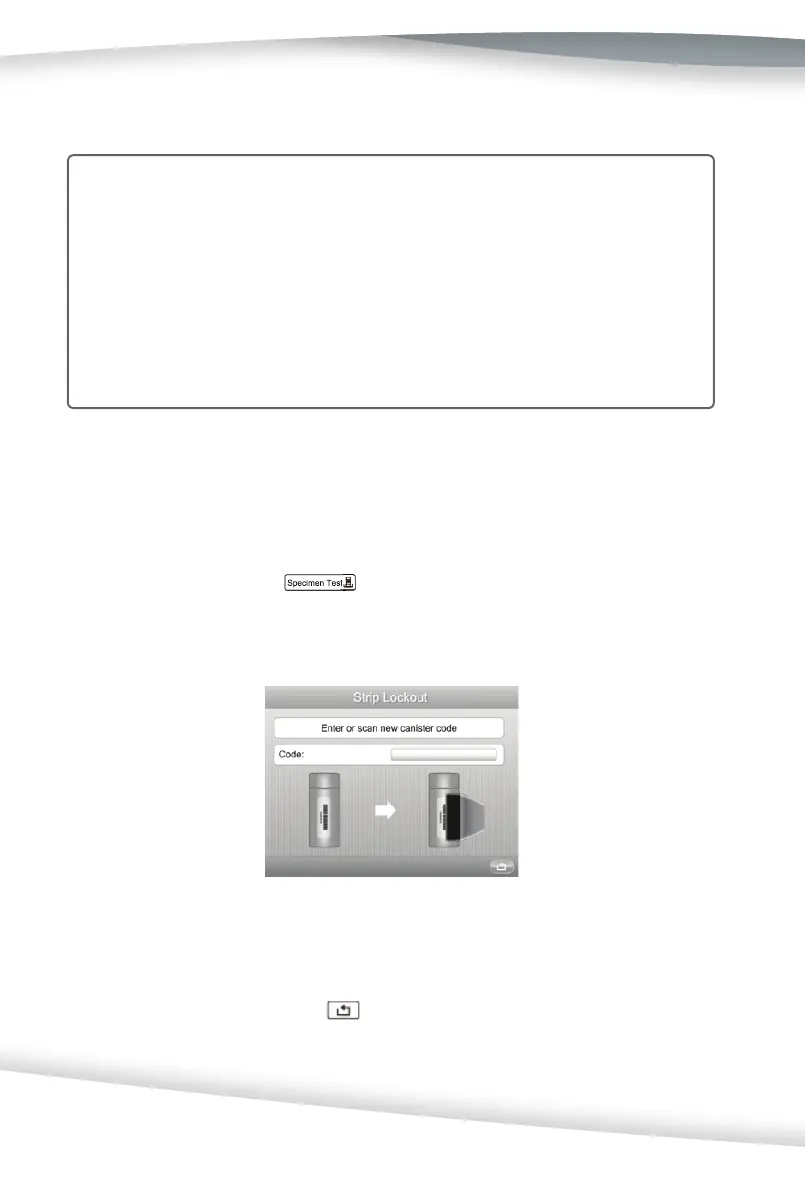
Entering the Canister Code
When a new canister of strips is required, the analyzer will request that a canister code
be entered from the new canister. The code can be entered manually from the keypad or
scanned with the Barcode reader, if installed.
A er self-tes ng or pressing
on the ini al screen, the following screen will
be shown.
Scan or manually enter the canister code from the strip canister by pressing the data
entry box. A barcode reader can also be used to scan the canister code into the analyzer
if it is turned On. Press the data entry box to display the Numeric Keypad to enter the
new canister code manually. Press
to cancel and exit the screen.
If the canister code is incorrect, the following screen will be shown.



 To Next Page