9
Sec on 4 Touchscreen LCD Naviga on
Analyzer Confi gura on is performed by using the LCD touchscreen. Selected icons, which
are shown below, and text can be pressed with the fi nger to change se ngs or to enter
or exit screens. If the analyzer does not respond, press the symbol or text for a slightly
longer me or with slightly higher pressure to ac vate the touchscreen area. If the ana-
lyzer s ll does not respond, refer to Sec on 11 Troubleshoo ng.
Screens
The touchscreen serves as a guide for how to operate the Reac f Touch Analyzer. The
screen will display messages, instruc ons and op ons, which the user can respond to by
pressing the appropriate selec on on the screen.
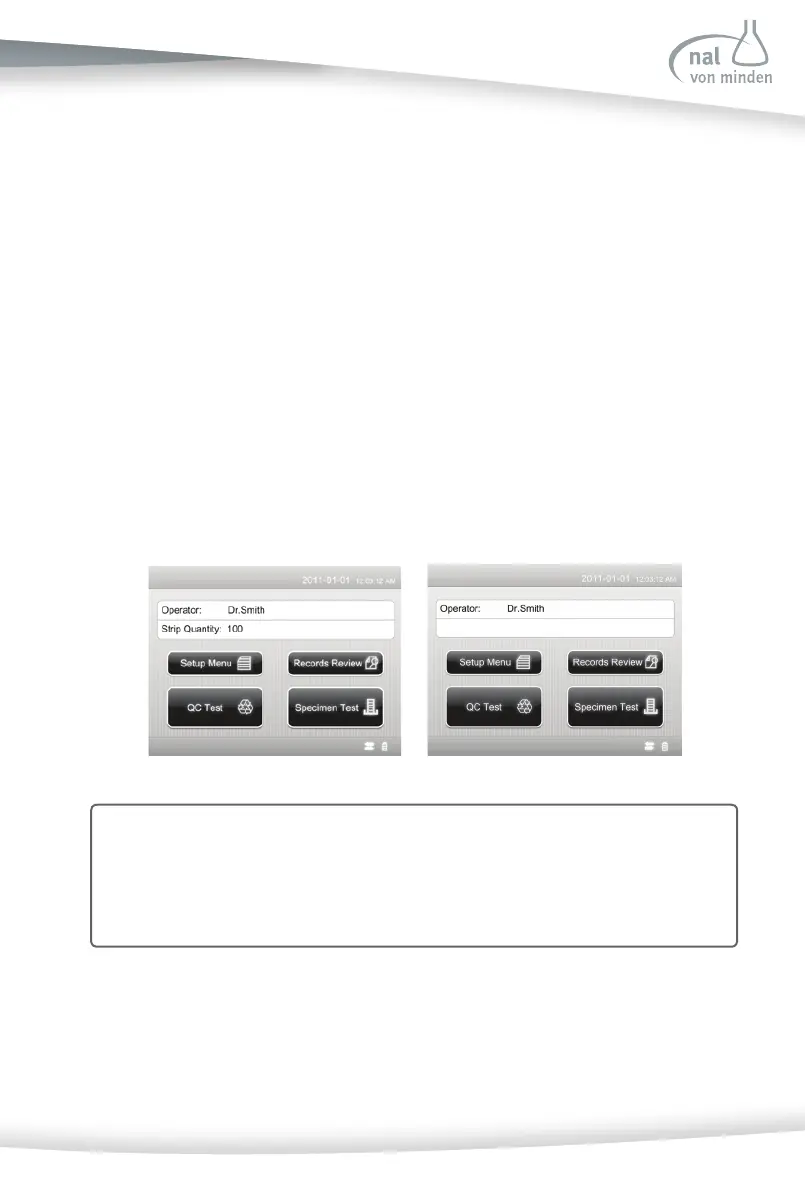
The fi rst main screen is the ini al screen. It displays the operator’s name, me/date,
the strip quan ty that can be used, power source used, and connec vity method. This
screen indicates the instrument is ready to perform any of the four ac ons or tasks
shown below.
Each screen that follows the ini al screen has an icon, tle bar, and touch-sensi ve
ac ve areas. In some cases, the screen will also display instruc ons, messages, or error
messages. The icon indicates the main sec on working (1 of the 4 sec ons listed on
Note: The screen on the le is the ini al screen for analyzers with the Strip Lockout
and the screen on the right is the ini al screen for analyzers without the Strip
Lockout.
The screen will not display the strip quan ty if Strip Lockout is not included on
the analyzer.



 To Next Page