3.
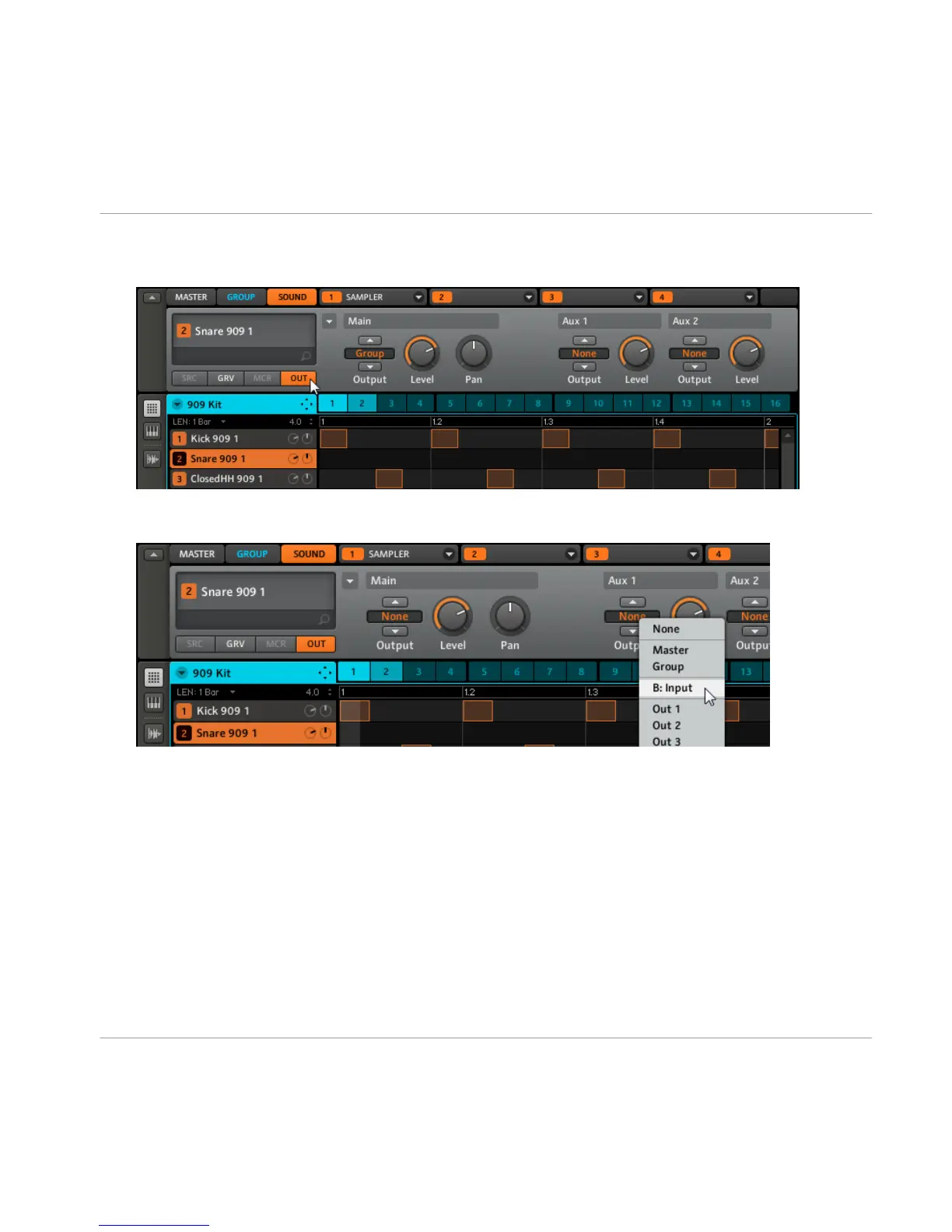
Now select the 909 Kit Group again and click the Output tab (OUT) of the Sound Snare
909 1:
4.
You can see the two Aux Sends,
Aux 1
and
Aux 2
. In the dropdown menu of
Aux 1
, select
B: Input 1 to send the
Snare 909 1
Sound to the Reverb in Sound 1:
→ As you can hear, the Snare is already being sent to the effect; by turning the Aux 1
Level, you can adjust the amount of signal that gets sent into the Reverb.
6.3
Routing Tips
▪ For a better overview, rename the Sound you use as a Send effect after the effects
name.
▪ You can build your own multi-effects this way: up to three effects per Sound with 16
Sounds per Group allow up to 48 different effects in one Group!
The Input Module and Advanced Routing
Routing Tips
MASCHINE - Getting Started - 77



 To Next Page