© 2020 Natus Medical Incorporated 27 026057 RevE
Testing Equipment Echo-Screen III Pro Instructions for Use
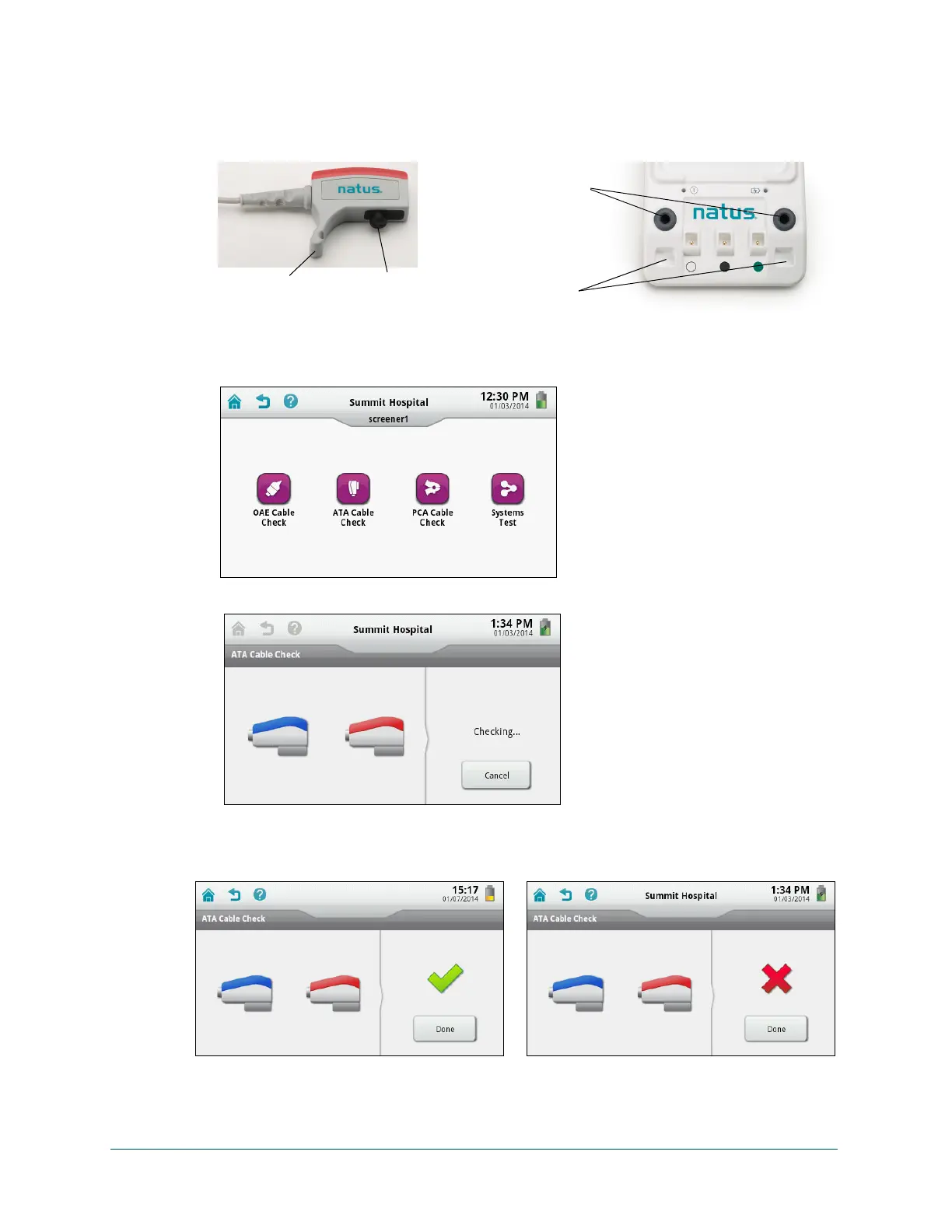
2 Fit the ATA transducer housings into the ATA test fixtures on the docking station by pressing
the earphone connectors on the transducer housings into the grommet openings of the test
fixtures and seating the earphone hooks into the indents at the bottom of the docking
station.
3 On the Home screen, touch Equipment Check.
Your Equipment Check screen might look different depending on the modalities activated
on your device.
4 Touch ATA Cable Check. The test begins immediately.
5 Check the cable check result and then touch Done.
A green check mark indicates that the cable is functioning properly. A red “X” indicates that
the test failed.
Earphone
hook
Earphone
connector
Grommet openings
for earphone
connectors
Seating for
earphone hooks



 To Next Page