026057 RevE 22 © 2020 Natus Medical Incorporated
Reviewing Screening Results Echo-Screen III Pro Instructions for Use
Reviewing Screening Results
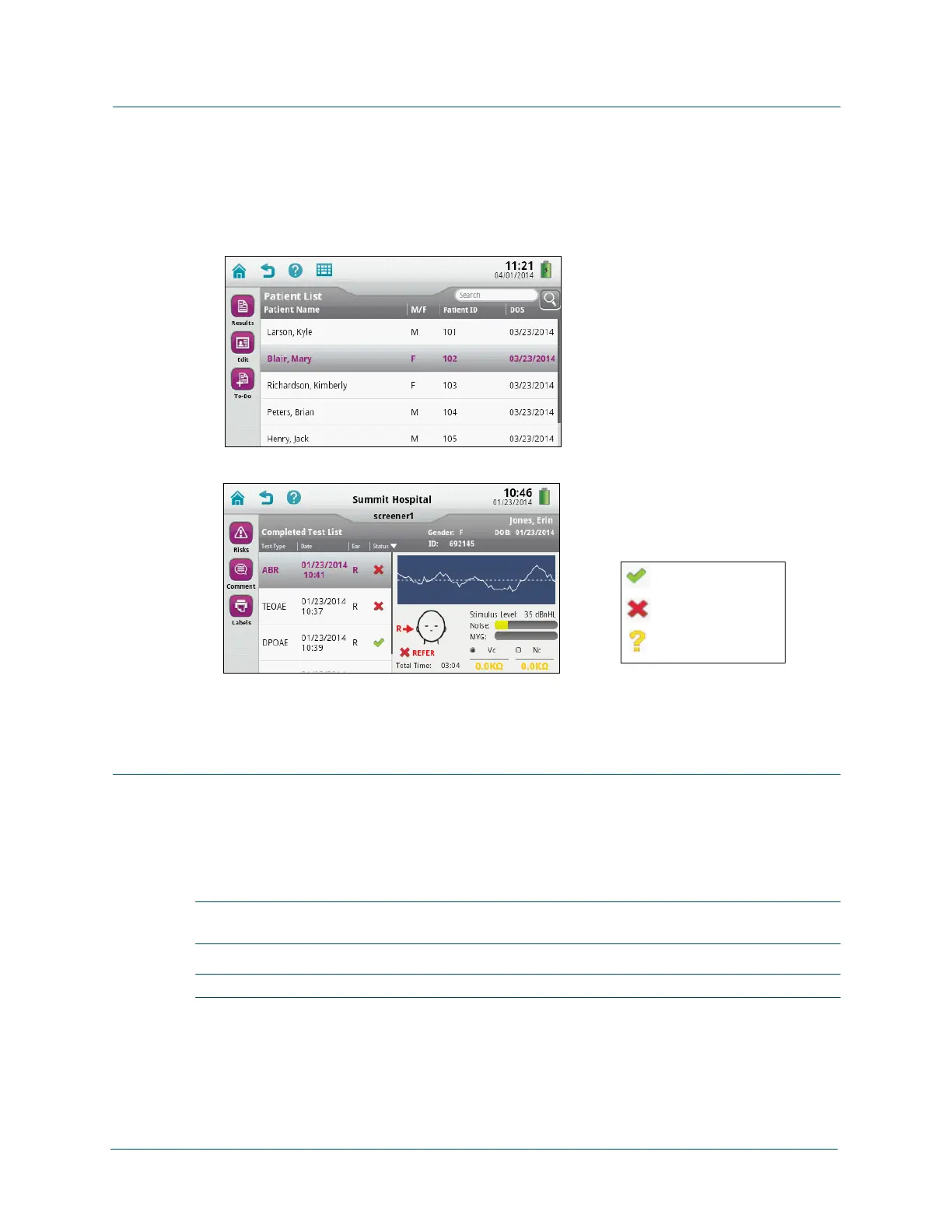
View screening results right after screening completes, or use the Patient List to review results
later.
View screening results from Patient List:
1 On the Home screen, touch Patient List.
2 Search or scroll for the patient, and select it.
3 Touch Results.
4 Touch a test on the left side of the screen to see the details for that test on the right side of
the screen.
Printing Labels
Before you can print labels for the first time, your administrator needs to configure the device
for Bluetooth, and you must pair the device with the printer. After pairing, the device finds the
printer whenever the printer is turned on and within range (approximately 15 ft. or 4.5 m).
Print labels right after screening completes, or use the Test Results screen to print labels later.
IMPORTANT: Use only the optional label printer purchased from Natus with the Echo-Screen
III device.
IMPORTANT: For best results, use only the labels recommended by Natus.
Pair the device with the printer:
1 Turn on the printer.
2 From the Home screen on the device, touch Device Settings.
Pass result
Refer result
Incomplete result



 To Next Page