026057 RevE 16 © 2020 Natus Medical Incorporated
Performing a TEOAE, DPOAE, or DPOAE+ Screening Echo-Screen III Pro Instructions for Use
3 To remove an ear tip after screening, hold the probe body with your fingers pressing on the
probe nozzle clips. Position the fingernails of your other hand behind the clear tube of a
foam tip or at the base of a tree tip and slide the ear tip off the nozzle. For foam tips, do not
pull on the foam.
Performing a TEOAE, DPOAE, or DPOAE+ Screening
Note: DPOAE+ is available only if your administrator configured your device
for it. DPOAE+ test results are not included in aggregated test results. This
option is used only by certain hearing screening programs.
TEOAE, DPOAE, and DPOAE+ screenings use only the OAE probe cable.
IMPORTANT: Before you begin, check the calibration date displayed on the Home screen.
You cannot perform a screening when the probe is out of calibration.
IMPORTANT: Natus and the Joint Committee on Infant Hearing (JCIH) recommend always
screening both ears during each screening session.
Start screening:
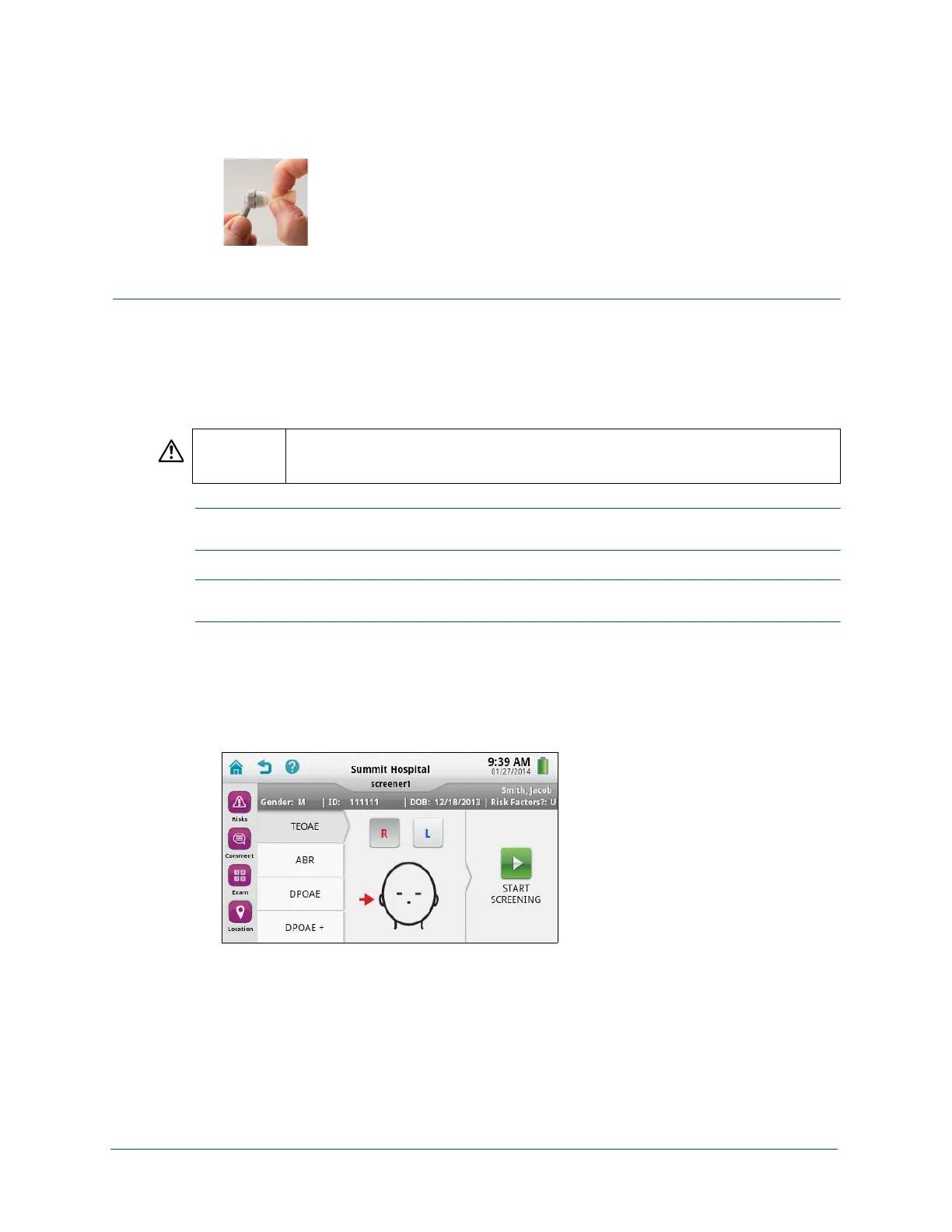
1 With the patient selected in the To-Do List or on the Patient Info screen (after adding or
editing the patient information), touch Screen, and then on the test selection screen, select
the type of screening to be performed: TEOAE, DPOAE, or DPOAE+ (if configured for your
device).
CAUTION Make sure that the cables are not wrapped around any part of the device and that the
cables are separated and untangled while performing a screening. These conditions
might result in inaccurate screening results.



 To Next Page