© 2020 Natus Medical Incorporated 3 026057 RevE
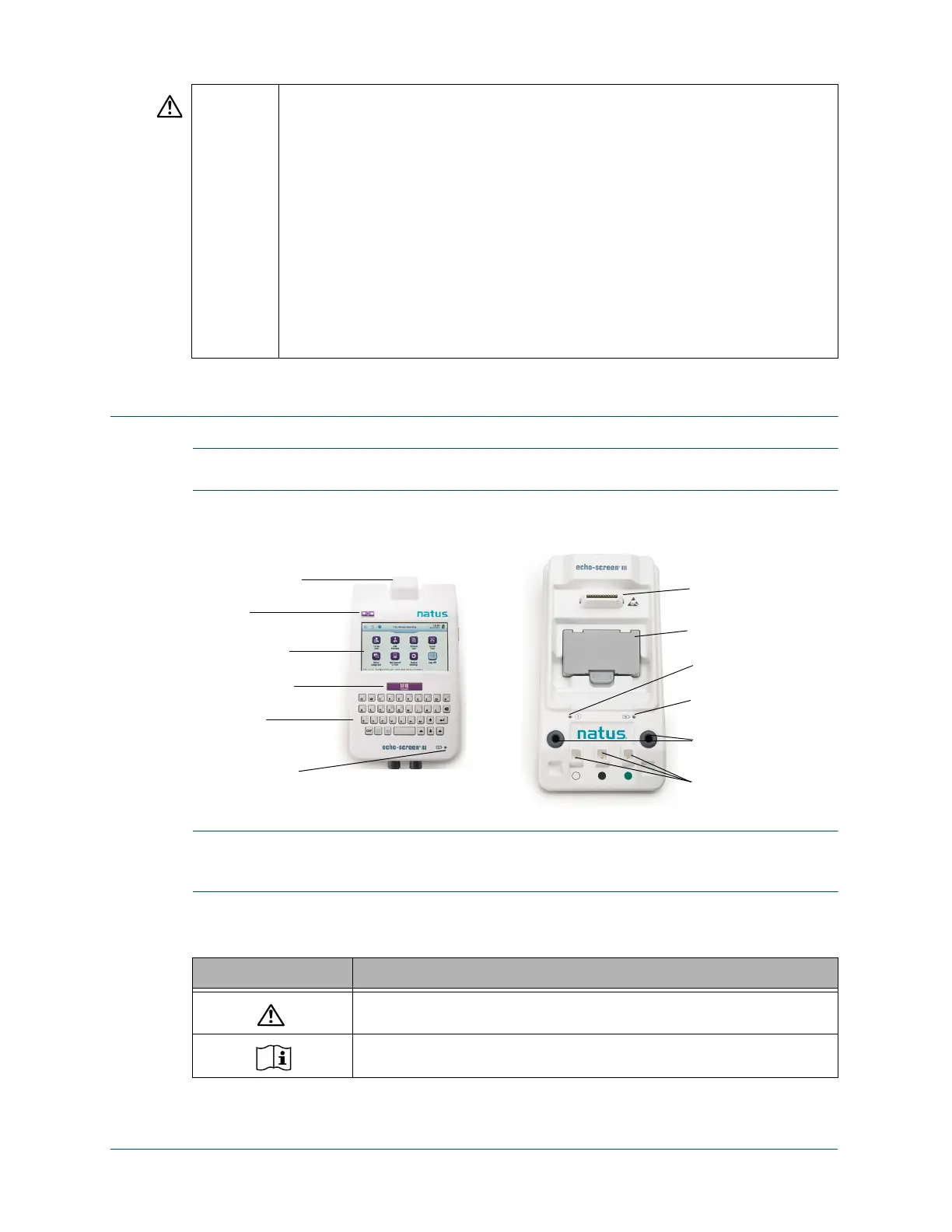
Echo-Screen III Pro Device and Components Echo-Screen III Pro Instructions for Use
Echo-Screen III Pro Device and Components
IMPORTANT: Hearing screening program administrators should refer to the Echo-Screen III
Pro Reference Guide for details about how to set up and configure Echo-Screen III devices.
Echo-Screen III Pro Device and Docking Station
IMPORTANT: The docking station must be kept outside the patient environment. It is
recommended that you keep the docking station near the computer where you view and manage
your screening data.
Device Symbols
CAUTION Connection of the Echo-Screen III Pro to a networked environment can present addi-
tional risk. The responsible organization should have in place a network security pro-
cedure to ensure the integrity of the network and Echo-Screen III Pro device.
The responsible organization should reevaluate the integrity of the Echo-Screen III
Pro each time an update, upgrade or additional change is made within a networked
environment.
Use only Natus screening supplies and accessories with the Echo-Screen III Pro
device (see Accessories and Supplies on page 38). Use of non-Natus supplies
may damage the Echo-Screen III Pro device or affect the accuracy of screening
results, and may void the warranty.
ATA and OAE cables are fragile. Handle with care.
Although the Echo-Screen III Pro fulfills the relevant EMC requirements, precautions
should be taken to avoid unnecessary exposure to electromagnetic fields, e.g., from
mobile phones, etc. If the device is used adjacent to other equipment it must be
observed that no mutual disturbance appears. Please refer to appendix A for more
information regarding EMC.
Symbol Description
Attention, consult product documentation
Consult instructions for use
ATA transducer test
fixtures
Barcode scanner
(optional)
Touch screen
Keyboard
Barcode button
Spare battery charging
status LED
Power LED
Spare battery
Device connection
On/Off
Battery charging
status LED
Color-coded PCA
test fixtures



 To Next Page