Mounting the Blackbox
¼ Notes: Allow easy access to the Blackbox for connection to the 12 V DC power supply, the antenna(s),
and additional wiring.
• The Blackbox can be positioned vertically on a bulkhead or horizontally. Avoid positions that might
get wet or hot, such as in the engine compartment or close to the bilge.
• The Blackbox is not water-proof.
• If mounting the Blackbox vertically, ensure the wiring glands are facing downwards in order to
prevent the ingress of water.
• Ensure all cables once fixed in place to do not put any strain or tension on the Blackbox connectors.
⚠Warning: Under extreme operating conditions, the temperature of the heat-sink on this radio may
reach a surface temperature that is unsafe to touch. Caution is advised to prevent possible skin
burns. Good ventilation is required. Choose a location that will not expose the unit to conditions
that exceed the specifications. Refer to “RS100/B, V100/B Specifications” on page 78.
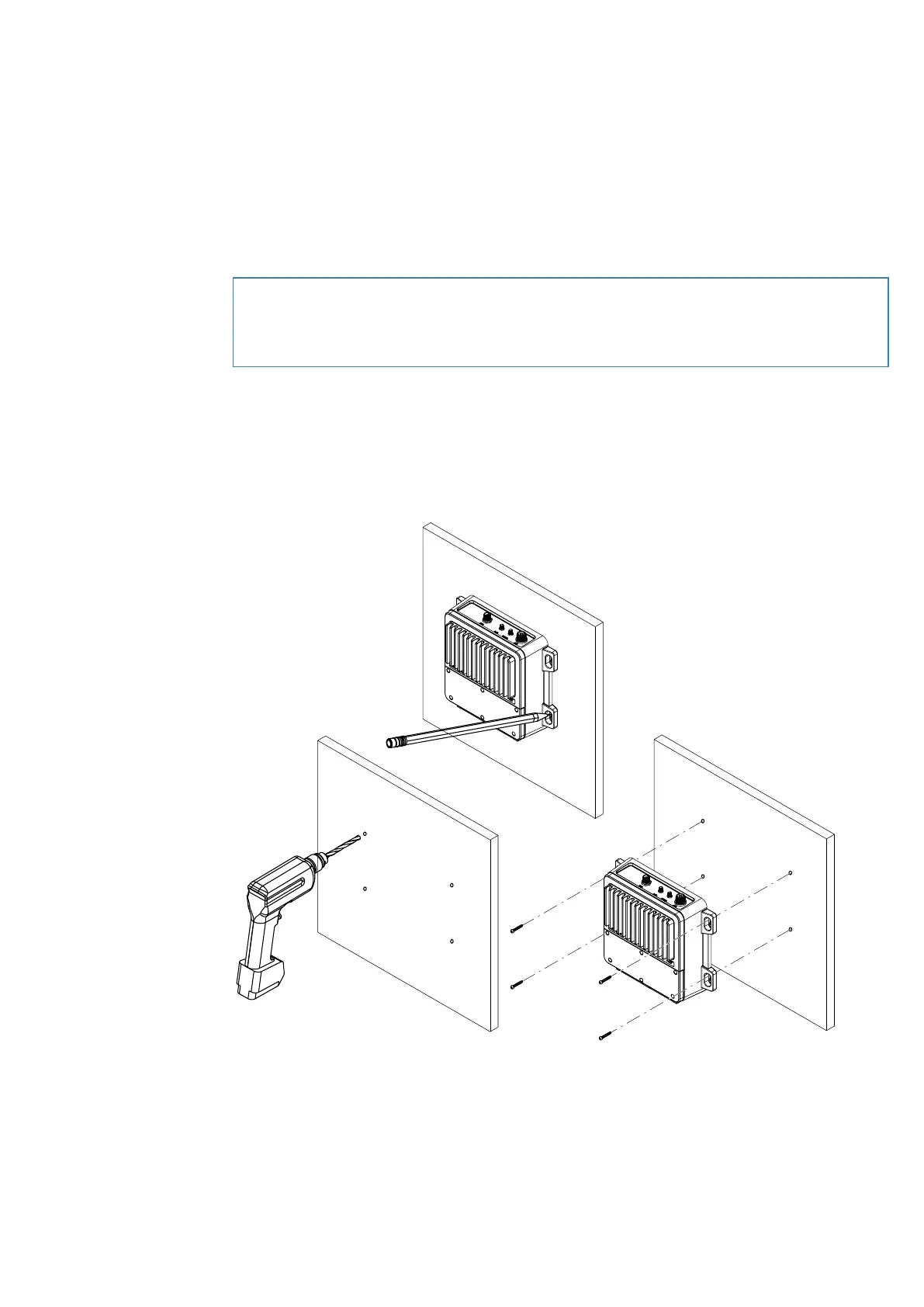
1 Temporary place the Blackbox onto the chosen mounting location and mark the four mounting screw
holes.
2 Drill screw holes using a 3.0 mm (1/8” ) drill bit if using the supplied 4.0x20 mm self-tapping screws; or a 4.1
mm (3/16”) drill bit if using the supplied 4.0x28 machine screws.
3 Attach the Blackbox to the mounting location using the supplied self-tapping screws or machine screws.
1
2
3
50 |
Installation | RS100 / RS100-B / V100 / V100-B User Manual


 To Next Page
 Loading...