2-10 BenchMike Pro Instruction Handbook: Installation
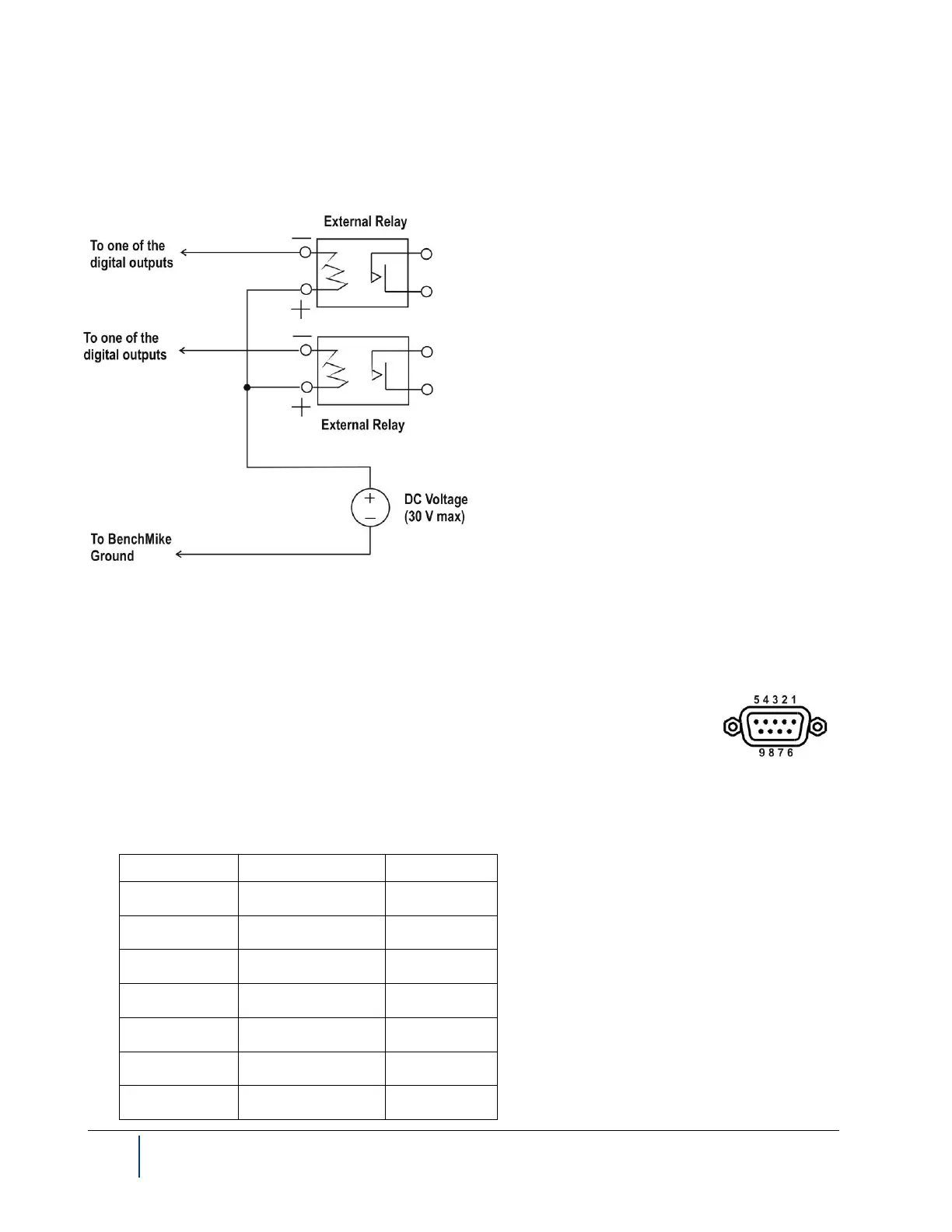
2.3.5 Connecting to Digital Outputs with an External Supply
Consult the diagram below to connect digital outputs via an external supply.
See the description of the system functions for software configuration of digital outputs for details.
2.3.6 Serial Connector
The BenchMike Pro has one standard serial port. This port supports RS232 interfaces
and baud rates up to 38.4 Kbaud. Handshaking protocol options are RTS/CTS and none.
Data items available for transmission are from the Data menus. Data format options such
as Labels, Headers, Delimiters, and Terminators as well as data flow options are available
for selection from the Settings-Serial Data Out Format menus. DB-9 connectors are used for these ports.
2.3.6.1 Serial Connector (#1) Pin-out



 To Next Page