BenchMike Pro Instruction Handbook: Setup 4-37
4.12 Data Functions
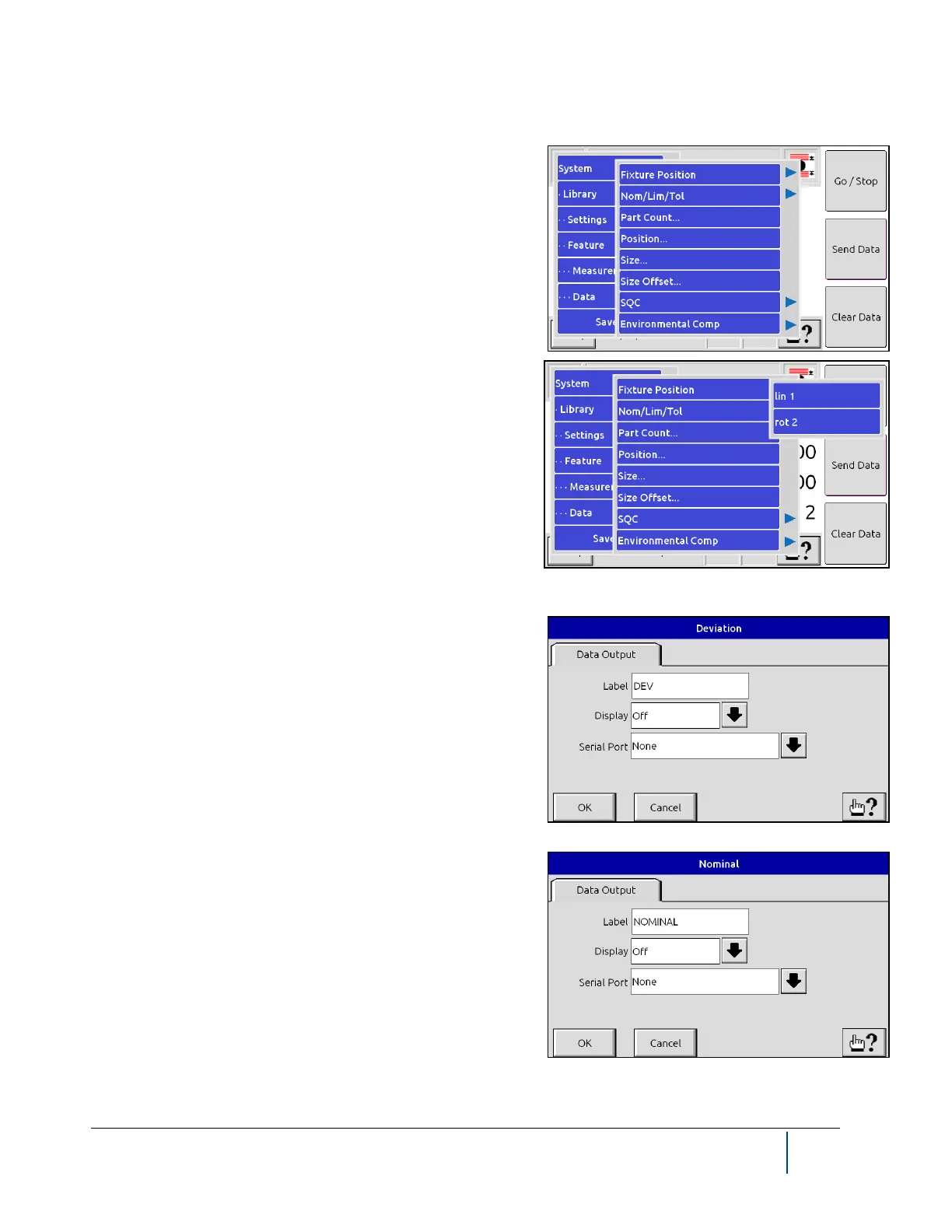
Select the Data option from the menu to specify a variety of op-
tions related to the display of measurement data.
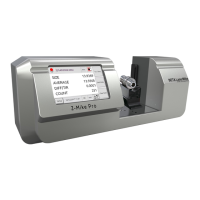
If you have purchased a fixture, the words Fixture Position op-
tion will appear as shown. You can select Deviation, Nominal,
Limits, and Tolerance values from this menu so that you can
view them on the main page.
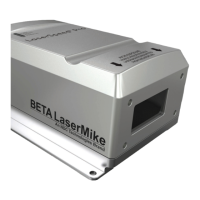
The Deviation of the measured product size from the desired
(Nominal) value is an important value. Use this page to alter the
title of this value to something meaningful and relevant to your
application and to display or not display deviation. Deviation is
calculated as:
Deviation = Nominal - Size
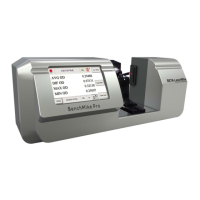
From the Nominal Setup page you can change the label for this
value and determine where and whether it will be displayed on
the main measurement display page. This value can also be
transmitted via the serial #1 port or serial USB if desired. Serial
output settings are defined under the System functions.


 To Next Page