BenchMike Pro Instruction Handbook: Setup 4-35
4.11.7 Nominal/Limits/Tolerance Set-
up
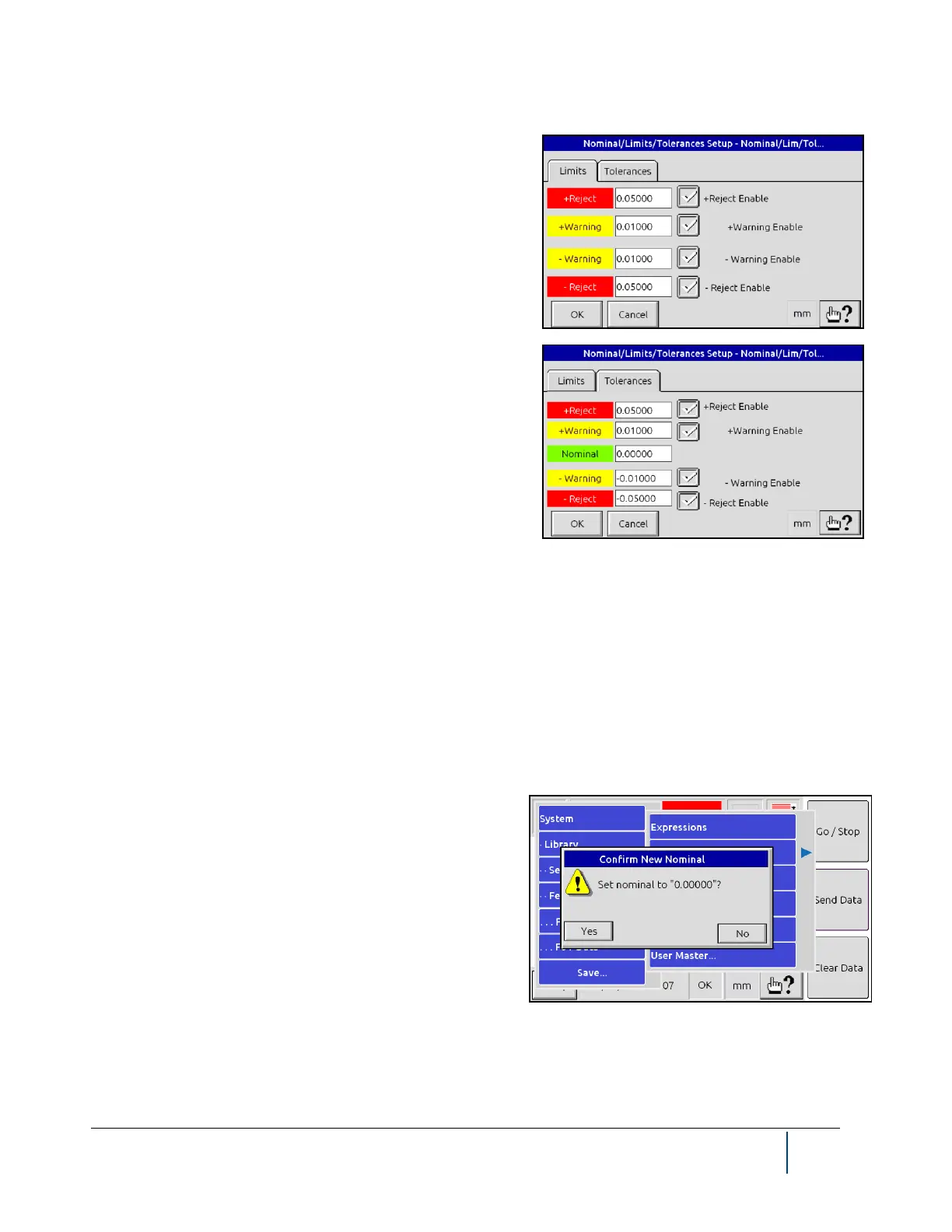
These two pages for Nominal/Limits/Tolerances Setup allow
you to indicate acceptable deviation of the actual product from
the desired product size. When these limits are exceeded, all
the following are triggered: audible alarm, alarm digital output,
and alarm indication on Main Measurement page.
NOTE: Upper or Lower Warning and Reject Limits can be se-
lected to be displayed on the main measurement screen.
On the Tolerances tab, the Nominal is the desired product size.
Limits will be computed from the nominal and tolerances.
The Warning Tolerance value is the difference between the Nominal value and the Warning Limit, and the Reject
Tolerance is the difference between the Nominal and Reject Limit. These relationships are written in equation
form as:
+Reject Tolerance = (+Reject Limit) - Nominal
+Warning Tolerance = (+Warning Limit) - Nominal
-Warning Tolerance = Nominal - (-Warning Limit)
-Reject Tolerance = Nominal - (-Reject Limit)
4.11.8 Floating Nominal
The Floating Nominal function allows you to copy the current
measurement of product size (displayed as Size on the
screen) to the Nominal value. The Nominal is the desired
product size and is used to compute values such as Deviation
from the nominal size. When the nominal is updated, the lim-
its are recalculated based upon the tolerance values defined in
the Nom/Lim/Tol Setup.
NOTE: The Floating Nominal allows you to define a Nominal
value based on the current product measurement. You can also define a Nominal value through the Measurement
menu.



 To Next Page