4-28 BenchMike Pro Instruction Handbook: Setup
4.11 Measurement Functions
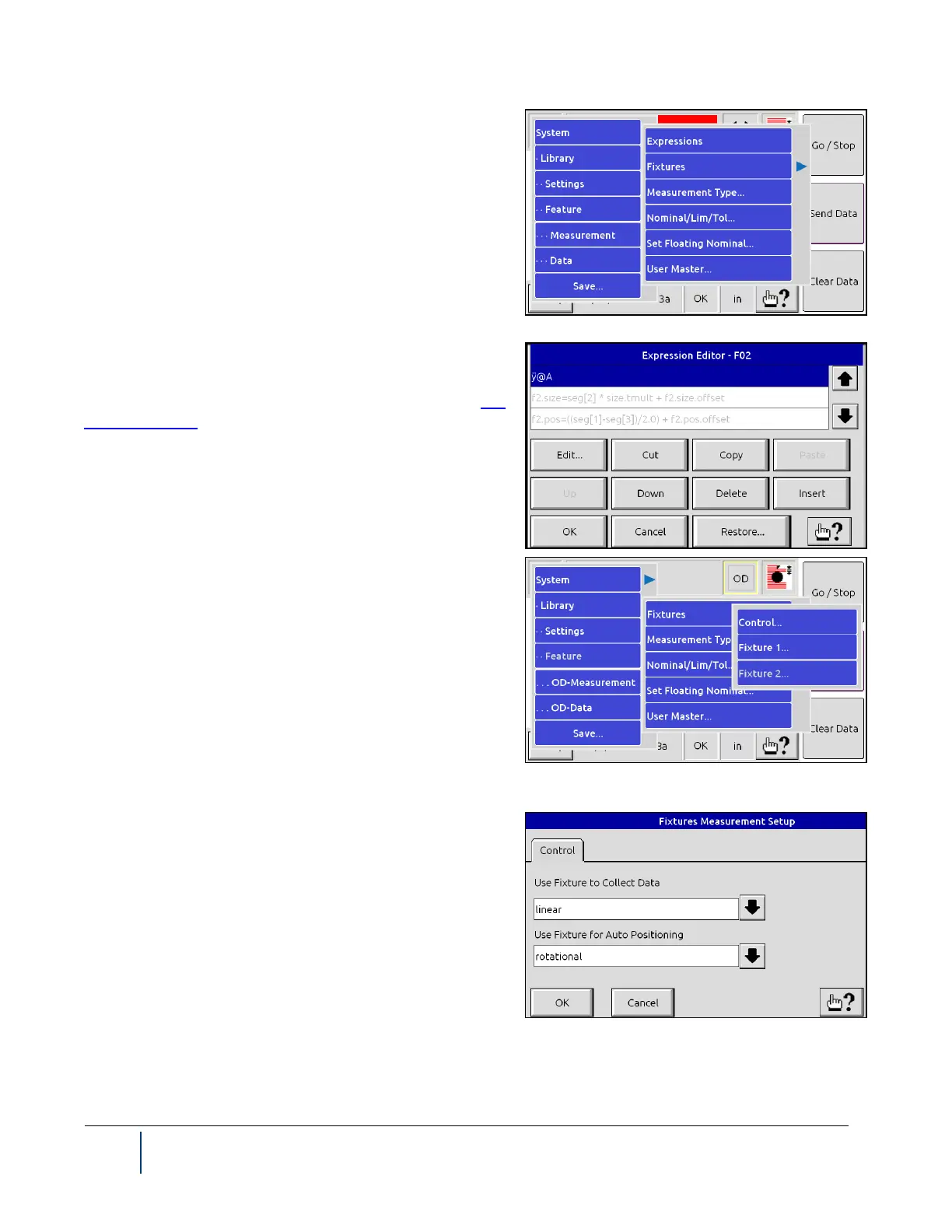
By selecting the Measurement option, you can define ex-
pressions, settings for fixtures, measurement types, nomi-
nal/limit/tolerance settings, the floating nominal value, and a
user master value. When multiple Features exist, measure-
ment settings are unique to each.
NOTE: Measurement commands are unique to each feature
within each library.
4.11.1 Expression Editor
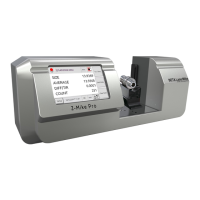
You can define equations or desired calculations with the Ex-
pression Editor. The default expressions for all predefined
measurement types cannot be changed.
4.11.2 Fixtures Menu
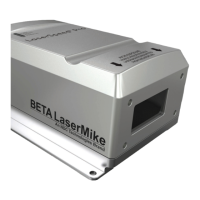
The Control menu allows you to access the Fixture Meas-
urement Setup page.
From Fixture 1 and Fixture 2, you can control fixture meas-
urement settings and access settings for different fixtures.
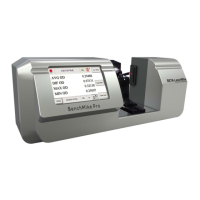
When you select Control, the Fixture Measurement Setup
menu appears. Use the Use Fixture to Collect Data entry to define how the fixture behaves during measure-
ment. Note that this item is enabled if at least one attached
fixture is motorized. The fixture used to collect data is the
primary fixture for obtaining readings.
If a motorized fixture is being used, you can choose to have
the BenchMike Pro take measurements automatically (ac-
cording to your Position and Motion values), manually, or con-
tinuously. Non-motorized fixtures only support the manual
mode.


 To Next Page