BenchMike Pro Instruction Handbook: Setup 4-29
Auto positioning fixtures
The fixture used for auto positioning is a slave to the fixture which is collecting data. The fixture will move between
taking measurements. This option is enabled if both attached fixtures are motorized. Measurement is initiated by
the Go command. At the end of each averaging period (defined in Measurement Setup), the fixture rotates to the
next position and takes measurement data. The number of measurements may be from 2 to 360 and can be en-
tered as a number of positions or as the angular increment between positions. Measurements are not taken dur-
ing rotation.
Manual rotating fixtures
Measurement is initiated by the Go command. At the end of
each averaging period (defined in Measurement Setup), the
user is prompted to rotate the sample to the next position and
press Go to take the next measurement. Graphical displays
are not available in this mode because the position is not
known reliably unless the fixture has a position encoder.
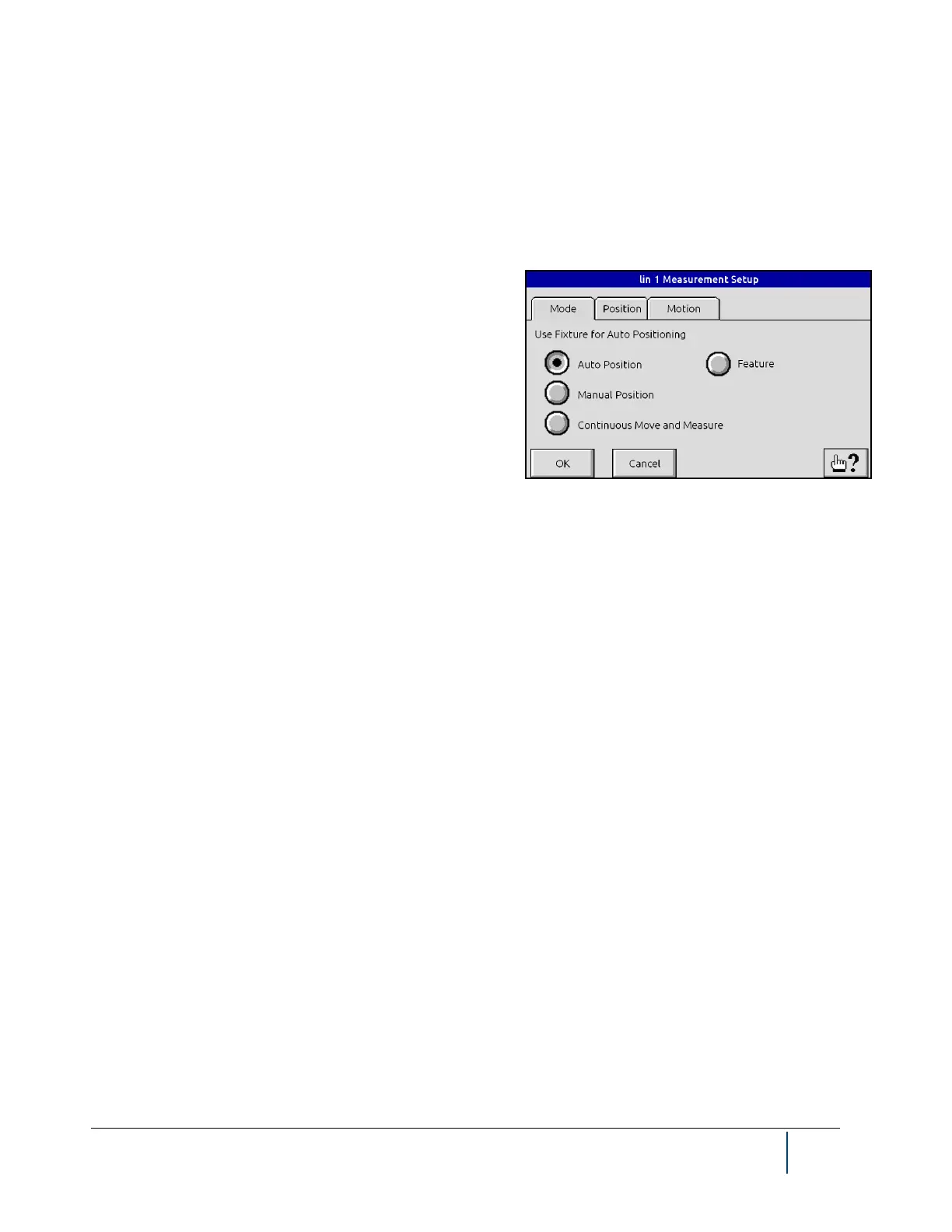
When a linear fixture is selected as the positioning fixture, the
“Feature” option will appear. This option will allow the user to
enter a specific position for the fixture. The actual position is
entered using the Feature Fixture Position page.
Continuous
For automatic rotating fixtures: Measurement is initiated by the Go command. Measurements are captured while
the fixture is rotating. This mode can be used to capture the Maximum, Minimum, or Maximum-Minimum (Diff).
The user enters the speed and amount of rotation. Graphical displays are not available in this mode.
The Position tab allows you to define either the number of positions (from 2 to 360) or number of degrees of rota-
tion (from 1 to 360). You can also select total degrees of rotation values of: 360, 180, or a custom value. Note that
there are four modes.


 To Next Page