4-34 BenchMike Pro Instruction Handbook: Setup
4.11.4 Measurement Method
There are three options for Measurement Method: Single measurements, Continuous measurements, and Moving
Average.
• When Single measurements are selected, the BenchMike Pro will take one reading and then stop.
• When Continuous measurements are selected, the BenchMike Pro will take multiple readings until
stopped by the user.
• When Moving Average measurements are selected, the BenchMike Pro will use the simple moving av-
erage method to continuously average the most recent X number of scans until stopped by the user. The
user-defined Averaging Period is used as the averaging window, and the display rate is 5 readings per
second, regardless of window size.
4.11.5 Averaging Mode
Averaging Mode is also present on this tab. This mode allows
you to start taking measurements automatically when a new part
is placed in the measurement area. Averaging Mode applies an
Enter Delay and an Exit Delay to allow time for each part to be
placed and removed.
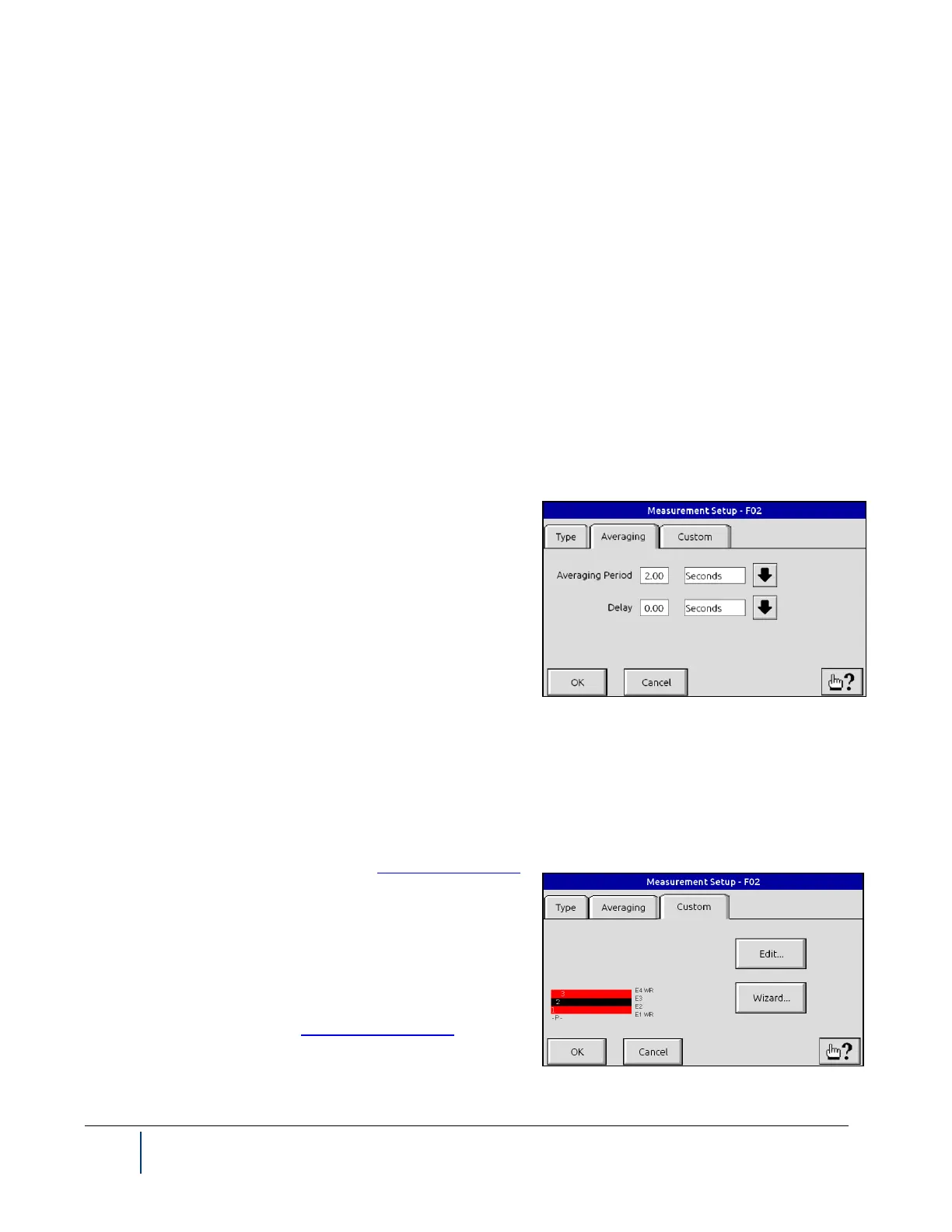
This tab allows you to define the Averaging Rate and Delay
values. The Averaging Rate can be specified based on a num-
ber of scans or a length of time in seconds. For the values
shown to the right, the BenchMike Pro would accumulate scans
for 2.00 seconds and then average that data to compute the reading value. When selecting a small averaging
rate, it is best to select an even number of scans.
NOTE: This mode cannot be enabled when an Intelligent Fixture is in use.
4.11.6 Custom Mode
For further information, see the section on Measuring a Product.
Since the BenchMike Pro scanning rate is 100 scans per sec-
ond, a 2.0-second Averaging Rate corresponds to 200 scans.
The Custom tab allows you to create your own measurement
definitions. If you do not find a measurement type (see previous
page) which meets your requirements, you can use the Custom
Wizard to create that measurement type or select Edit to per-
form simple changes. See also Custom Measurement.



 To Next Page