4-12 BenchMike Pro Instruction Handbook: Setup
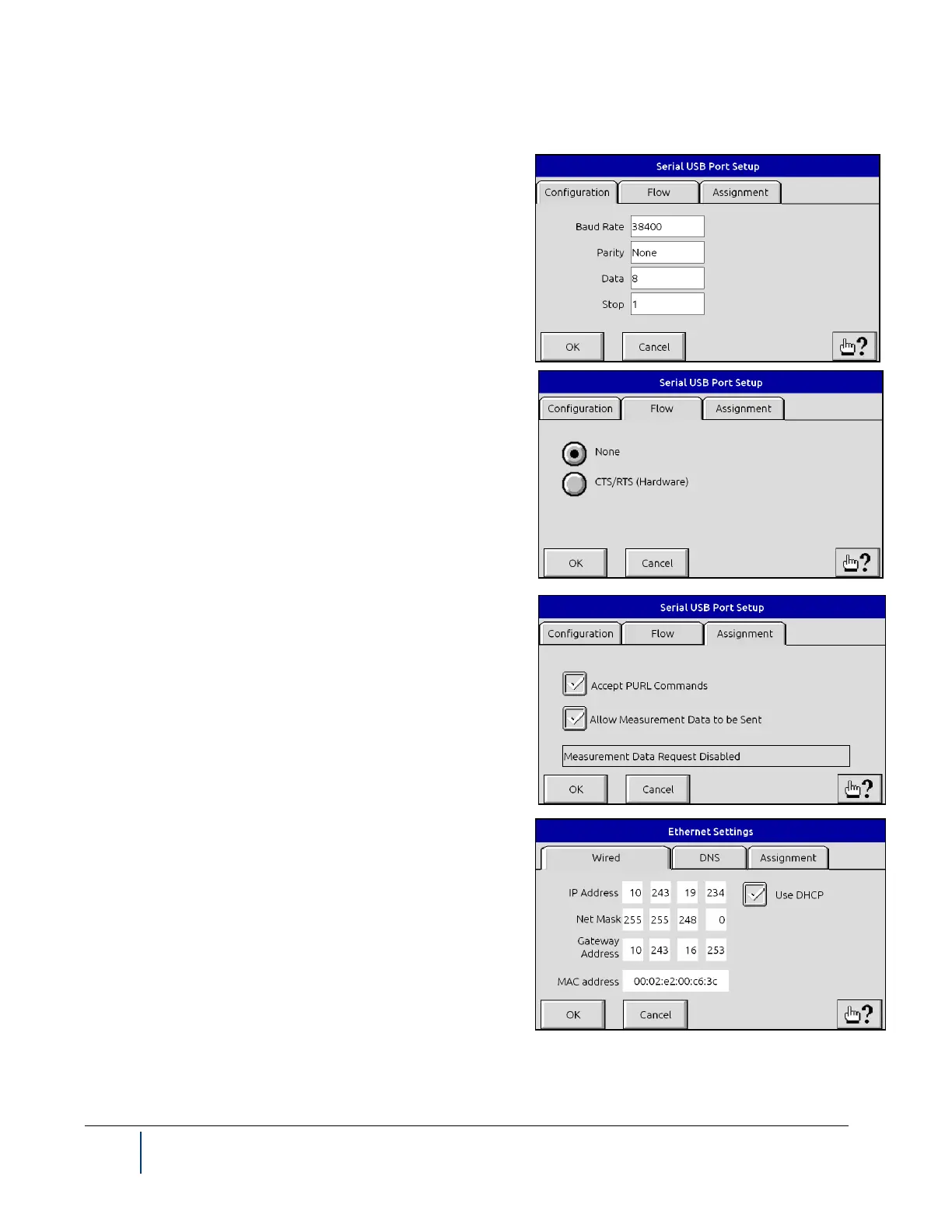
If you select Serial port #1 or Serial USB, the following three tabs will appear.
The Configuration tab shown to the right allows you to select
various communication features such as the baud rate and par-
ity.
The Flow tab appoints the method in which data flow is con-
trolled.
The Assignment tab offers options to enable or disable the
receipt or transmittal of data, and to enable/disable Program-
mable Universal Resource Language (PURL) commands.
These commands are used to for remote control and program-
ming of the BenchMike Pro.
If you select Ethernet, the following three tabs will appear.
The Wired tab gives the option to set Ethernet parameters
such as IP Address, Net Mask, and Gateway Address.



 To Next Page