BenchMike Pro Instruction Handbook: Setup 4-31
The Feature position movement mode of the Positioning Fix-
ture can be used to measure different positions in a part. In
this mode, the Collection Fixture is subordinate to the Posi-
tioning Fixture. The Positioning Fixture will move to the loca-
tion specified in the feature, and then the complete movement
of Collection Fixture will take place.
For example, you can specify a different position in three fea-
tures and select the Collection Fixture to move either Auto-
matically or continuously for each of those three positions.
When Go is pressed, the unit will start with the first feature’s
position and start measuring as the Collection Fixture is set up. When the Collection Fixture cycle is finished, the
unit will proceed to the next feature. This will continue until the last feature or, optionally, when the Feature Ad-
vance Mode can be set to End of measurement within limits. When configured in this manner, the unit will stop
measuring when an out of tolerance condition is encountered.
Pressing Clear or Stop before the measurement cycle is completed will stop the fixtures at the current location
and they will move to the Home position, if so selected.
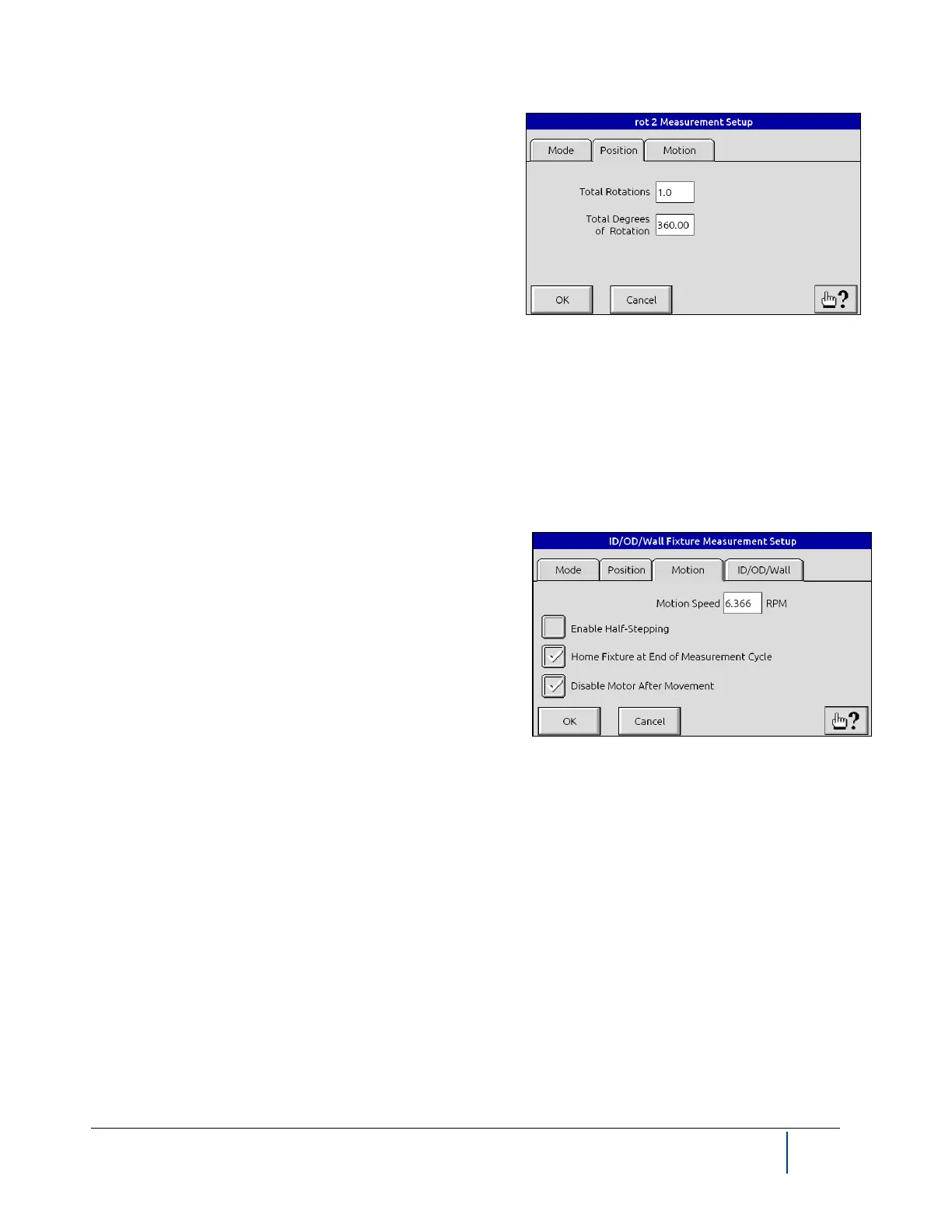
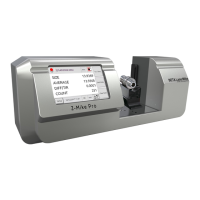
The Motion tab allows you to select the desired values for the
following.
• Motion Speed: Sample rotation speed
• Enable Half-Stepping: Permits smoother sample rota-
tion
• Home Fixture and End of Meas Cycle: Returns fix-
ture to starting position at end of cycle
• Disable Motor After Movement: Turns off fixture’s
motor at end of cycle


 To Next Page