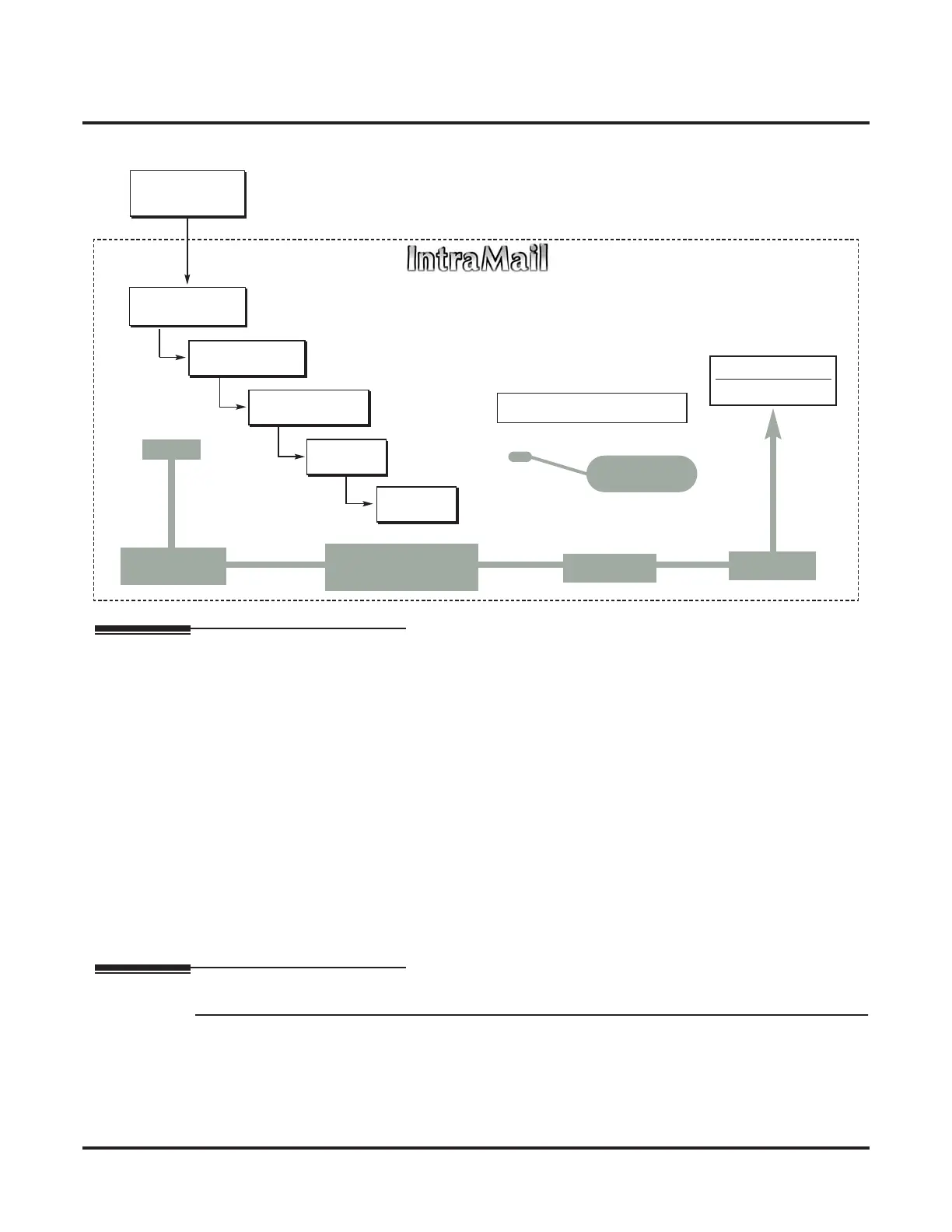
Call Routing Mailbox
50 ◆ Chapter 2: Features IntraMail System Guide
The block diagram below shows the default IntraMail Automated Attendant configuration.
Related Features
Answer Tables (page 30)
■ The Call Routing Mailbox associates a specific set of dialing options (Dial Action Table) with an
Answer Table.
Automated Attendant (page 42)
The Automated Attendant can automatically answer the telephone system’s incoming calls, play an
Instruction Menu message, and provide dialing options to callers.
Call Routing Mailbox (page 49)
The Call Routing Mailbox provides the dialing instructions (Dial Action Table) and announcements to
Automated Attendant Callers.
Dial Action Table (page 64)
Defines the dialing options for the Call Routing Mailbox chosen by the active Answer Table.
Master Mailbox (page 122)
Master Mailboxes can provide an additional 16 Call Routing Mailboxes.
System Administrator (page 171)
The System Administrator can record the Instruction Menu for a Call Routing Mailbox. See Operation below.
Programming
Step 1 Set up the Call Routing Mailbox.
1.1 8006 - IntraMail Routing Mailboxes: Mailbox Number on page 227.
- Select the Routing Mailbox (000-015) you want to program.
✔By default, Call Routing Mailboxes are 000-007.
1.2 8006 - IntraMail Routing Mailboxes: Mailbox Type on page 227.
- Enter 1 to make the selected mailbox a Call Routing Mailbox.
DIL to Voice Mail
Master (700)
Trunks Route to
Answer Table 1
Answer Table 1
Schedule 1 or
Default Mailbox
Dial Action
Table 1
● 1003 - Answer Table
● 8007 - Answer Tables
Calls always route to Call Routing Mailbox 000
- Schedule 1 active M-F 8:30AM-5:00PM.
- Default Mailbox active all other times.
● 8008 - Dial Action Tables
Dial Action Table 1
Dialing Options
Dial an extension number, or
0 for the operator
Default Automated Attendant Answering
All trunks
Use Answer
Table 1
Which chooses Call
Routing Mailbox 000.
And Dial Action
Table 1
With these
dialing options
From a System Administrator's
mailbox, record an Instruction
Menu (SA + I) for the active Call
Routing Mailbox.
● 8006 - Routing Mailboxes (000)
● 1003 - Direct Termination (Day)
● 1003 - Direct Termination (Night)
Call Routing
Mailbox 000
● 8007 - Schedule Entry
●
8007 - Default Mailbox



 To Next Page