9
2.GETTING STARTED
o HOW TO INSERT THE
BATTERY
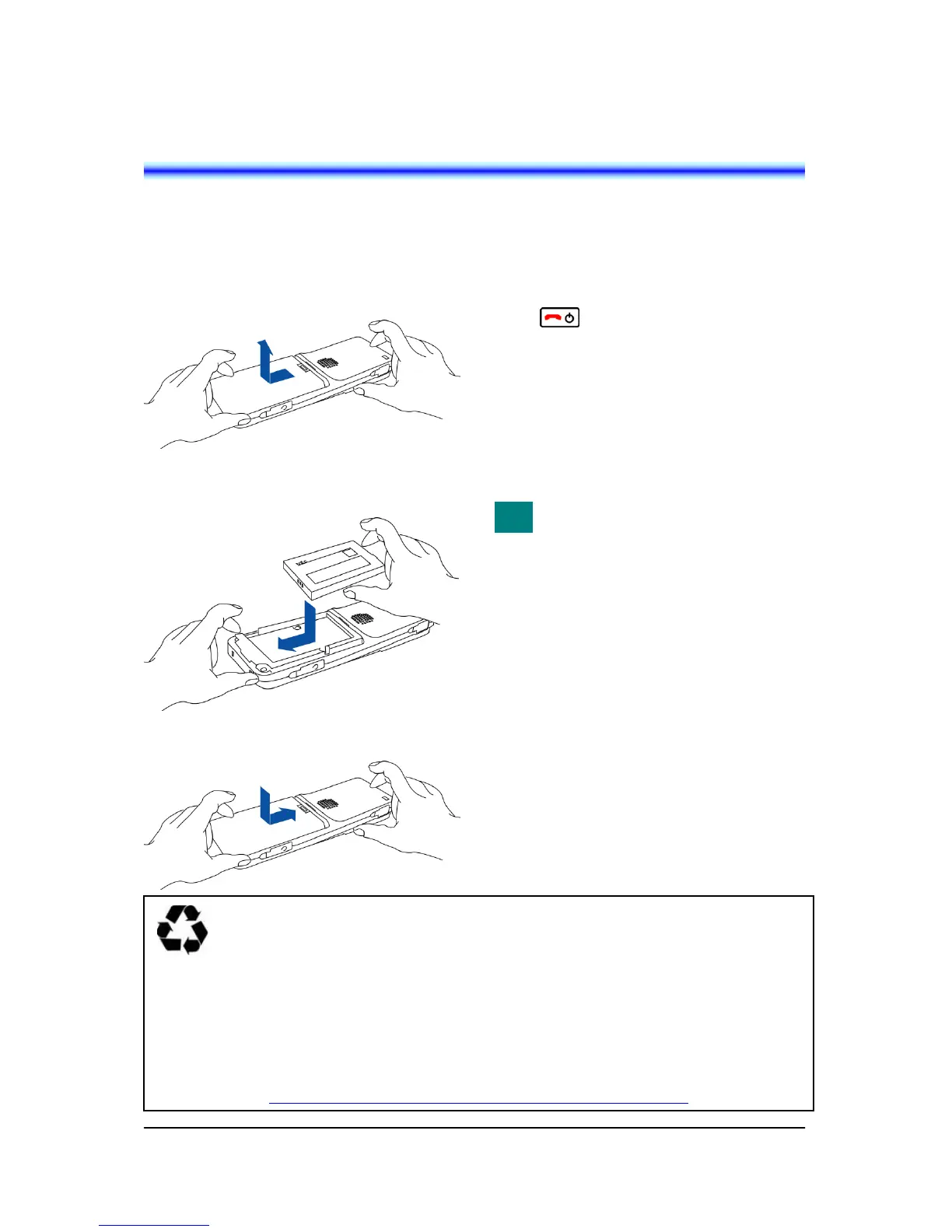
Insert the battery into the unit as follows.
(1) Remove the battery cover from the phone.
(2) Place the battery into the unit so that the
label faces toward you.
(3) Attach the battery cover again.
o HOW TO REPLACE THE
BATTERY
Replace the battery of the phone as follows.
(1) Power off the phone by pressing and holding
the key for 2 seconds or more.
(2) Wait until the Info LED on the phone is off.
(3) Remove the battery cover from the phone.
(4) Remove the Battery.
(5) Place the new battery into the unit so that the
label faces toward you.
(6) Attach the battery cover again.
The battery loaded in your phone has
a useful life of about 2 years, though
it is a parameter of on how your
phone has been used. If the battery
voltage diminishes quickly after the
battery has been charged for a long
time, replace with a new battery
(optional). For more detail, ask your
dealer.
This product is powered by a lithium-ion battery.
Lithium-ion Battery: 3.7V 850mAh
The lithium-ion battery is a recyclable resource.
In recycling batteries that have been replaced or that have been unloaded from a used product, take
notice of this precaution to avoid smoking and firing:
● Bring batteries to our repair counter with the contacts being taped to prevent shorts or enclosed
individually in plastic bags.
<Our repair counter> For more details, visit the NEC Infrontia Environment Website.
http://www.necinfrontia.co.jp/english/company/environment/index.htm






 To Next Page