English-10
Features
Windows Certied
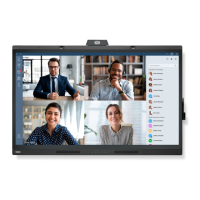
Microsoft certied “Windows collaboration display”.
Microsoft certied “Azure Certied Device”.
Featuring Microsoft Teams certied 4k cameras, microphones, and speakers.
Simple and convenient
- Connects to a computer with a single USB Type-C cable.
- Equipped with a 4k camera, microphone, and speaker.
- Input detection automatically switches the input terminal when connecting a computer.
- Operate a connected computer via the touch panel.
- Provides a power supply of up to 65W from the USB Type-C port and charges a connected computer while using the monitor.
Equipped with various sensors
- Presence sensor detects when people are present in the room and automatically turns the display on or off. This setting can
be enabled or disabled (see page 29).
- Temperature, humidity, light, and CO
2 sensor data can be uploaded to the cloud, and the environment data can be evaluated
using a cloud service. (Please contact your dealer for cloud service information.)











 To Next Page