English-18
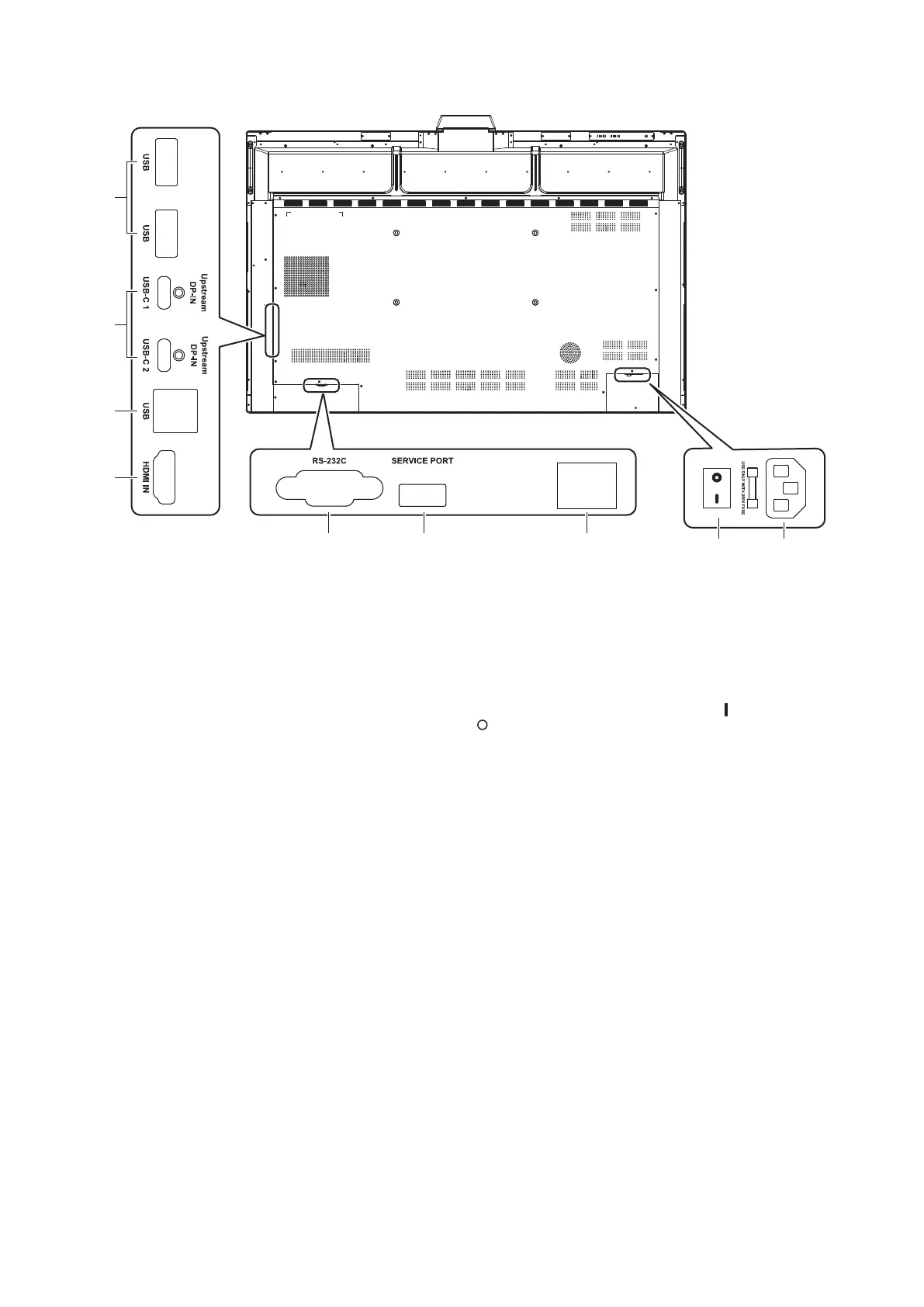
Terminal Interface
LAN
5 6 7
1 USB3.0 Downstream Port (Type-A)
Connect USB devices such as a portable hard drive, U disk,
USB keyboard and mouse, and USB drive. The Active pen
charger also connects here.
2 USB-C (Type-C)
Connects with USB Type-C compliant external equipment
such as a computer. Please refer to “Connecting to a
Computer with USB Type-C” on page 24 for more
information.
3 USB Upstream Port (Type-B)
By connecting to a computer, the touch function, camera
function, USB-HUB function, etc. can be used.
Note: Use this connection when the monitor is connected
to the computer via HDMI cable.
4 HDMI IN
HDMI signal input, connect to devices with HDMI output
interface (personal computer with HDMI output, set-top box,
or another video device).
5 RS-232C IN (D-Sub 9-pin)
Serial interface, used for transfer of data between devices.
6 SERVICE PORT
(for service purpose only)
7 LAN PORT
LAN cable connection.
Synchronizes the time settings, allows remote rmware
updates, provides remote control via commands, and
connection to the cloud.
8 Main Power SWITCH
Turns on or off main AC power supply. “
” means power on, “
” means power off.
9 AC Inlet
AC power input for connecting the AC power cord.
NOTE: When connecting a computer to the USB Type-C
port on the monitor, it is unnecessary to connect
to the USB upstream port (Type-B). If you connect
to both USB ports, the computer may not operate
properly.











 To Next Page