English-27
English
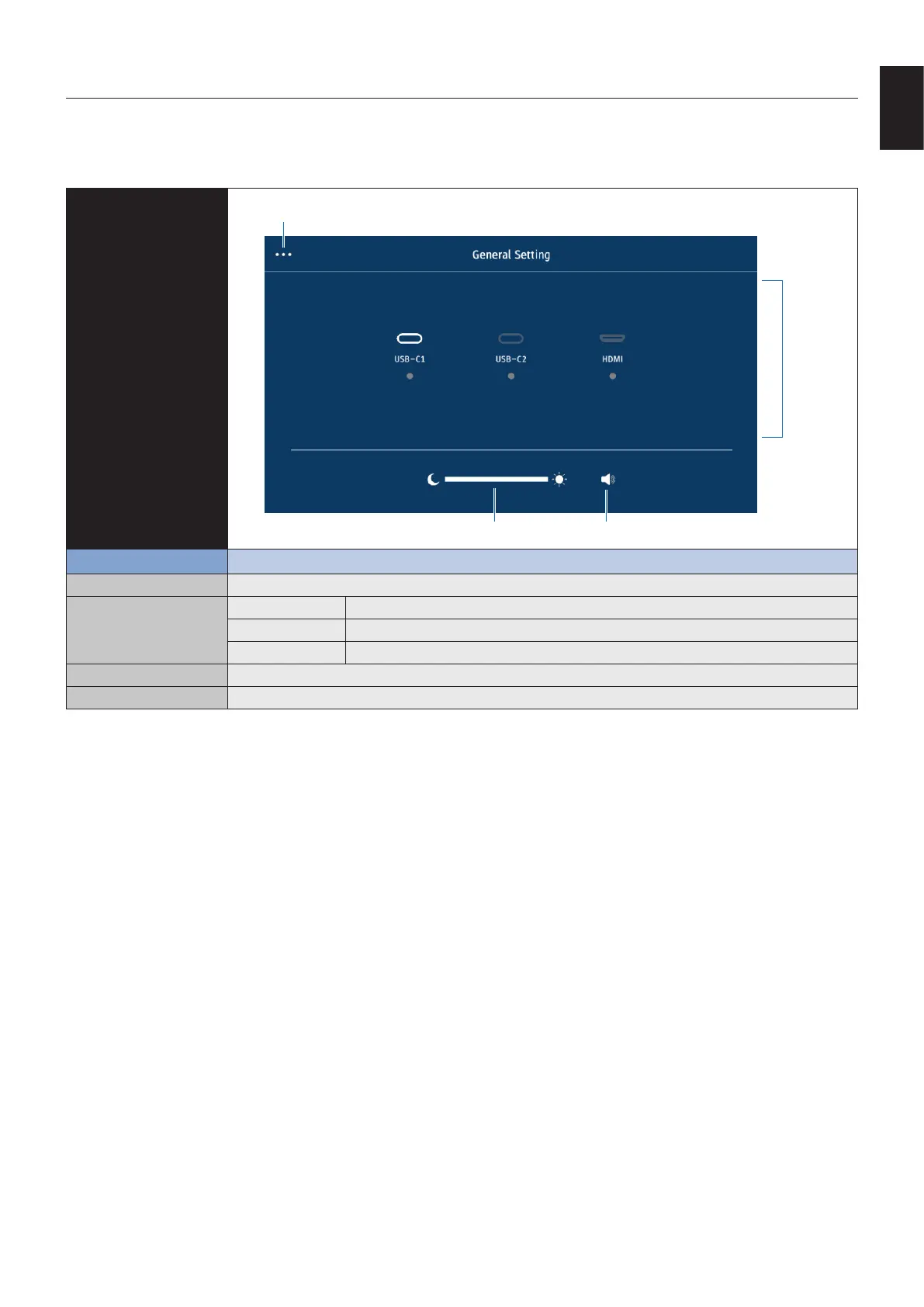
Swipe your nger up from the bottom of the screen or press the input button on the remote control to open the OSD Menu.
OSD Settings
General setting
General setting
Input
Brightness Speaker Mute
Menu Function
General setting(…) Open the General setting menu.
Input USB-C 1 Select the USB-C 1 input.
USB-C 2 Select the USB-C 2 input.
HDMI Select the HDMI input.
Brightness Adjusts the overall image and background brightness.
Speaker Mute Toggle mute / unmute the speaker.*
* Depending on the output device settings, the mute status and OSD display may not match.
In this case, set the output device to [USB Speaker (WD551 Audio)] from the computer sound settings.
OSD (On-Screen Display) Controls












 To Next Page