28
Before Setting Up Your Projector
1-5-2. Removing and Mounting the Side Cover
Preparation: Phillips head screwdriver (No.2) and cover key (attached goods)
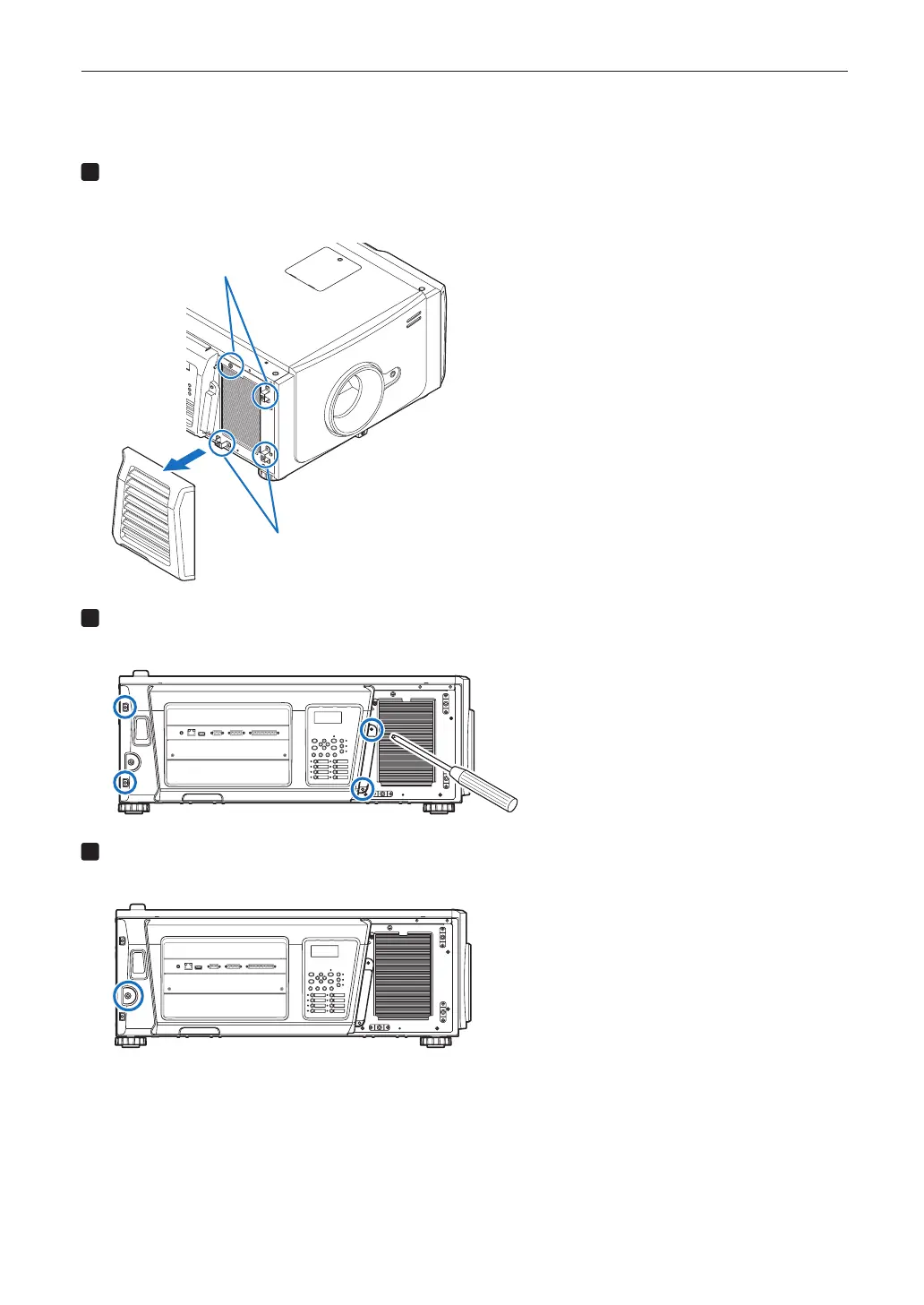
Remove the lter cover (side).
The filter cover is held in place by plastic clips (4 locations). Grasp the top and bottom edges of the cover and pull it
towards you to remove it.
Clip receptacle holes
Clip receptacle holes
Loosen the four xing screws on the side cover.
Loosen four screws on the side cover until they are free to spin. The screws do not detach from the cover.
GP I/O3DRS-232
USB
REMOTE
LAN
PWR
Unlock the side cover.
Unlock the cover using the cover key.
GP I/O3DRS-232
USB
REMOTE
LAN
PWR


 To Next Page