EasyManua.ls Logo

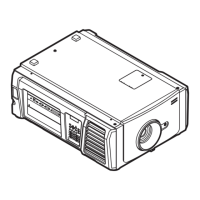
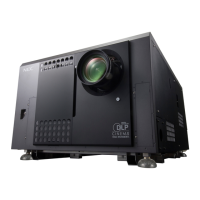
NEC NC900C - User Manual

NEC NC900C
88 pages
Print Icon
To Next Page IconTo Next Page
Loading...
Users Manual
DLP Cinema
®
Projector
NC900C-A
DLP Cinema
®
Projector
Model No.
NP-NC900C-A

Other manuals for NEC NC900C

Questions and Answers

  • E
    ekramerJul 31, 2025
    Why won't my NEC NC900C turn on?
    • V
      Vincent RiosJul 31, 2025
      If your NEC Projector won't turn on, first ensure that it's receiving AC power and that the main power switch is in the ON position. Also, check if the panel key lock function is activated, as this locks the control buttons. If the internal temperature is too high, the projector's protective function might prevent it from starting; wait before trying again. Finally, if you're using the projector at a high altitude (5500 feet/1600 meters or higher), the cooling fan settings may need adjustment; contact your dealer/distributor for assistance.
  • S
    Stephanie JonesAug 9, 2025
    How to fix a blurry image on NEC Projector?
    • J
      Jacqueline MedinaAug 9, 2025
      If the image on your NEC Projector appears blurred, ensure the lens is properly focused and that the screen and projector are positioned at the correct angles. The projection distance might exceed the focusing range. If the projector was stored in a cold place and is now in a warm environment, condensation may have formed on the lens or internal components; wait for it to dissipate.
  • M
    michaelherringAug 20, 2025
    What to do if NEC Projector image cannot be projected?
    • V
      vramirezAug 20, 2025
      If your NEC Projector is not projecting an image, verify that the correct input source is selected. Ensure the cable is securely connected to the input terminal. Check if the douser is closed. Finally, confirm that all settings are properly adjusted.

Summary

Important Information and Safety Precautions

General Precautions and Safety

General safety, handling, and electrical precautions for projector operation.

Installation and Power

Guidelines for projector installation and power connection.

Warnings and Power Supply

Warnings about hazards, power requirements, and electrical safety.

Cleaning and Maintenance

Procedures for cleaning, handling, and replacing projector components.

Environmental and Lamp Notes

Notes on mercury lamp disposal, lamp characteristics, and product disposal.

Projector Overview and Components

Product Features

Key features and capabilities of the NEC projector.

Whats Included

Lists accessories and items found in the projector box.

Projector Part Identification

Identification of physical parts on the front, rear, and bottom of the projector.

Connection Terminals and Control Panel

Details on various ports and the projector's control panel layout.

Preset Buttons and Future Features

Information on planned features and the function of preset buttons.

Installation and Connection

Setup and Connection Steps

Overview of the steps for setting up and connecting the projector.

Power Cable Connection

Detailed instructions for connecting the projector's power cable.

Input and Control Terminals

Connecting video sources and external control devices.

Basic Projection Operations

Projecting Images Overview

Steps involved in projecting images with the projector.

Powering the Projector On;Off

Procedures for safely powering the projector on and off.

Selecting Input Signals and Test Patterns

How to select input sources and use test patterns for adjustment.

Adjusting Image Settings

Adjusting the projected image's position, zoom, and focus.

Adjusting Lamp Output and Mode

Settings for lamp brightness and lamp mode selection.

Preventing Misoperations and Lamp Control

Using key lock to prevent errors and controlling the projector lamp.

Using Menus and Settings

Menu Navigation Basics

How to navigate the projector's menu system and understand the display.

Menu Structure and Options

Details on specific menu items like Information, Version, System, BIOS, and Data.

Character Input and Adjustment Table

Methods for entering text and a comprehensive table of adjustment menus.

Title Selection and Configuration

Selecting input titles, test patterns, and configuring lamp settings.

Lens Control and Reset Functions

Adjusting lens settings and resetting usage timers.

Title Setup and Information Details

Setting titles for presets and viewing usage, error, version, IP, date, option status.

Projector Maintenance

Cleaning Procedures

Instructions for cleaning the projector's cabinet and lens.

Lamp and Air Filter Replacement

Warnings, procedures, and timer resets for lamp and air filter replacement.

Appendix and Support

Troubleshooting and Indicators

Common issues, checks, and explanation of indicators.

Remote Operation and Logs

Remote control via browser and saving log files.

Specifications and Details

Technical specs, drawings, cable/connector info, and related products.

Power Cable and Connector Details

Power cable specs, RS-232, GPIO, and 3D connector pin assignments.

Related Products List

List of compatible accessory products for the projector.

NEC NC900C Specifications

General IconGeneral
Resolution1920 x 1200
Lens MountFixed
Aspect Ratio16:10
Contrast Ratio2000:1
Input ConnectorsHDMI, DVI, VGA

Related product manuals