COMMISSIONING AND OPERATIONS
COMMISSIONING
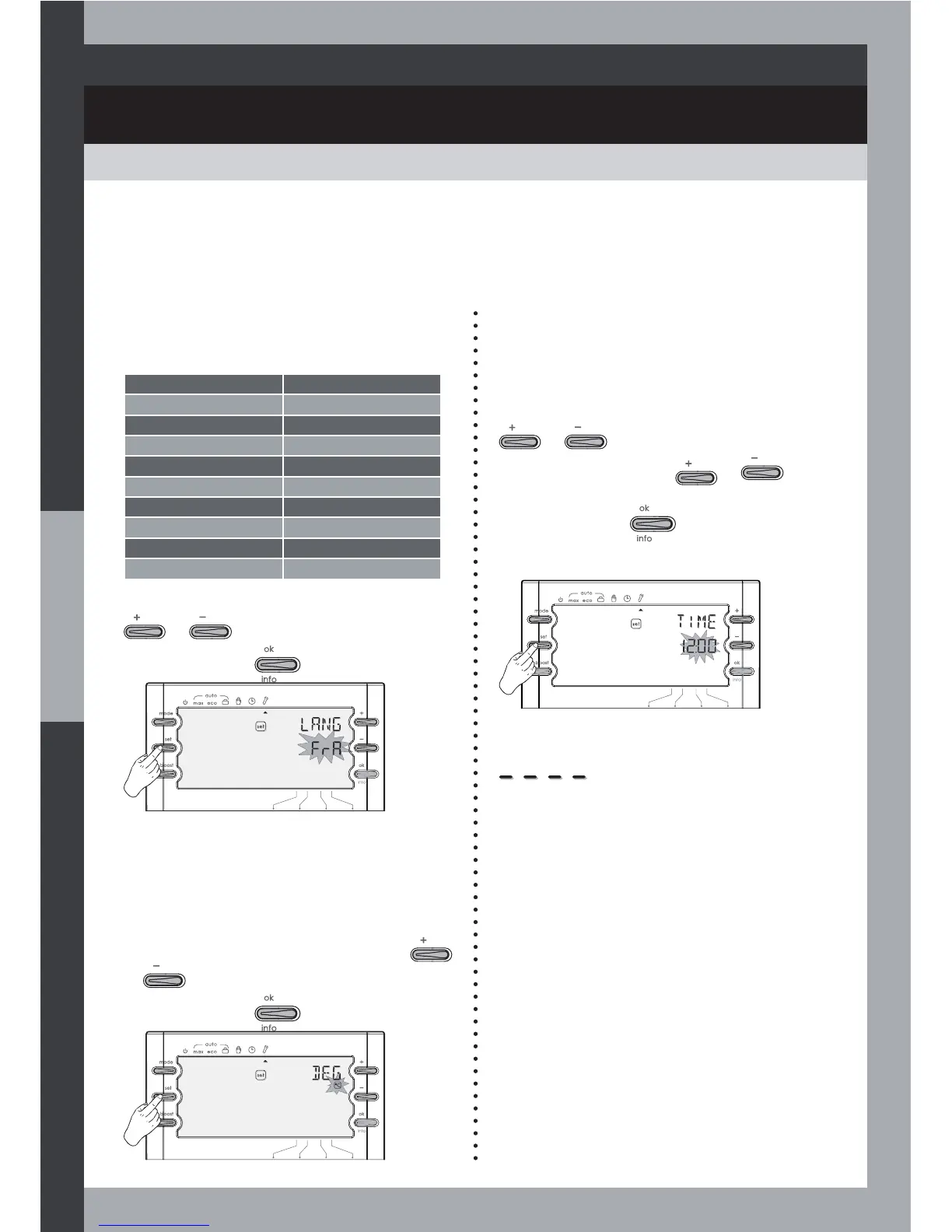
1- Setting the language
One of 10 languages may be selected:
French English
FRA ENG
German Italian
DEU ITA
Spanish Dutch
ESP NED
Finnish Norwegian
SUO NOR
Swedish Danish
SUE DEN
2- Setting the measure unit of the
temperature
You can select Celsius or Fahrenheit
degrees:
4- Select system
Select the system matching your actual
installation.
See installer settings section (page 42).
$WWKHÀUVWSRZHURQ
1- Select the language.
2- Set the time.
3- Select the system.
Select the desired language using
or .
Save by pressing
.
Select the desired measure unit using
or .
Save by pressing
.
3- Setting the time
The internal off-peak hours and
programmable Boost functions require the
time to be set.
7KHWLPHGLVSOD\ÁDVKHVVHWWKHWLPHXVLQJ
or .
Hold down the button
or to
scroll through faster.
Save by pressing
.
Note : You can move on from the settings
once the area shown as four underlines
has been set as a time.
16



 To Next Page