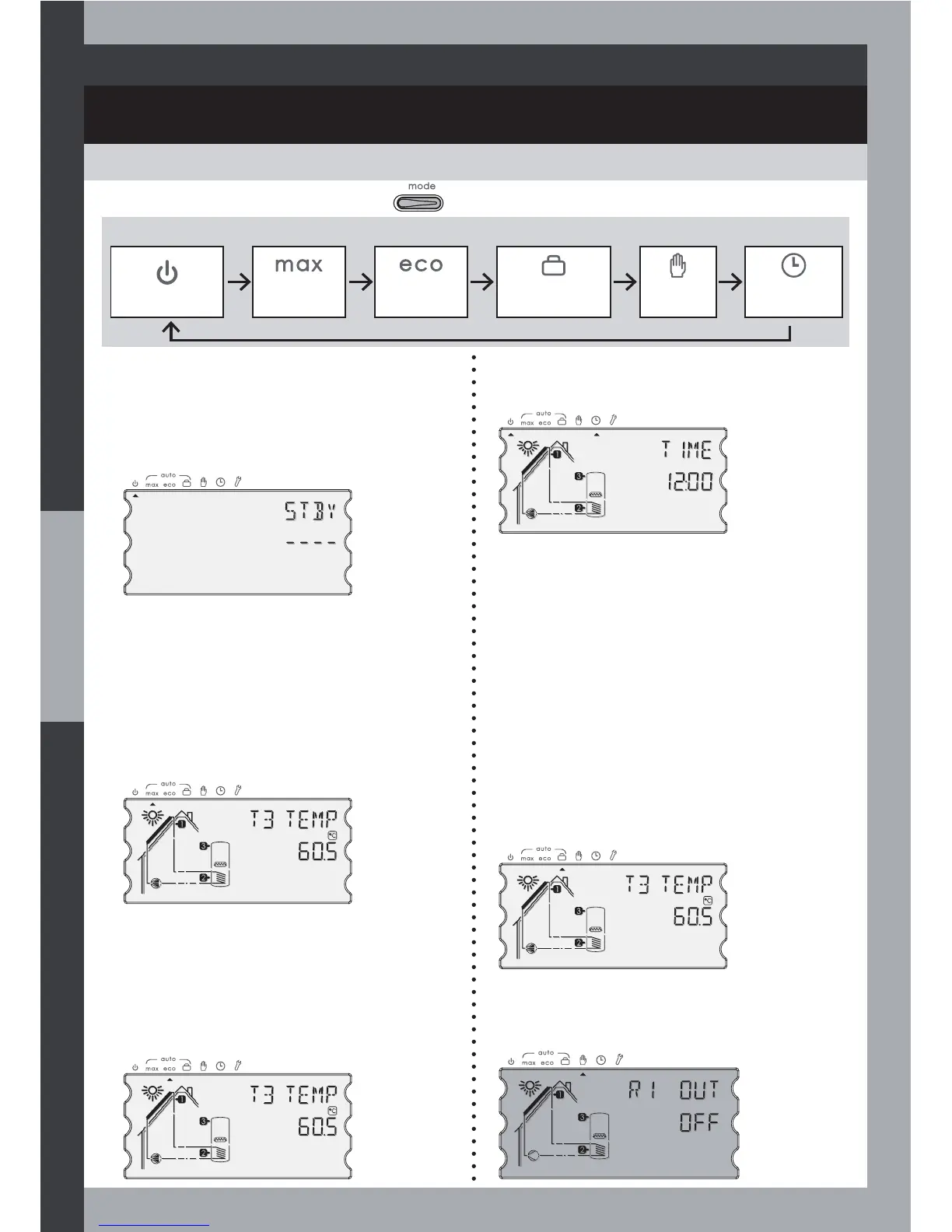
OPERATING MODES
COMMISSIONING AND OPERATIONS
Select the required mode by pressing once or several time.
Mode sequence:
Standby Mode
Max Mode
(automatic)
Eco Mode
(automatic)
Holidays Mode
(automatic)
Test
Mode
Clock
Mode
Standby Mode
This mode disables the water heating , in
summer for instance.
All functions are disabled except primary
system protection functions (protection
against high temperature, AF) and Boost.
Max Mode (automatic)
The controller operates automatically
according to the settings.
Maximal comfort, solar heating with
hydraulic or electric auxiliary heating
(depending on the selected system).
Eco Mode (automatic)
Ecological / Economy Automatic mode
without any auxiliary heating except
for Boost function or Anti-Legionella
protection.
Clock setting Mode
Mode to change the time and time-related
settings.
Holidays Mode (automatic)
This feature allows the cooling of the hot
water storage cylinder at night to reduce
stagnation times during the following day
when the system is not being used (holiday
periods for example). This is most effective
ZLWKÁDWSODWHFROOHFWRUV7KHFRROLQJRIWKH
cylinder at night (by running the R1 solar
pump) is controlled to achieve a pre-set
temperature (T2 HOLI, settable in EXPERT
mode, for example 35°C). Consideration
should be given to preserving a potential
in the cylinder for capacity to ‘cool’ the
system i.e. the collector during the day
should the safety feature for cooling the
system be required.
Manual test mode
Manual test mode for the installer to drive
manually the outputs during the system
setup.
18



 To Next Page