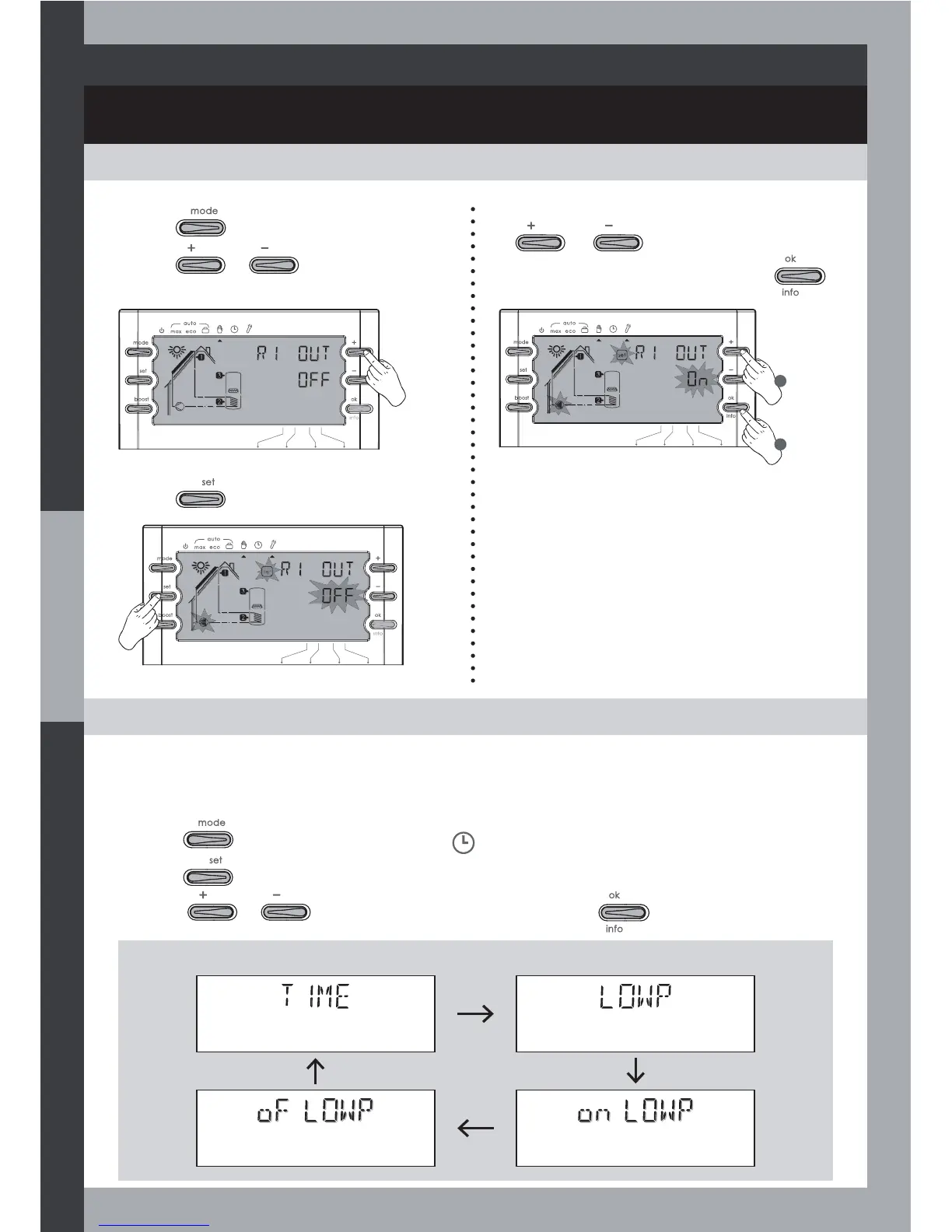
TEST MODE: MANUAL TESTING OF THE INSTALLATION
COMMISSIONING AND OPERATIONS
CLOCK MODE: TIME AND OFF-PEAK HOUR SETTING
19
3- Press to modify the output state.
1- Press to select the Test mode.
2- Press
or to select the
output you want to force for testing.
4- You can change the output state by using
or .
Go to the next output by pressing
.
1
2
For more energy savings, this function enables you to program an off-peak hour time range.
The electric auxiliary heating will be allowed in off peak-hour only (this function can be used
in Auto Max mode only).
1- Press to set the mode selector on .
2- Press to enter the setting.
3- Press
or to change the parameter value and to save it.
Time setting
Internal Low-tariff period
setting enable
Off-peak Period end Off-peak Period start
Parameter sequence:



 To Next Page