SYSTEM STATE AND DISPLAY
SYSTEM INFORMATION DISPLAY
System information display
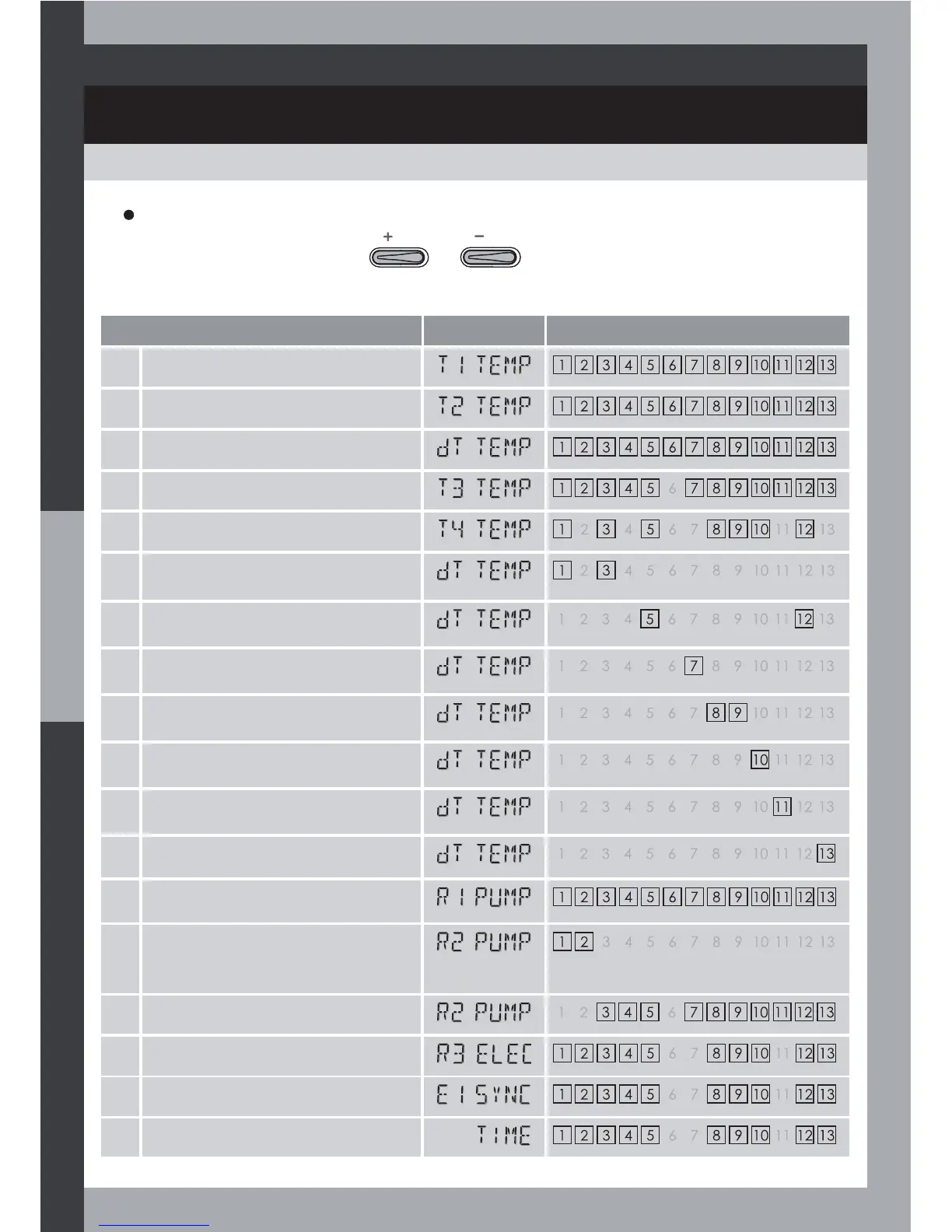
From Auto mode, by pressing or successively several times, the system
information are scrolled through on screen.
System information
Display Related systems
1 T1 temperature
2 T2 temperature
3 dT temperature
4 T3 temperature
5 T4 temperature
6 dTA temperature = T1-T4
(if heat quantity function enabled)
7 dTA temperature = T4-T2
8 dTA temperature = T3-T2
9 dTA temperature = T1-T4
10 dTA temperature = T4-T3
11 dTA temperature = T3-T4
12 dTA temperature = T1-T3
13 R1 output
14 R2 output
(if Anti-Legionella function
enabled)
15 R2 output
16 R3 output
17 E1 input
18 Clock time
30



 To Next Page