EasyManua.ls Logo

Neomitis SR - Diagram

Default Icon
88 pages
Print Icon
To Next Page IconTo Next Page
To Previous Page IconTo Previous Page
Loading...
OVERVIEW
DIAGRAM
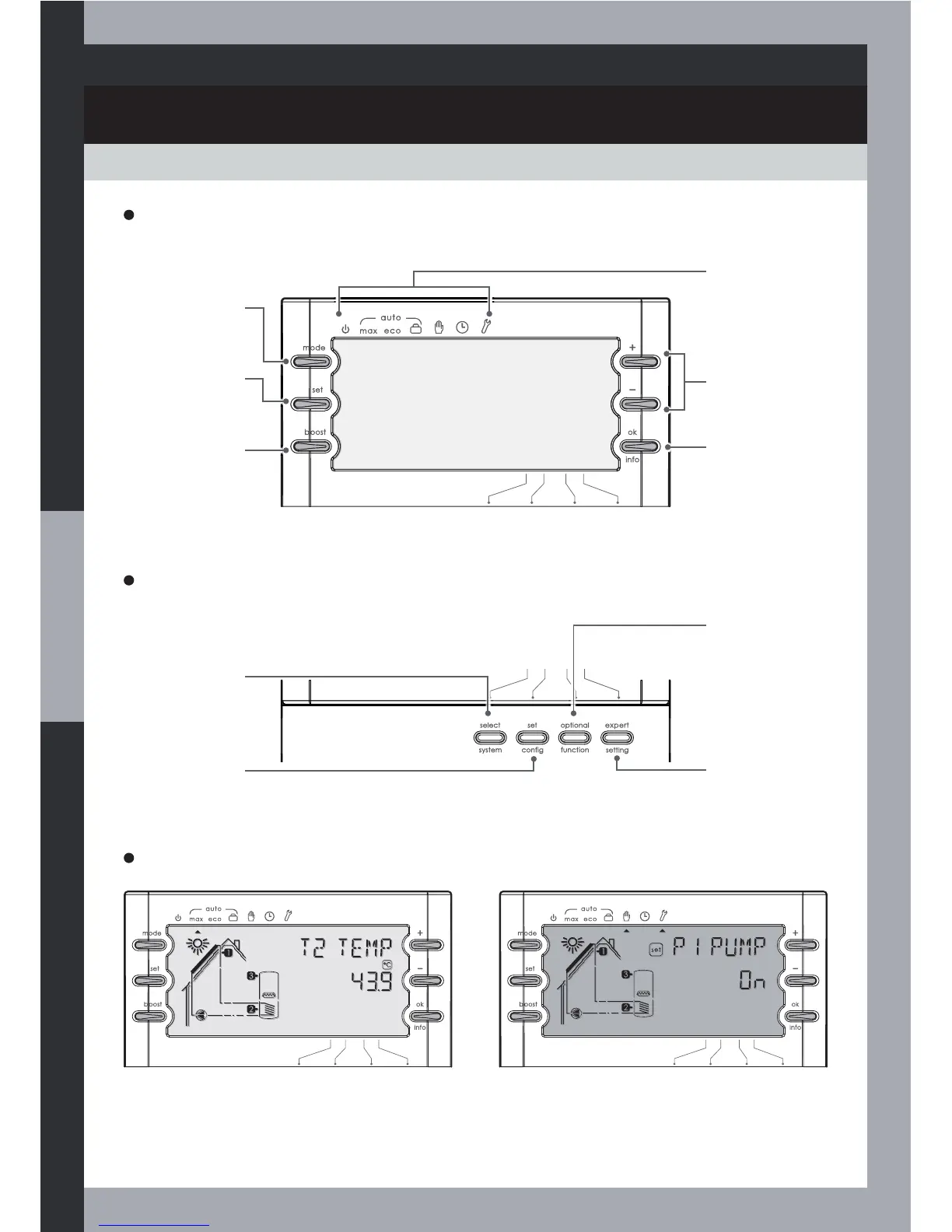
Installer Interface
Select system key
To select a system
number
6HWFRQÀJNH\
To set the
whole system
FRQÀJXUDWLRQ
Optional function
key
To set optional
functions
Expert setting key
To set expert
parameters
User interface
+/- keys
To change a
value or display
next parameter
Modes
Standby, Max,
Eco, Holidays,
Test, Clock and
Set
Mode key
Selecting
the mode
Set key
Setting
parameters
Boost key
Boost activation
ok/info key
To validate a
value / display
next setting
or display
information
8
Display and back-lit screen
Blue back-lit screen: user modes and
normal operating.
Red back-lit screen: installer modes and
faulty operating.

Table of Contents