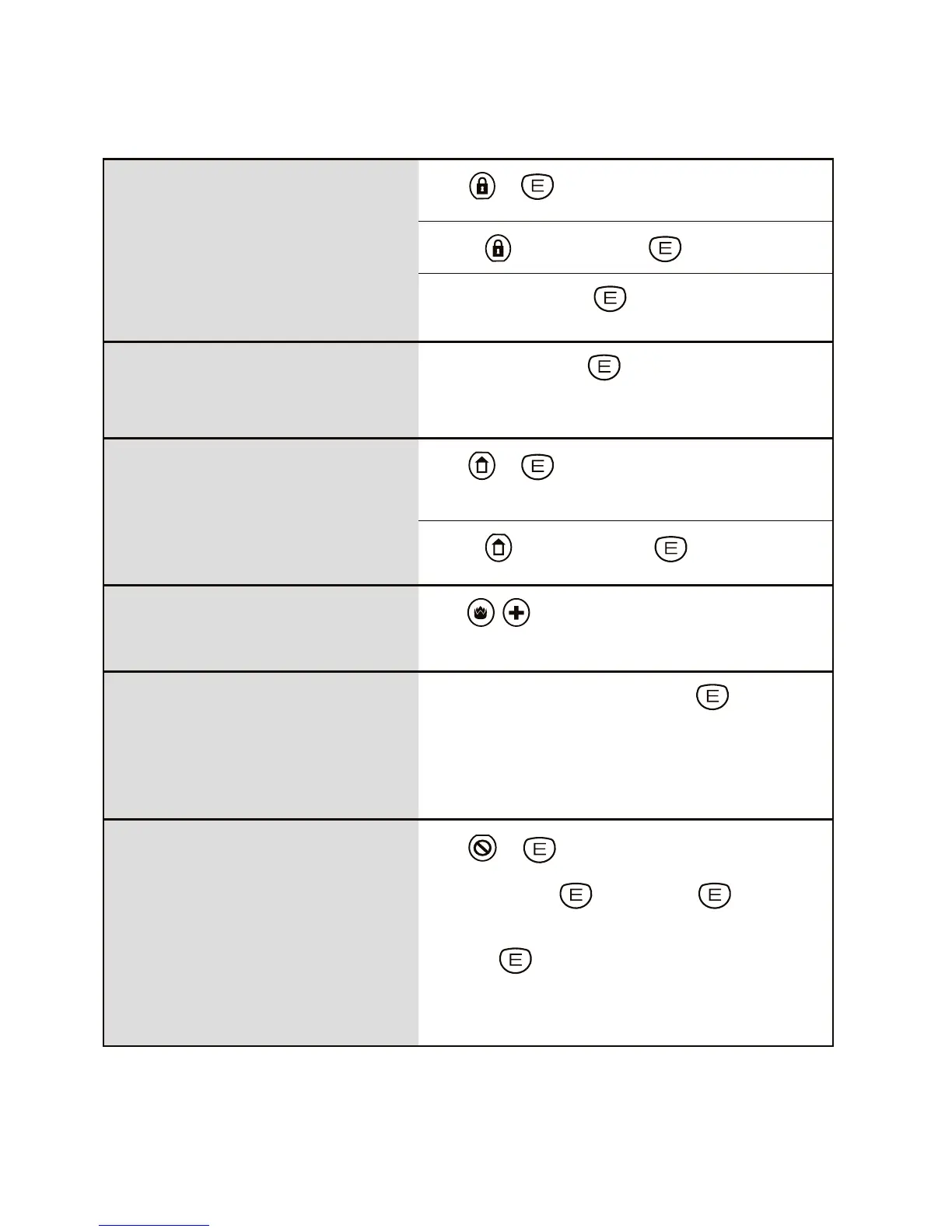
KeypAd OperATION sUMMAry
to ARM
The panel must initially be disarmed.
Press + (If the Arming Shortcut is enabled).
or press + [uSer cOde] +
or press [uSer cOde] + (If Code Only Arming has been
enabled for that user code).
to DISARM
To disarm and/or reset alarms.
Press [uSer cOde] +
to arm HOME MODE
Area1 must initially be disarmed.
Home Mode can be used if the panel is fully
disarmed or if only Area2 is armed, see page
12 for more information.
Press +
(If the Home Mode Shortcut is enabled).
or press + [uSer cOde] +
PANIC alarm
Press
Fire & Medical keys together
(If Keypad Panic is enabled).
KEYPAD DURESS
Keypad Duress allows the user to send a silent
duress report while disarming, (if the system is
being monitored by a central station).
Press [5, 6, 8 Or 9]+[uSer cOde] +
Add one these digits in front of a user code when disarming.
This sequence will disarm the panel and send a Duress report
by dialler to the central station. (Report Keypad Duress must
be enabled by your installer).
EXCLUDE ZONES
EXCLUDE + E can only be used when the panel
is disarmed.
EXCLUDE + CODE + E
can be used anytime.
Press + (If the Exclude Shortcut is enabled).
then [ZOne nO.]+ [ZOne nO.]+ (Enter the zone
number/s to be excluded.)
then press to exit Exclude mode
The Exclude light flashes constantly while zones are excluded.
Excluded zones are automatically Included next time the panel
is disarmed.



 To Previous Page