45
Net DVR
4.4 Output Setup
4.4.1 Display setting
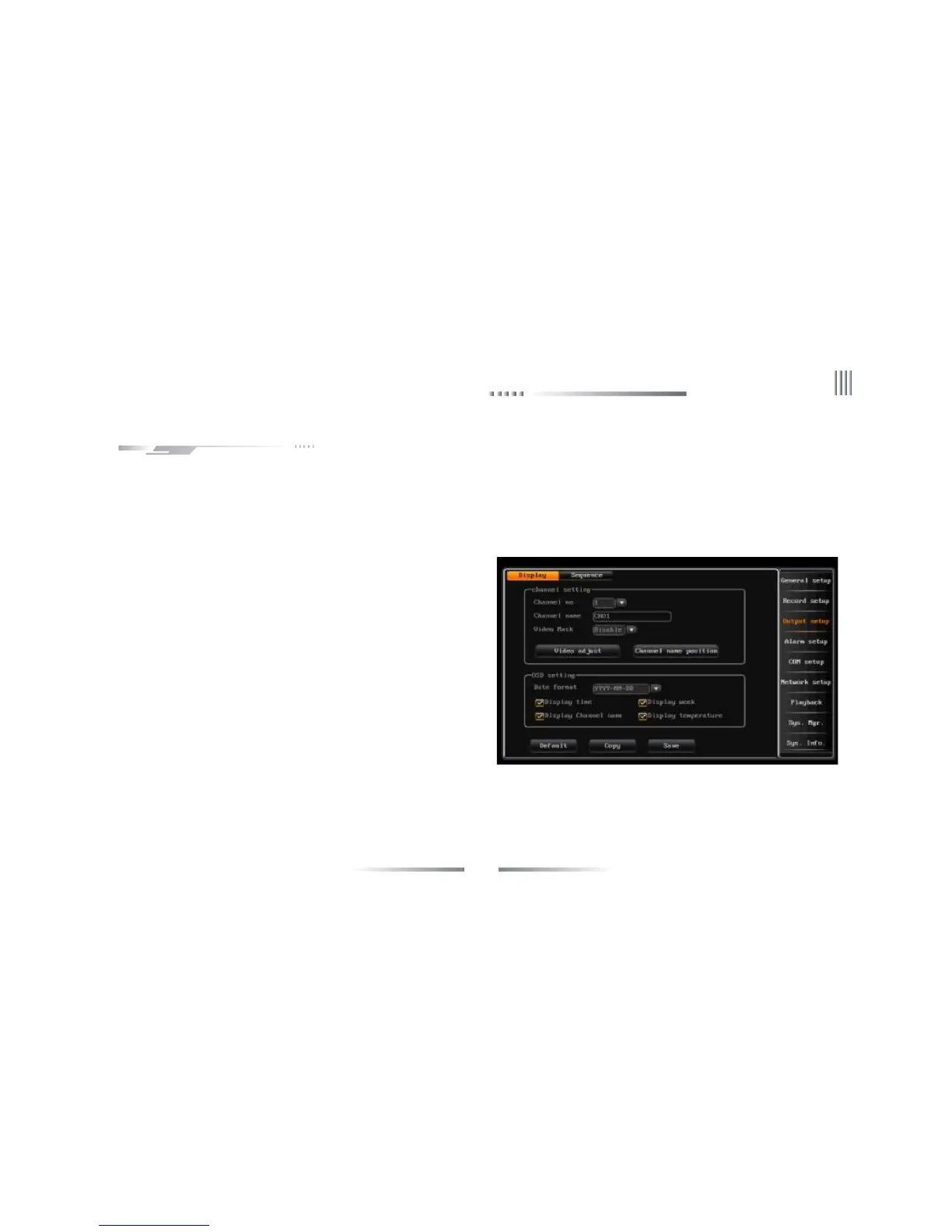
After login,click “main menu”-> “output setup”-> “display setup”, enter the interface as follows:
It’s used for adjusting the channel parameters, include channel name, video mask, video adjustment, channel name position and OSD setting.
Each channel can max support 4 mask areas. The way of set the mask area is as follows:
l Tick off the video mask to enable this function, click “mask area”to enter the video mask status.
l Set by mouse:Left click a pane as the start position of the mask area, then click another pane as the end position, and the area will shown.
1.Channel Name
l The channel name can be established at most 16 Chinese characters or 32
English letter and numeral.
l Modify by mouse:Double click left button to pop out the software
keyboard; In the pinyin input states, click “En” to switch to English input
method.
l Modify by remote controller:Use "#" to switch the input method.
l Channel name fixed fold on the top left corner of the corresponding
channel, you can enter the channel name position interface, and select the
channel name to adjust its position by dragging the mouse .
l When copy the channel settings, not include copying the channel name.
2.Mask Area Setting
In some surveillance occasion, user need to mask the sensitivity or private
area in the surveillance area of the location, such as ATM’s password area.



 To Next Page