55
Net DVR
4.7 Network Setup
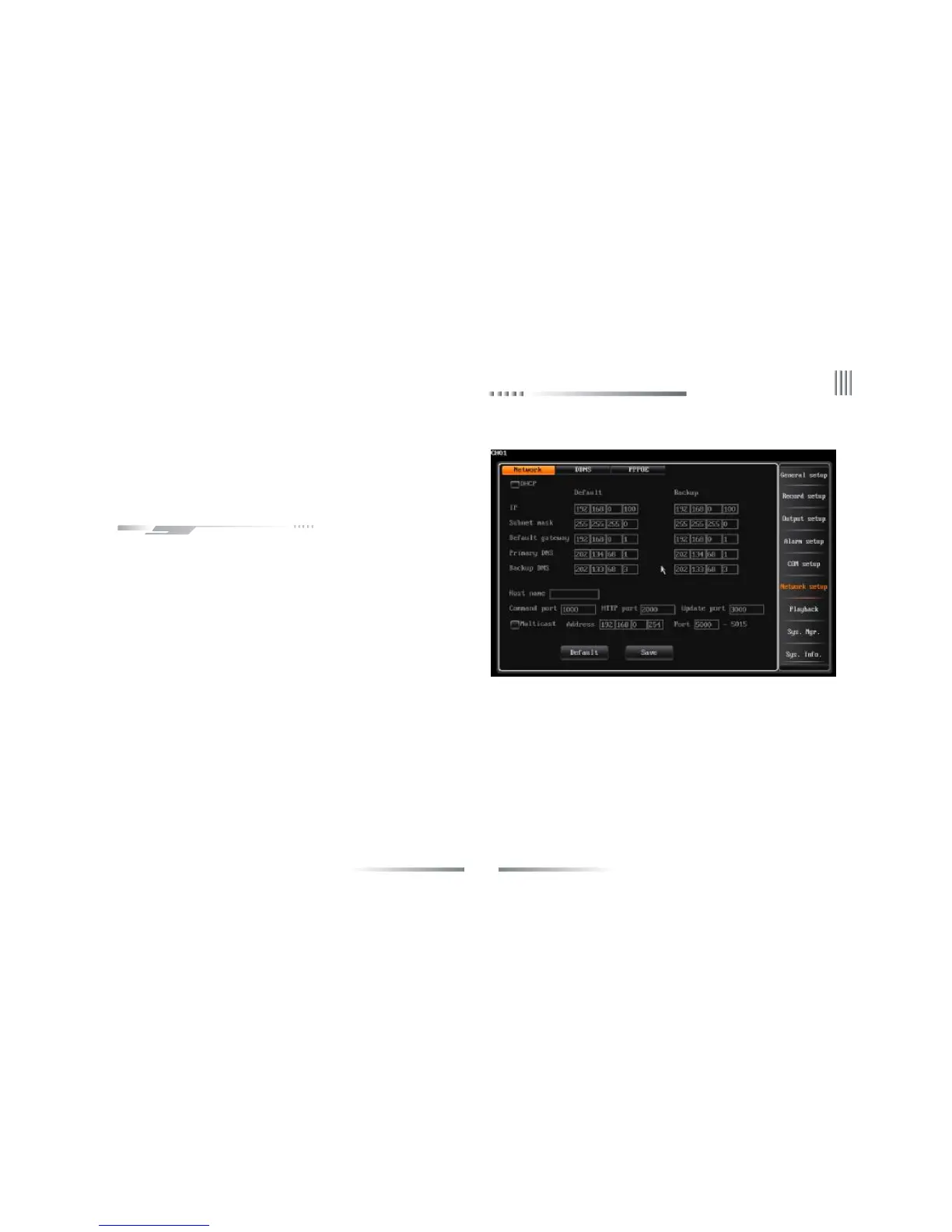
After login, user can through “Main menu”-> “Network Setup” to
enter the network setup interface.
4.7.1 IP Setup
The Network setup interface is as follows:
l Auto acquire IP address:If the server in the LAN where the DVR is placed
has the DHCP service and you have selected the “DHCP” option, DVR will
obtain a dynamic IP address from the server and displayed within the IP
address column.
l Multi-preset position sequence (Note: Only enable when system log off)
(1) Sequence interval time:0-99s.
(2)Preset No.:each channel can max set 16 preset position.
(3)Range of preset No.:001-255,255 means closed.
l Disable DHCP: If there is no DHCP service in the LAN, you can choose this option to designate the static IP address.
IP settings: This IP must be unique. It can’t conflict with the IP of other servers or working stations in the same LAN.Default: 192.168.0.6.
Subnet mask code: Used to differentiate subnet.
Gateway address:Used to realize communication between different networks, it needs to set up gateway address.
DNS server:Input the DNS address acquired by PPPOE(Note: Please ensure the DNS address is correct, otherwise the DDNS will not work).
l Command port: The port for data transmitting with client, default set is 8101,port range 8000-9000.
l HTTP port:IE browse port, default set is 81. Port can be changed. You have to restart the system to effect the changes. After you change the



 To Next Page