73
Net DVR
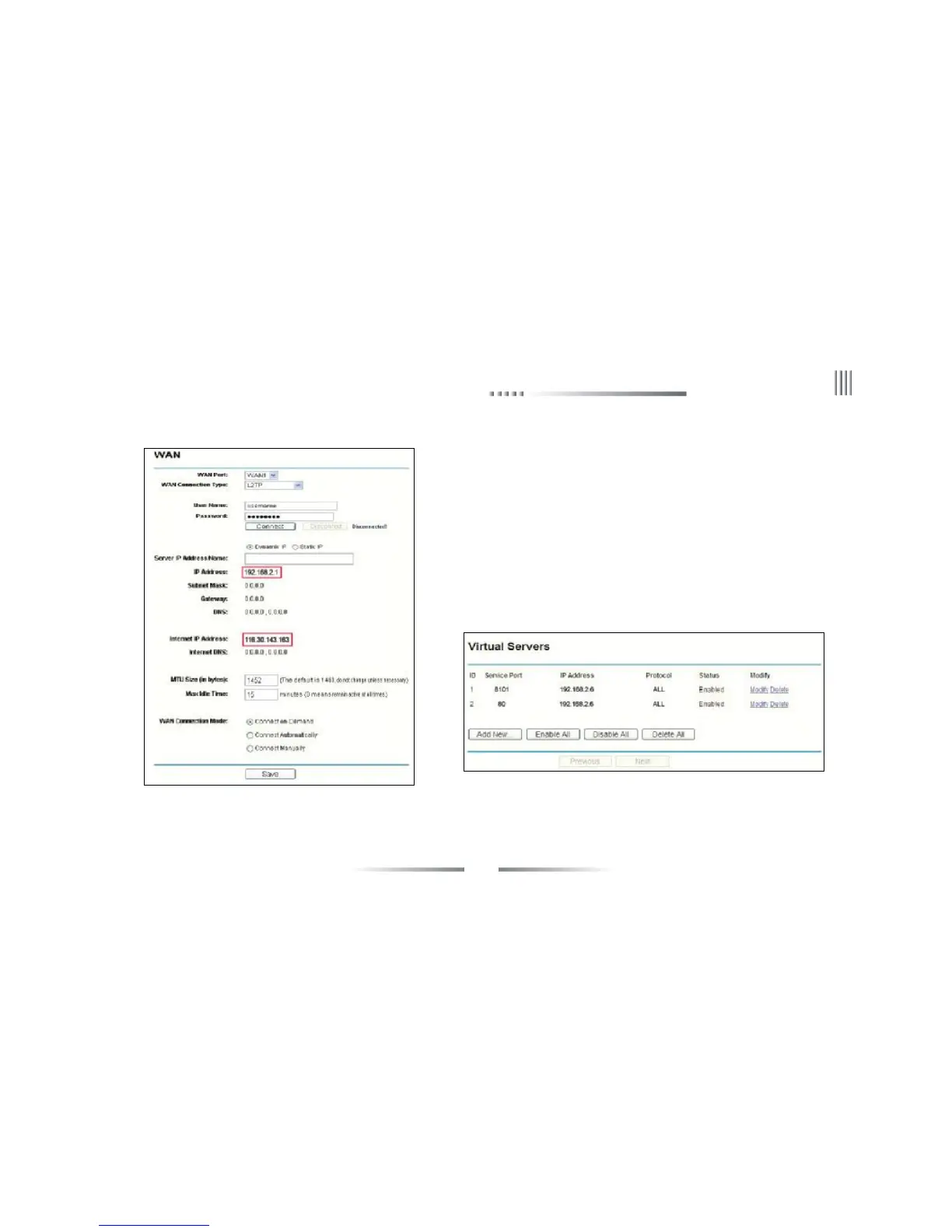
[1] After signing up routers, by choosing “Running Status” icon on left side menu
of Figure 2, view the LAN IP and WAN IP address of the routers, such as, the
LAN IP address 192.168.2.1, WAN IP address 116.30.143.163.
[2]Choose the “Transfer Rules” on Figure 2 left menu, as shown in Figure 3,
respectively input “command port: 8101”, “HTTP monitor port: 80”, “IP
Address: 192.168.2.6”, as shown in Figure 1, and choose to enable the agreement
“ALL”. Click the “Save” to save the settings.
Fig 2 Fig 3
Take the TP-LINK as an example:
[3]Port Description: The command port is the TCP port of all DVRs communications, and HTTP port is IE browser port.



 To Next Page