EasyManua.ls Logo

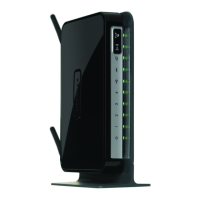
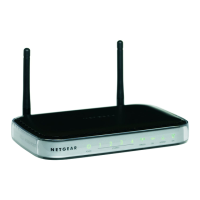
NETGEAR DGN2000 - User Manual

NETGEAR DGN2000
126 pages
Print Icon
To Next Page IconTo Next Page
Loading...
202-10390-01
July 2008
NETGEAR, Inc.
350 East Plumeria Drive
San Jose, CA 95134 USA
Wireless-N ADSL2+
Modem Router DGN2000
Reference Manual

Table of Contents

Other manuals for NETGEAR DGN2000

Questions and Answers

  • J
    Joanna VelezAug 10, 2025
    What to do if window appears asking to reload firmware on NETGEAR DGN2000 Network Router?
    • B
      Benjamin MorenoAug 11, 2025
      If a window appears prompting you to reload the firmware on your NETGEAR Network Router, it indicates a problem with the current firmware. Follow the on-screen instructions to access the new firmware and reload it into your router.
  • S
    smithjesseAug 17, 2025
    Why is the Internet LED red on my NETGEAR DGN2000?
    • S
      sarahmartinAug 17, 2025
      A red Internet LED on your NETGEAR Network Router typically indicates a problem with the internet connection. This could be due to incorrect login credentials or incorrect ADSL settings on the router. Ensure that your login details are correct and that the Multiplexing method, VPI, and VCI settings on the ADSL settings screen match your ISP's requirements. It's also possible that your ISP is experiencing an outage, so check with them to confirm.
  • T
    Tina NielsenAug 22, 2025
    What to do if the power LED is red on NETGEAR DGN2000?
    • B
      Brian CooleyAug 22, 2025
      If the power LED on your NETGEAR Network Router is red, it indicates a fault within the router. First, try turning the power off and on to see if the router recovers. If the power LED remains red one minute after powering up, clear the router’s configuration to factory defaults. If the issue persists, it could be a hardware problem, and you should contact Technical Support.
  • A
    Annette ButlerAug 29, 2025
    How to fix NETGEAR DGN2000 Network Router when LAN or ADSL Port LED is not on?
    • A
      Andrea HarrisAug 29, 2025
      If the LAN or ADSL Port LED on your NETGEAR Network Router is not lit, it suggests a connection issue. To resolve this: * Ensure the Ethernet cable connections are securely plugged into both the router and the connected device (hub or workstation). * Verify that the connected hub or workstation is powered on. * Confirm you're using the correct cable; for the ADSL port, use the cable provided with the wireless-N modem router. If the ADSL link LED remains off, there may be no ADSL service or a faulty cable connected to the ADSL port.
  • C
    catherinewoodardSep 4, 2025
    Why is the power LED not on on my NETGEAR DGN2000 Network Router?
    • W
      williamgriffinSep 4, 2025
      If the power LED on your NETGEAR Network Router is not on, it usually indicates a power connection problem. Ensure that the power cord is properly connected to your router and that the power supply adapter is correctly connected to a functioning power outlet. Also, verify that you are using the 12 V DC power adapter supplied by NETGEAR for this product. If the error persists, it may indicate a hardware problem, and you should contact Technical Support.

NETGEAR DGN2000 Specifications

General IconGeneral
Device TypeWireless Router
Wireless Standard802.11b/g/n
Frequency Band2.4 GHz
ADSL StandardsADSL, ADSL2, ADSL2+
Data Link ProtocolEthernet, Fast Ethernet, IEEE 802.11b, IEEE 802.11g, IEEE 802.11n
Integrated SwitchYes
WAN Ports Qty1
Wireless Protocol802.11b/g/n
DSL ModemYes
Wireless Data RatesUp to 300 Mbps
Antennas2 x External
SecurityWPA, WPA2, WEP
Connectivity TechnologyWireless, Wired
Encryption AlgorithmWPA-PSK, WPA2-PSK
Ports4 x 10/100 Mbps Ethernet LAN, 1 x 10/100 Mbps Ethernet WAN
ADSL Data RatesUp to 24Mbps downstream and 3Mbps upstream

Videos

How to Set up NETGEAR DGN2000 WiFi Router

Related product manuals