Maintain and Monitor the Extender
84
AC1200 WiFi Range Extender
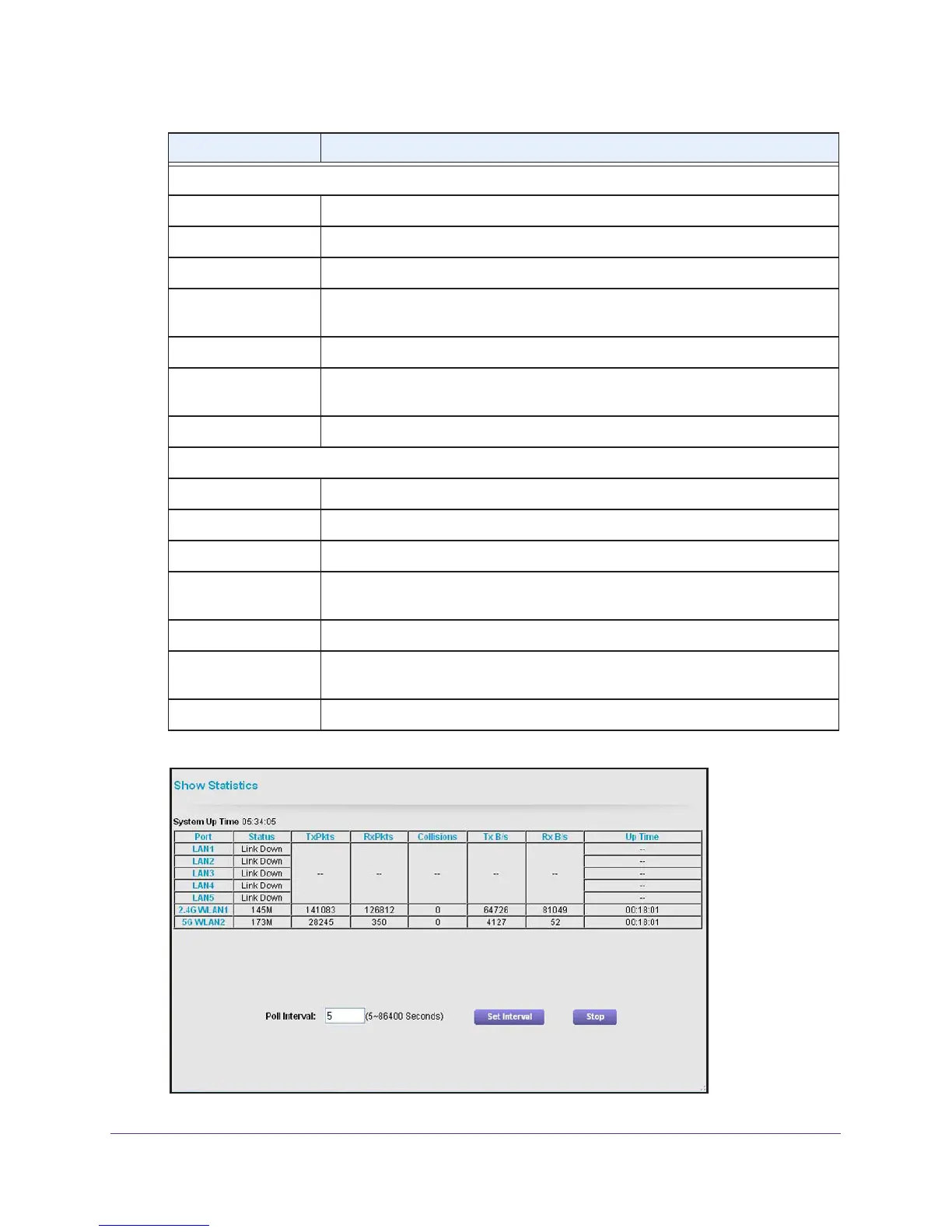
5. Click the Show Statistics button.
Extender Wireless Settings (2.4GHz)
Name (SSID) The name (SSID) of the WiFi network of the extender in the 2.4 GHz band.
Region The location in which the extender is operating in the 2.4 GHz band.
Channel The active channel of the WiFi network in the 2.4 GHz band.
Wireless mode The wireless mode in the 2.4 GHz band: Up to 54 Mbps, Up to 145 Mbps, or Up to
300 Mbps.
Wireless AP Shows whether the WiFi access point of the extender is on in the 2.4 GHz band.
Broadcast Name Shows whether broadcasting of the network name (SSID) of the extender is on in
the 2.4 GHz band.
Wi-Fi Protected Setup Shows whether Wi-Fi Protected Setup (WPS) is configured for the 2.4 GHz band.
Extender Wireless Settings (5GHz)
Name (SSID) The name (SSID) of the WiFi network of the extender in the 5 GHz band.
Region The location in which the extender is operating in the 5 GHz band.
Channel The active channel of the WiFi network in the 5 GHz band.
Wireless mode The wireless mode in the 5 GHz band: Up to 54 Mbps, Up to 173 Mbps, Up to 400
Mbps, or Up to 867 Mbps.
Wireless AP Shows whether the WiFi access point of the extender is on in the 5 GHz band.
Broadcast Name Shows whether broadcasting of the network name (SSID) of the extender is on in
the 5 GHz band.
Wi-Fi Protected Setup
Shows whether Wi-Fi Protected Setup (WPS) is configured for the 5 GHz band.
Field Description


 To Next Page