11
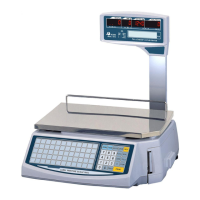
Numeric Keypad
The Numeric keypad is the 25 keys
the right-side of the keyboard.
ZERO Key is used to m
is used to enter and clear
manual or sampled tares.
AUTO Key is used to turn Auto-print mode on or off.
SAVE Key is used to
turn Save mode on or off. When Save mode is
on, the scale will not auto-clear tares and/or
unit prices; when off, tare
and unit prices will auto-clear.
SET Key is used to enter the Main Menu (programming mode.)
may be required to enter a password to access programming mode.
Numeric Keys (0 to 9) are used to enter numeric data like tares
pieces, etc.
Label/Receipt Key is used to choose the printing mode .
REFUND/ESC Key
is used to enter Sales mode whenever you are at
the Main Menu; refund sales transactions
and void sales transactions.
otherwise, it will backtrack through the menu system.
ADD Key is used to add sold items.
PLU Key is used to call-up PLUs by number.
X/Sub Total Key is used to print copies of labels (multiple labels.)
show sub total in receipt mode
FOR Key is used for pricing By Count PLUs and for percent discount.


 To Next Page
 Loading...