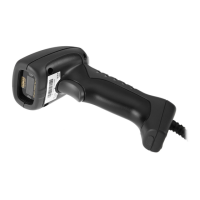
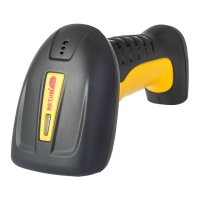
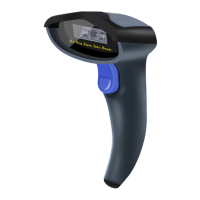
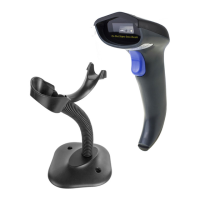
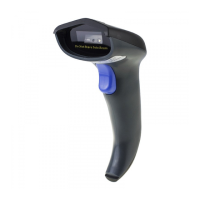
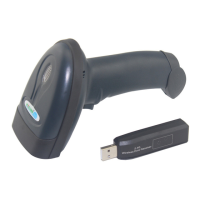
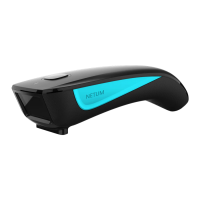
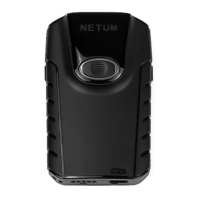
This Wireless Bar Code Scanner is an ingenious device designed for fast and accurate reading of 1D codes, even those that are incomplete or fuzzy. It is produced using advanced techniques, incorporating fine chipsets and adhering to ergonomic requirements for user comfort. This scanner is versatile and can be widely used in various sectors, including commercial POS systems, supermarkets, warehousing and logistics, libraries, banks, transportation, postal services, and industrial and manufacturing process management.
The device combines proven high-property scanning technology with state-of-the-art ergonomics, offering several key features. It supports long-distance and fast data transmission, allowing for efficient operation across larger areas. The scanner also includes data storage capabilities, ensuring that information is not lost even when out of range. A scan number display provides immediate feedback on the number of successful scans. Furthermore, it supports network construction, enabling flexible deployment in various operational environments. The integration of Anti-jamming Frequency Hopping Technology ensures stable and reliable communication, minimizing interference. This product is designed to bring convenience, comfort, high-speed performance, and stability to barcode scanning operations.
The scanner can function as a data collector, with an internal memory of 4MB, expandable to 8MB, to store a large volume of barcode information. A crucial feature is its ability to prevent data loss, accompanied by clear warnings to alert the user. It offers intelligent uploading options, allowing users to choose between uploading data from the last scans or resuming uploads from breakpoints, which is particularly useful in case of interruptions. The device is programmed to handle "no-messy-code" scenarios, includes data counting, and provides warnings for repeated codes or when the scanner is out of base range. An ID display further enhances its utility.
When the scanner is out of the base range, a beeper and light indicate this status, and the device automatically switches to storage mode to continue collecting data without interruption. It supports various operational configurations, including one-to-one, one-to-many, and many-to-one setups, with each base capable of responding to up to 254 scanners. The communication range between the terminal and the base is impressive, reaching up to 150 meters indoors and 300 meters outdoors, providing significant operational flexibility.
The scanner is powered by a replaceable 1200MA lithium battery, which provides 6-10 hours of continuous use after a full charge. This design avoids the inconvenience of returning the device to the factory for battery replacement. The base unit not only supports data transmission but also serves as a charging station for the battery. For enhanced durability and performance, the scanner features a Germany-imported quartz scanning window, which ensures effective light penetration and is scratch-proof. The device is compatible with multiple interfaces, including USB, PS2, and RS232, along with other designated interfaces, making it adaptable to various existing systems.
For installation, connecting the base to a computer via a USB cable is straightforward. Windows typically installs the necessary drivers automatically. Once connected, the system indicates successful installation, and the scanner light turns on. If connection issues arise, simply unplug and re-plug the base. The antenna is easily installed by connecting it vertically to the base's interface and tightening it clockwise. To begin wireless scanning, a specific barcode on the association cards or in the guide book needs to be scanned.
The scanner provides clear audio and visual indications during data transmission. A successful communication is indicated by one beep and a single flash of a blue light. If communication fails, three beeps and three flashes of the blue light occur, and the scanner automatically switches to storage mode. In storage mode, a red light is on, and the blue light flashes when a code is successfully read and stored. This mode is activated when communication with the base fails, allowing the reader to store scanned barcode information automatically. Users can also manually select storage mode. The 4MB internal memory can store between 40,000 to 100,000 barcode entries.
A low power alarm system is in place: if the scanner automatically shuts down shortly after startup, it indicates low battery, prompting the user to charge it. For initial use, the battery should be fully charged. It is recommended to shut down the scanner before charging. During charging, both blue and red lights on the base are illuminated; once charging is complete, only the red light remains on.
The scanner can be configured through a settings menu to meet specific operational requirements. This includes switching between "Normal Mode" (instant upload) and "Storage Mode." In normal mode, data is transmitted to the base immediately upon scanning. If the base is not successfully associated or out of range, the scanner automatically stores the data and switches to storage mode after three consecutive signal failures. The "Upload data" setting allows for uploading all stored data to the corresponding base, including data from previous operations that were not cleared. There's also an option to upload data from the last operation (since the last startup).
For managing data uploads, a "Resume broken upload" feature allows the scanner to continue uploading from the point of interruption, useful if the base is disconnected or powered off during an upload. The scanner can display the "total number of stored scans" and the "number of last stored scans," which counts by carriage returns. A "Clear storage" option is available to erase all data from the scanner's memory, indicated by a blue light flash upon successful clearing. This function is available in both normal and storage modes.
Transmitter settings allow for configuring the working channel (00-15), transmitter ID (1-254), and corresponding receiver ID (1-254). The beeper function can be activated or deactivated to indicate signal reception during data uploading. One beep signifies signals received, while three consecutive beeps indicate signals not received. Note that activating the beeper affects scanning speed, reducing it from three codes per second to one code per second. There is also an option to restore all original transmitter settings.
Receiver settings include configuring the receiver channel (00-15) and receiver ID (1-254). The scanner can be set to display or not display the scanner ID at the receiving end. Delimiters between the ID and barcode can be set to a Tab (default), white space, or a hyphen. All original receiver settings can also be restored. After any programming operation, the reader will emit beeps and flash lights to indicate association to the base. To finalize settings, the reader should be placed close to the base, the base cable unplugged for a few seconds, then plugged back in. The cessation of flashing lights and beeps indicates successful setting.
The device also features repeated code detection. When enabled, the scanner will issue an error alarm with five beeps and automatically cancel the last repeated code if one is scanned. This setting is automatically saved and remains effective after power failure. The detection time for repeated codes can be adjusted from 1 to 6 seconds.
Troubleshooting guidance is provided for common issues. If the base does not upload data, it might be out of range or not associated. The solution involves scanning the "normal mode" code or "storage mode" code. If wireless scanning is not activated, scanning the "start wireless scanning" code will resolve it. For a jammed system, restoring all original scanner settings and then restarting wireless scanning is recommended. If the reader emits a beam but doesn't read barcodes, it could be due to a failure to associate with the base. The steps involve entering settings, restoring transmitter and receiver settings, placing the reader close to the base, and power cycling the base.
If the reader does not emit a beam or read barcodes, it might not be receiving power or the battery power is low. Ensuring the battery is fully charged or replacing a damaged battery is the solution. Full charging typically takes 3-5 hours. If the scanner reads barcodes slowly or requires multiple scans, the scanning window might be dirty, the barcode itself might be dirty, or the scanning distance might be inappropriate. Cleaning the window with a cotton cloth moistened with ammonia and water, ensuring clean barcodes, and adjusting the scanning distance are recommended.
If the scanner cannot read certain barcodes, it might not be set up to read that specific barcode symbology, or the barcode could be damaged, covered, or of poor quality. Trying another similar barcode or restoring original scanner settings can help. If the scanner does not recognize the programming barcode, ensure the correct programming barcode is being scanned. For "shiny" barcodes, reflected light can distort the scan beam; scanning at a slight angle or pitch can resolve this.
Further operations include displaying the total scan number, clearing stored data, and uploading data by scanning specific barcodes. To identify codes by displaying reader IDs in a multi-reader environment, the "display transmitter ID" setting needs to be activated. To change the ID to a different number, specific number codes must be scanned. To configure different working channels for scanner sets in a network to avoid data interference, the transmitter and receiver channels need to be set to the same number. After setting, power cycling the base is required to finalize the changes.
Maintaining the scanner involves charging the battery at the end of each use and unplugging it once fully charged to prolong its lifespan. Water or grime on the scanning window can distort the scan beam and impair performance. Condensation from temperature changes can also affect optical surfaces. The window should be cleaned with a cotton cloth moistened with an ammonia or water solution and allowed to air dry. Dry tissues should be avoided as they can cause scratches. The scanner should not be immersed in water. It is crucial to operate and store the scanner and battery pack within a relative humidity range of 5% to 85% and temperatures between -20°C to 45°C. For health reasons, the wireless function, which automatically sends code data every 11 seconds when powered on, is recommended to be turned off when not in use.



 To Next Page

 General