MT 48 | 15
DAW setup
When you start your recording software or DAW, as it is usually called (DAW = Digital Audio
Workstation), it will usually detect your new audio interface and ask which driver to use.
Depending on your computer system and recording software, there may be more than one
choice. Select the MT 48 driver. On Windows systems, most DAWs rely on the ASIO protocol.
ASIO was developed by Steinberg specifically for audio processing with low latency – which
is crucial for using virtual instruments such as softsynths and realtime audio processing (e.g.
amp modeling). ASIO oers much better performance than Windows system drivers, so almost
all manufacturers have adopted Steinberg’s ASIO driver protocol.
On the Macintosh, system drivers (CoreAudio) oer excellent low latency performance. Some
manufacturers, however, still use ASIO. In practice, this makes little dierence. Depending on
your DAW software, you may have two driver options: “MT 48” and “MT 48 High Precision”.
Either one should work fine. The High Precision driver works with 32 Bit resolution, which isn’t
necessary since the normal driver’s 24 Bit resolution covers a dynamic range of up to 144 dB
– enough for the MT 48.
DAW buer size / latency settings
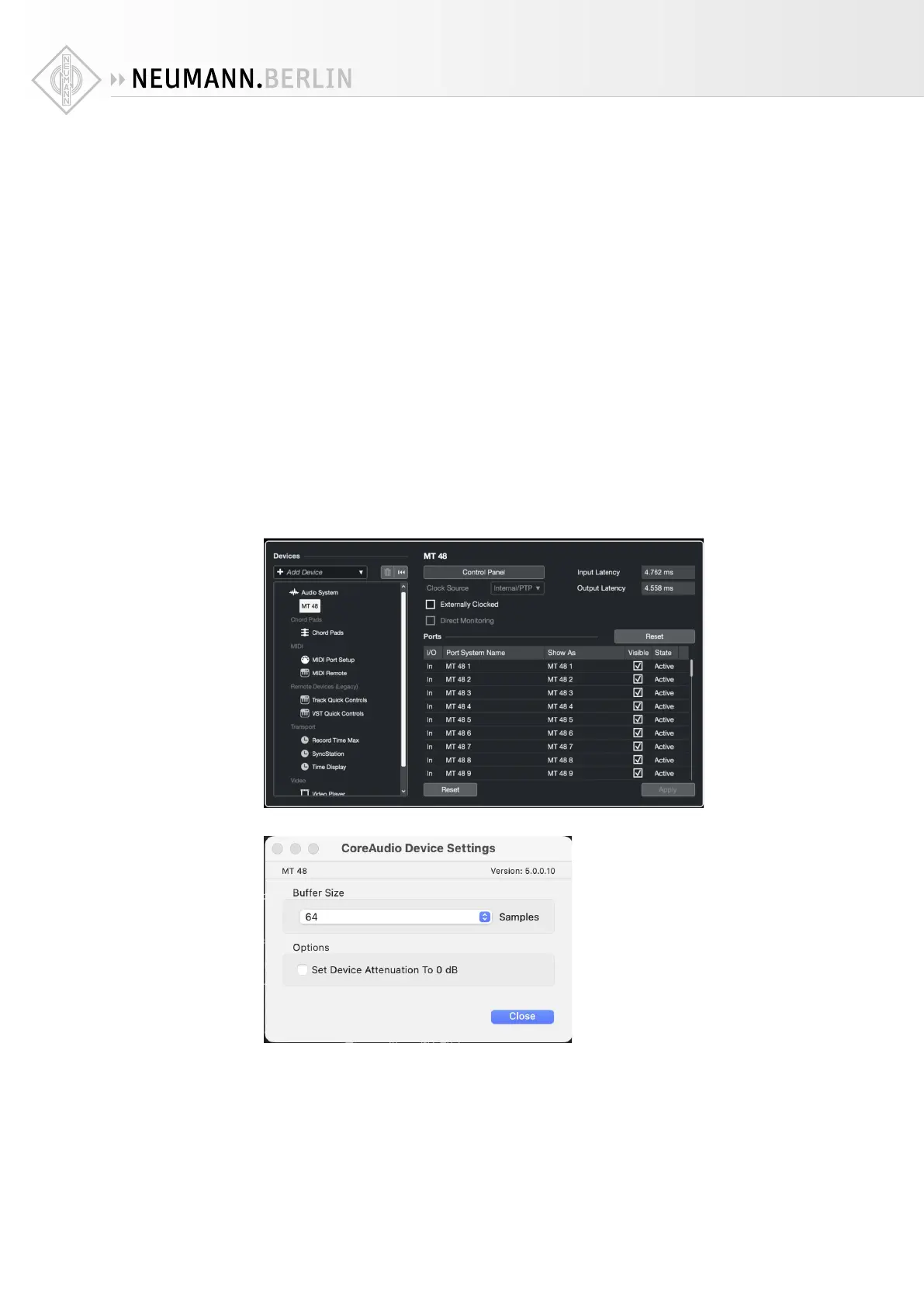
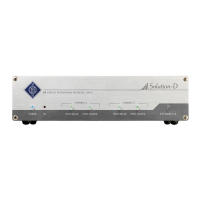
To adjust the Latency settings in your DAW, go to Preferences or Studio Setup – please refer to
your DAW manual. There will be button to open the Control Panel for the MT 48 that allows you
to specify the Buer Size.
Selecting a small buer size will give you lower latency, but it will also increase the CPU load.
Selecting a larger buer size will reduce the CPU load but results in higher latency. A good
starting point is usually 64 samples. This gives you low enough latency for a direct response
when you play softsynths while maintaining good CPU performance.
Keep in mind that low latency is only needed for realtime processing, e.g. playing virtual
instruments. There is input latency and output latency. Output latency is the delay between
hitting a key and the resulting sound. Input latency is irrelevant when you play virtual instru-


 To Next Page