MT 48 | 13
Routing example: Using external outboard as hardware
plug-ins in your DAW
Let’s say you have an ADAT AD/DA converter that you want to use to integrate analog outboard
into your workflow as” hardware plug-ins” in your DAW. (You could do the same with analog
inputs/outputs 3+4 or Peered inputs/outputs).
1. Connect the outputs and inputs of your ADAT converter to the inputs and outputs of your
outboard gear.
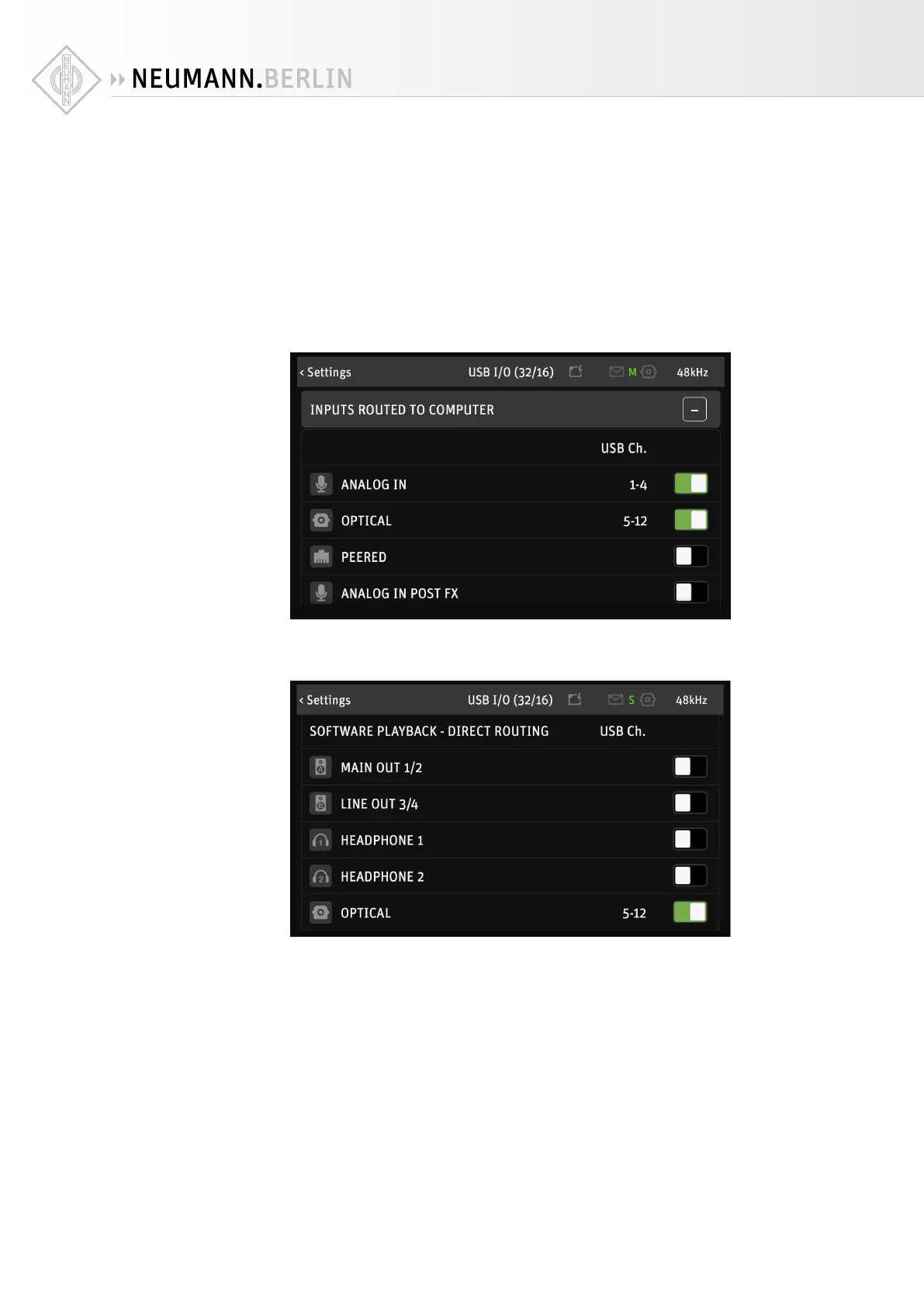
2. Go to SETTINGS → USB I/O → INPUTS ROUTED TO COMPUTER and activate OPTICAL. Your
ADAT Inputs can now be addressed via the channel numbers displayed.
3. Go to SETTINGS → USB I/O → SOFTWARE PLAYBACK – Direct Routing and activate OPTICAL.
The ADAT Outs can now be addressed directly in your DAW via the channel numbers dis-
played.


 To Next Page