MT 48 | 24
Monitor controller functions
Just like a professional mixing console, the MT 48 includes monitor controller functions.
• DIM reduces the level of the selected output. The default attenuation is 20 dB, but the
amount can be adjusted in SETTINGS → MONITORING
• MONO sums both stereo channels to mono output. Checking mono compatibility is still good
practice as many Bluetooth boxes, smartphones, and kitchen radios eectively produce
mono sound.
• CLEAR SOLO is useful to disengage the solo function on all channels at once.
• Every channel has a SOLO button. The ones on the DAW channels are particularly helpful so
you can listen to your DAW mix without the live inputs.
• SOLO PFL and SOLO EXCLUSIVE options are available under the SETTINGS → MONITORING
MT 48 mixer details
Basic operation of the MT 48 mixer is pretty much self-explanatory, but there are some useful
functions that may not be obvious.
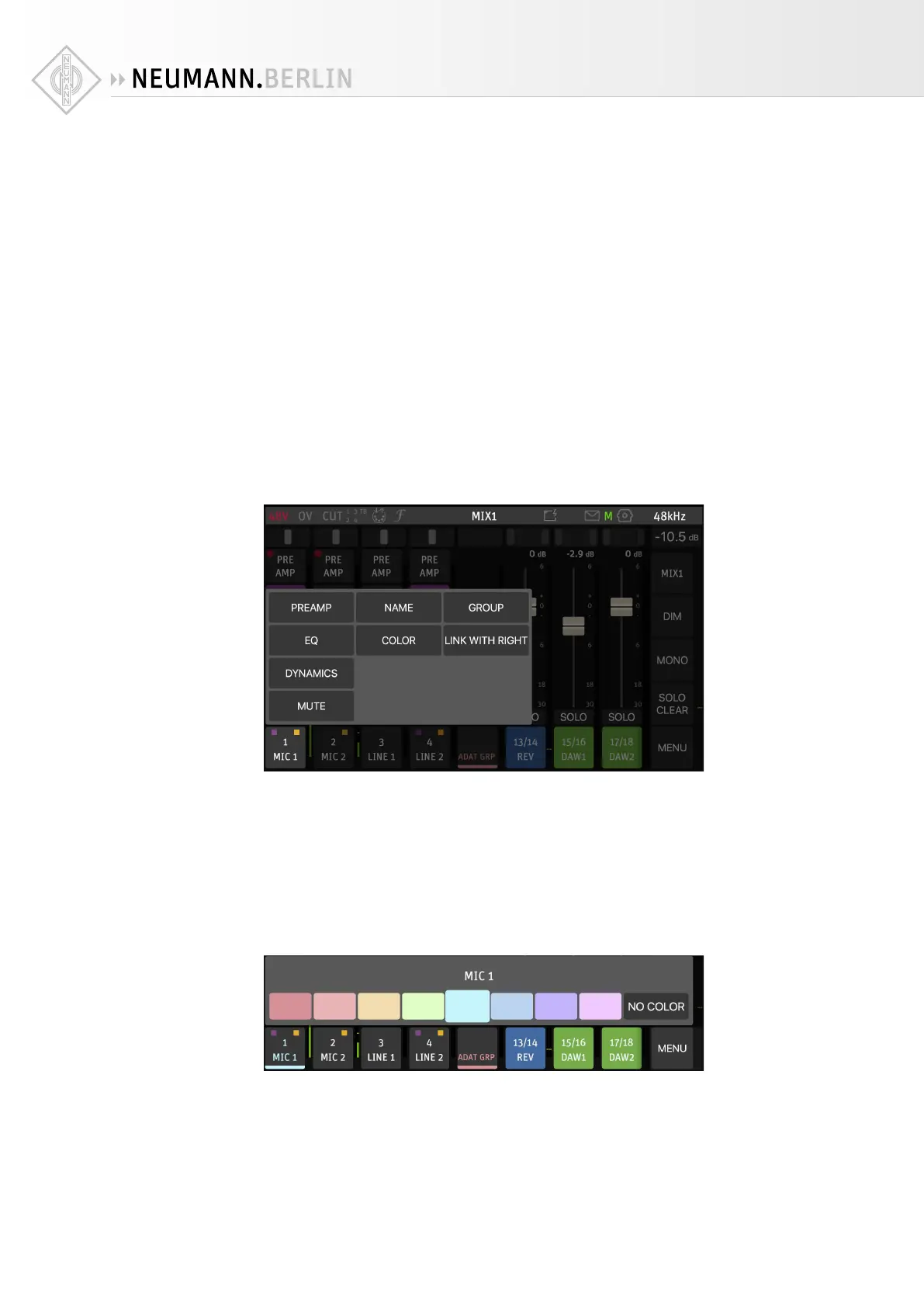
Pressing on the channel name opens a menu:
The entries PREAMP, EQ, and DYNAMICS allow you to access the respective pages without
switching to the Alternate Mix View.
• MUTE is handy for silencing individual channels.
• NAME lets you rename the channel.
• COLOR lets you choose a color for the channel name lettering and an indicator strip below
the channel name.
• LINK WITH RIGHT/LEFT allows you to link two neighboring channels for stereo operation.
• GROUP allows you to assign the selected channel to one of eight groups. This group then has
a common fader for all its channels. As default, this is the case with the ADAT input channels.


 To Next Page