MT 48 | 19
Preamp
Pressing the PREAMP button in the alternate mixer view opens the PREAMP page.
Alternatively, the preamp (as well as many other functions) can be accessed by pressing on the
channel name. This opens a menu; select PREAMP.
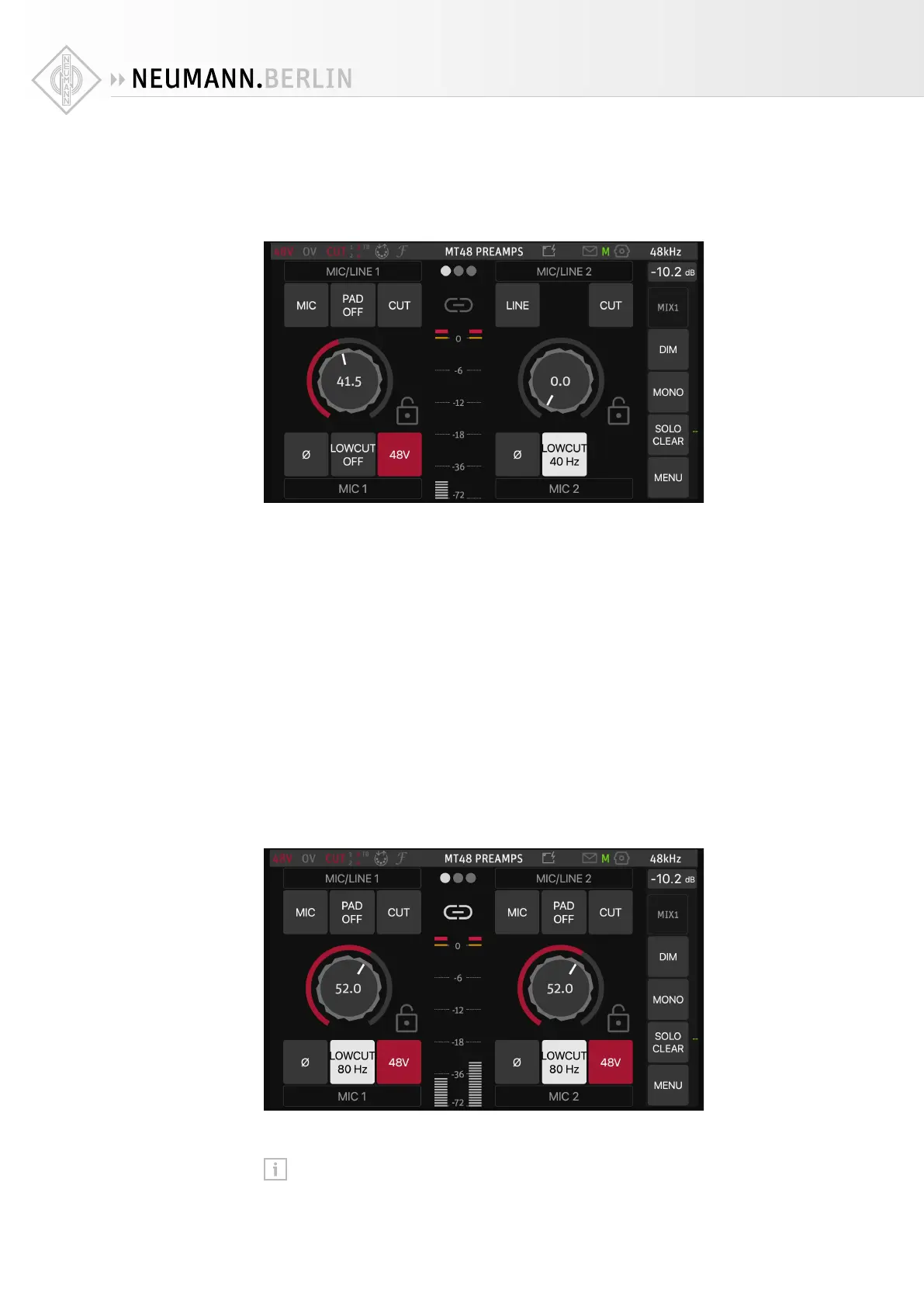
Each preamp has a gain knob as well as several additional functions.
• MIC/LINE (Inputs 1+2) switches between Microphone and Line mode. INST/LINE (Inputs
3+4) switches between Instrument and Line mode.
• PAD (Mic mode only) allows to attenuate the input signal by 12 or 24 dB to accommodate
high input levels.
• CUT mutes the input.
• Ø reverses the polarity of the input signal (often called “phase reverse”)
• LOW CUT activates a filter to combat rumble. The cut-o frequency is selectable: 40/60/80
Hz. Please note that the low cut filter always aects the recorded signal, even on the Pre-FX
driver channels.
• 48V (Mic mode only) activates 48 Volts phantom power for condenser microphones (and
other microphones with active electronics)
• GAIN is adjusted by selecting the gain knob and then turning the Rotary Controller. It’s good
practice to leave at least 10 dB headroom. The Meter in the middle has a peak hold function,
which can be reset by tapping the Meter section.
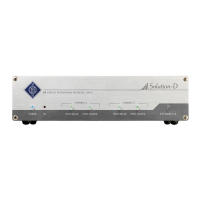
For stereo operation, two channels can be linked by pressing on the chain symbol above the
level display. Any oset in the gain setting is maintained, which allows you to compensate dif-
ferences in sensitivity.
Settings can be locked by clicking on the lock symbol next to the gain knob.
Tip: You can go to the neighboring channels’ preamp page by swiping to the left or right.


 To Next Page