MT 48 | 37
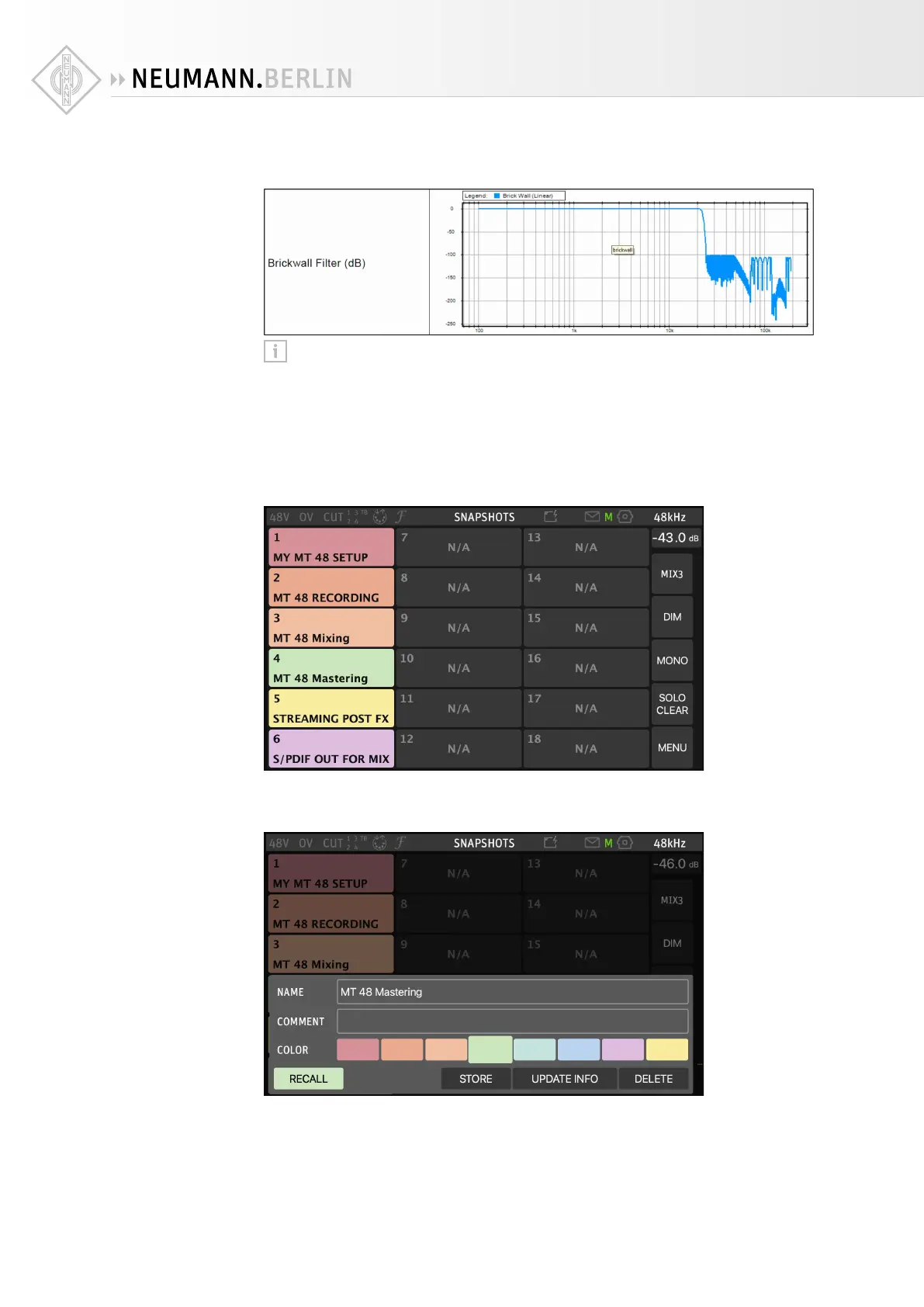
Brickwall: Ensures rejection of more than -100dB at Nyquist (0.50 x FS, 24 kHz @48k). Latency
of 35 samples
Tip: For a super-direct feel use SLOW mode during recording; this is especially great
for singers. For mixing and mastering, use one of the other three options, depending on
your preferences.
Device snapshots
All settings can be stored and recalled using device snapshots.
X
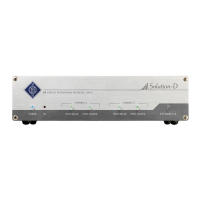
Go to MENU → SNAPSHOTS
Once you’ve configured the MT 48 to your needs, it’s a good idea to store your settings in a
device snapshot. You can also use snapshots to switch between several configurations for vari-
ous tasks, e.g. recording, mixing, and mastering.
The STORE dialog allows you to type in a name (and a comment if you like) using a virtual
keyboard and choose a color.
Recalling Snapshots is just as easy. The RECALL dialog even lets you select and deselect vari-
ous functions that you may want to include or exclude from the Snapshot you’re about to recall.
Or simply press TOTAL RECALL for taking over all settings from the Snapshot you are recalling.


 To Next Page