MT 48 | 25
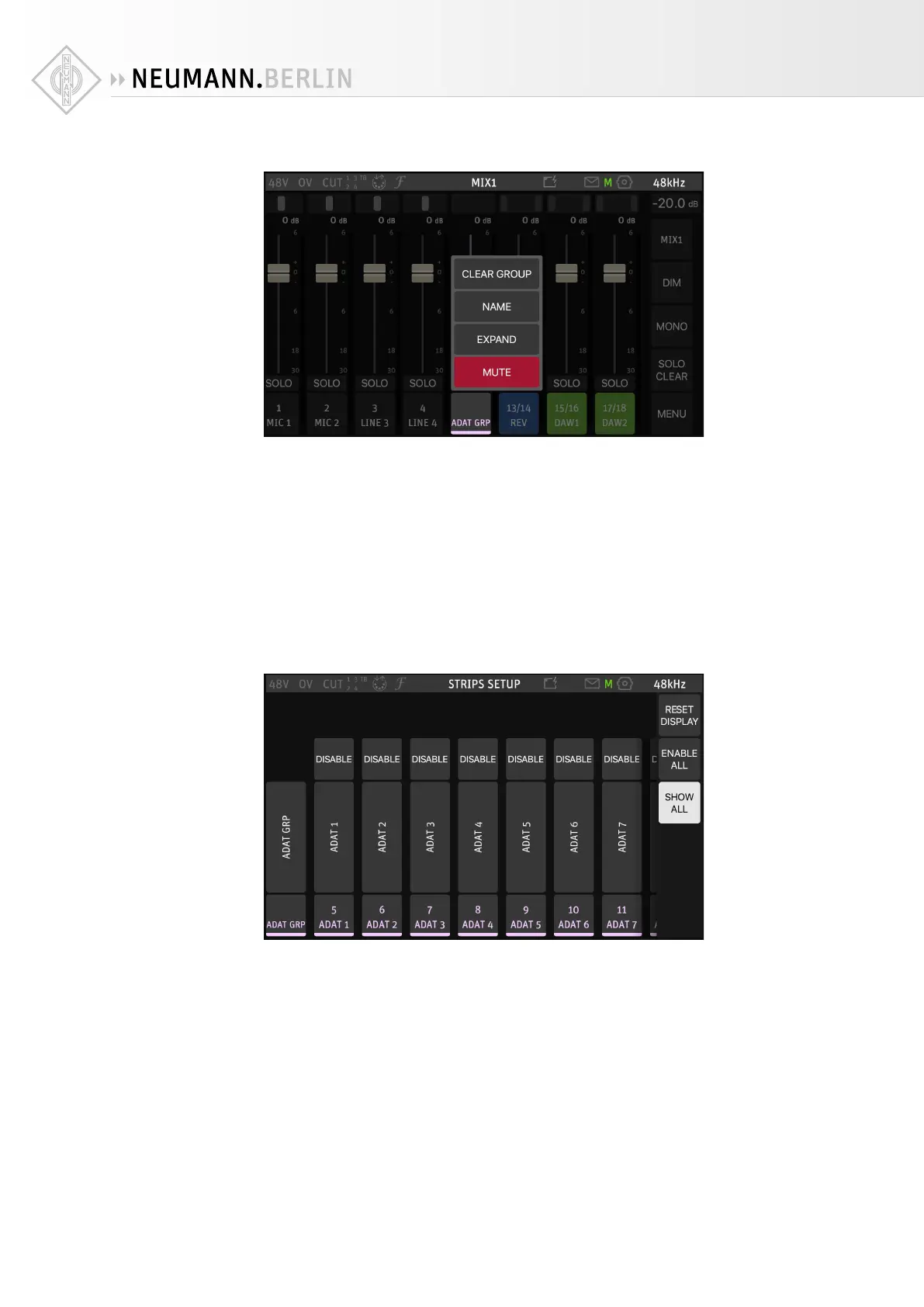
Pressing on a Group channel name opens a dierent menu:
• MUTE silences the entire group with all contained channels.
• EXPAND/COLLAPSE displays or hides all channels contained in this group.
• NAME lets you rename the group.
• CLEAR GROUP dissolves the group. This does not remove the channels contained in the
group, they will be displayed as individual channels in the mixer.
Strips setup
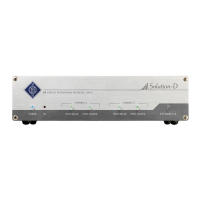
STRIPS SETUP allows you to configure the MT 48 mixer to your needs. Please note that changes
to the Strips Setup apply to all four mixers.
X
Go to MENU → STRIPS SETUP
Here you can disable channel strips or enable channel strips that are currently hidden (dis-
abled). If you enable more strips than the screen can display (eight), you can reach the addi-
tional channels by swiping.
You can also re-arrange channel strips in a new order. When you press on a strip, arrows
appear that allow you to move the respective strip to the left or right.


 To Next Page