MT 48 | 35
Changing the sampling rate/clocking
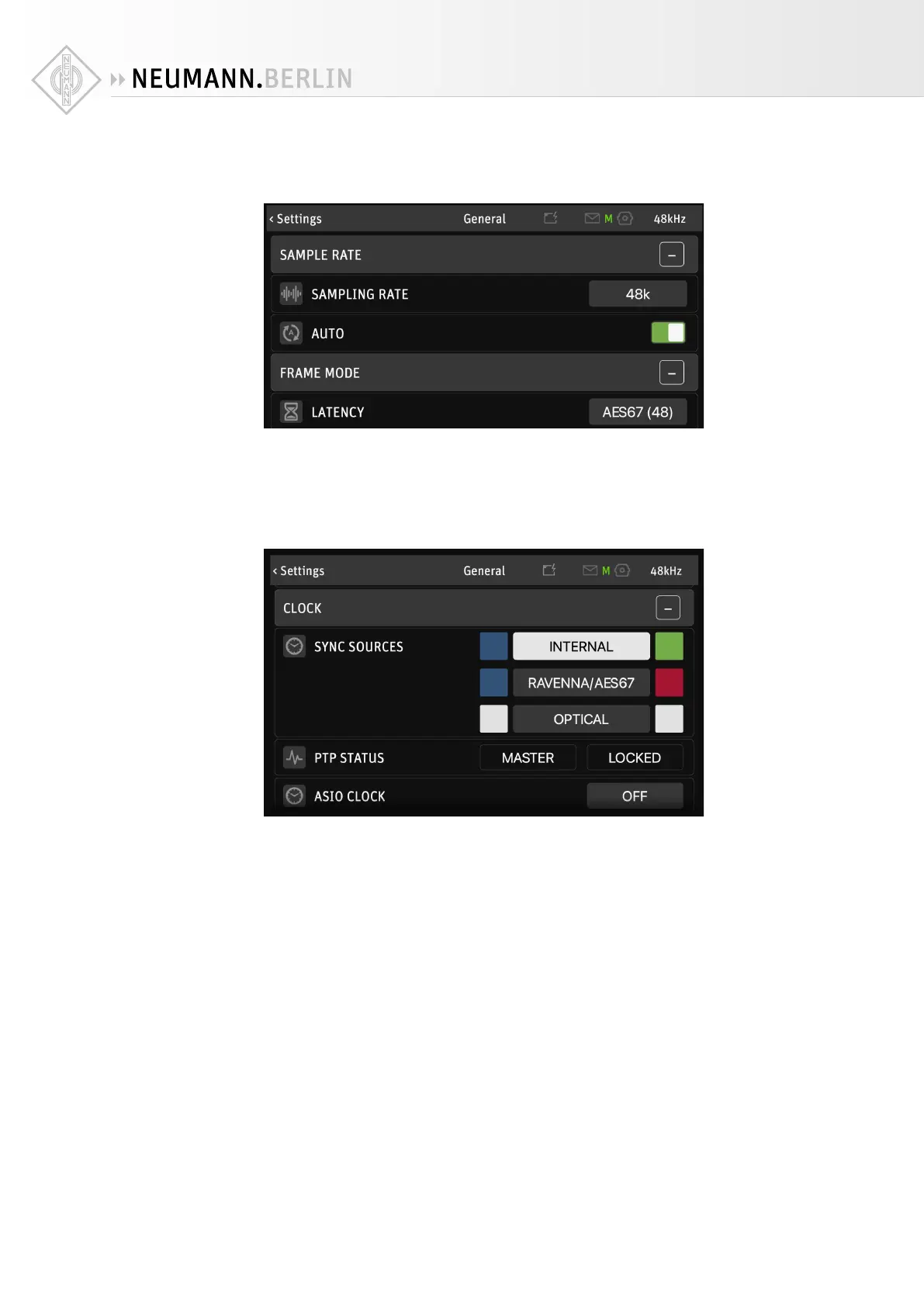
To set the sampling rate for the MT 48, go to MENU → GENERAL → SAMPLING RATE
With AUTO setting activated, the MT 48 follows the sampling rate setting in your recording
software. Or if the MT 48 is in slave mode, it will automatically follow the master clock.
FRAME MODE | LATENCY sets the buer size in a AES67/RAVENNA setup. Ignore this point if
you’re not using any AES67 devices with your MT 48.
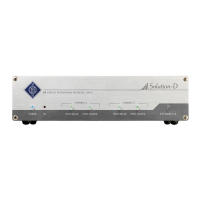
Per default, the MT 48’s sync source is its internal clock (INTERNAL). To change the clock set-
tings, go to MENU → GENERAL and scroll down to CLOCK.
When set to RAVENNA/AES67 the MT 48 follows an external PTP Master.
Note: The Precision Time Protocol (PTP) is a protocol used to synchronize clocks throughout a
computer network. Also known as IEEE 1588 or IEC 61588, it is a protocol designed to synchro-
nize real-time clocks in the nodes of a distributed system. PTP Clocks allow for time resolution
to the nanosecond.
When set to OPTICAL, the MT 48 follows the clock embedded in an ADAT or S/PDIF input sig-
nal.
Color indicators
BLUE indicates a sync source is available; WHITE means this source is unavailable.
GREEN indicates Sync is working; RED means Sync is impossible.
ASIO CLOCK is deactivated by default – this is not a mistake! This setting is only relevant to
AES67 setups, where the PTP master has to generate its clock according to the ASIO clock. In
setups without AES67 network devices, leave ASIO CLOCK deactivated.


 To Next Page