MT 48 | 26
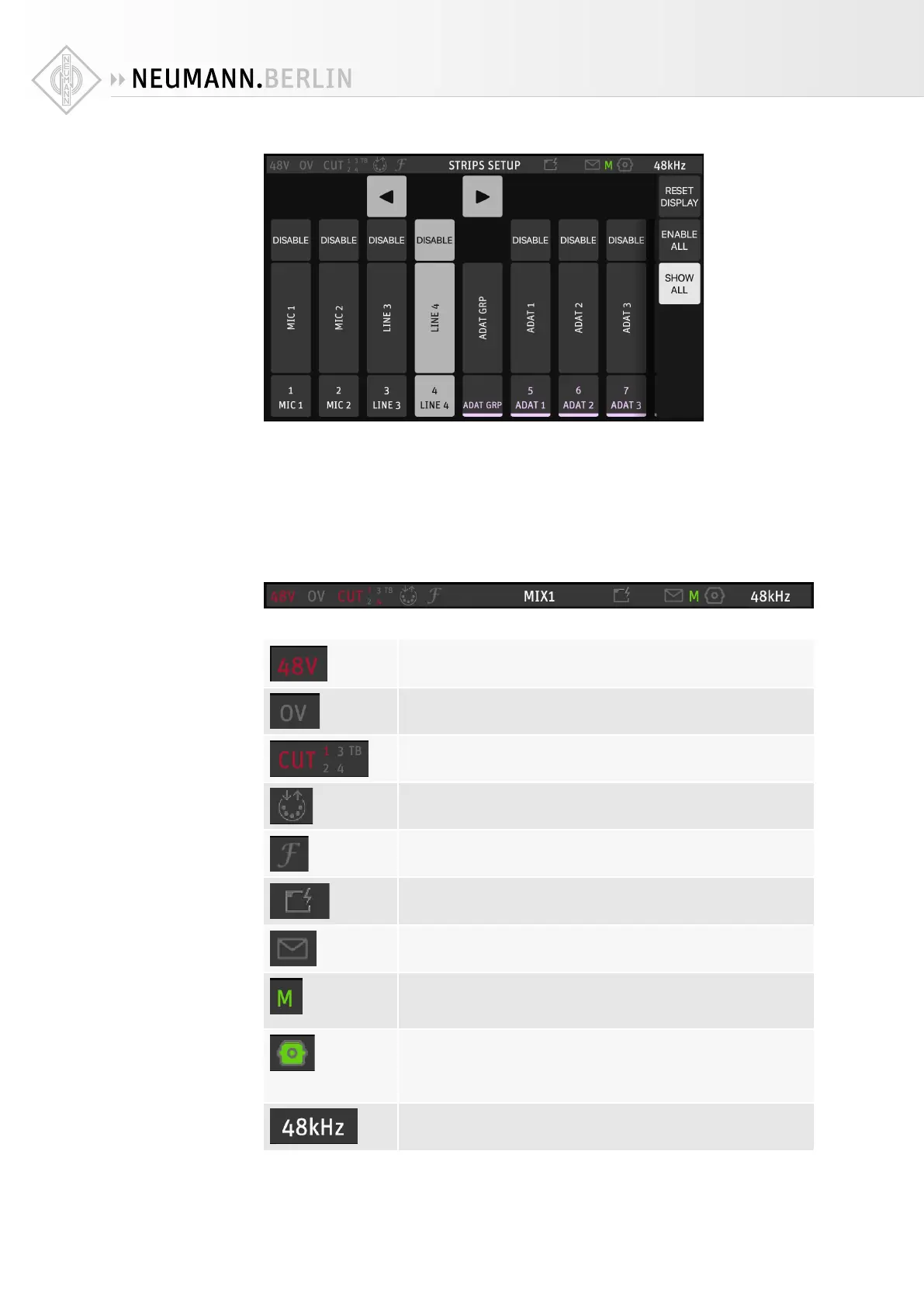
There are three buttons on the right-hand side:
• RESET DISPLAY restores the default order (but does not enable or disable strips).
• ENABLE ALL enables all channel strips.
• SHOW ALL STRIPS displays all strips, including those which are currently hidden (disabled).
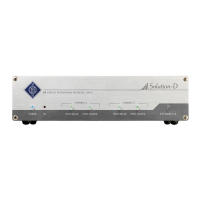
MT 48 status bar
The Status Bar gives an overview over the current state of the MT 48:
48V indicates if phantom power is active on one or more channels.
OV indicates overload in the MT 48 mixer.
CUT numbers + TB (Talkback) in red indicate inputs that are cut
(muted).
DIN5 symbol indicates MIDI activity.
Fine precision for value changes enabled/disabled.
Network port with flash indicates Power over Ethernet.
Letter symbol lights up when a message or error has been received.
Clock status: A green M indicates the MT 48 is Master; a green S indi-
cates the MT 48 is slave. Yellow color indicates locking is in progress,
red color indicates improper synchronization (check your setup!).
Optical Input as Clock source: If the optical input is Master, the icon
appears green. Yellow color indicates locking is in progress, red color
indicates improper synchronization (check your setup!). If the optical
input is not used as Clock source, the icon is colorless.
44.1/48/88.2/96/176.4/192 kHz is the current sampling rate.


 To Next Page