MT 48 | 33
High/Low output setting
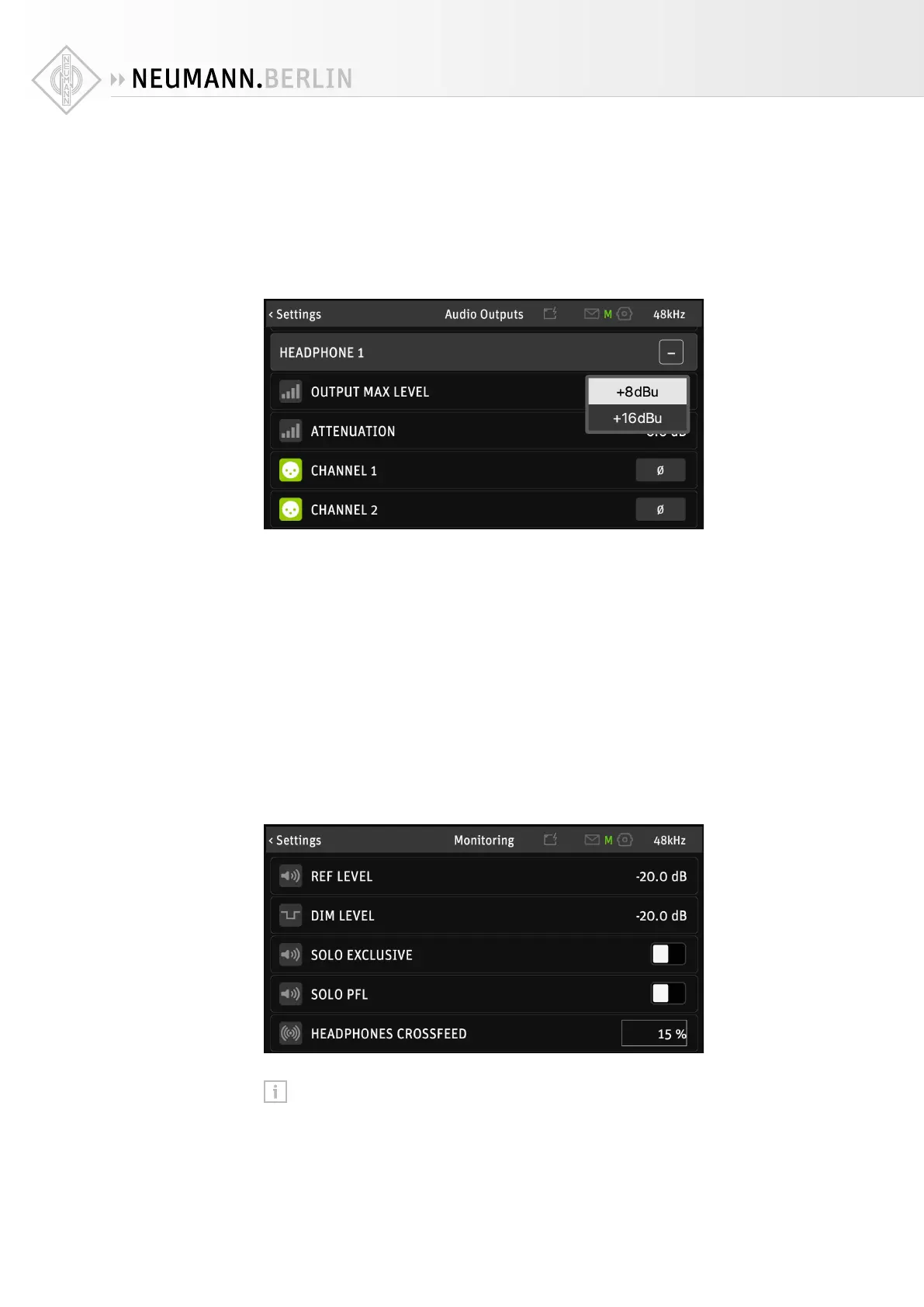
The maximum output level of the headphone amplifiers can be switched between +8 dBu or
+16 dBu. The +16 dBu setting provides loud output for high impedance/low sensitivity head-
phones. For low impedance/high sensitivity headphones, the +8 dBu setting is advisable to
avoid ear blasting levels. The output level setting can be set for both headphone outputs indi-
vidually.
X
Go to SETTINGS → AUDIO OUTPUTS and scroll down to OUTPUT MAX LEVEL under HEADPHONE
1 and HEADPHONE 2.
You can even reverse the signal polarity for each ear cup on each headphone output. Reversing
one earcup (temporarily) can be useful to check for wiring mistakes. Reversing both cups is a
useful option for some older headphones that came with reversed polarity. Correct polarity is
crucial for singers in front of a microphone, so the electric path is in phase with acoustic path
(air, skull bones).
Crossfeed
When listening on headphones, the signal on the left channel will only reach the left ear, and
the signal on the right channel will only reach the right ear. With loudspeakers this is not the
case: The signal on the left speaker will also reach the right ear and the signal on the right
speaker will also reach the left ear.
This can be simulated via crossfeed: Part of the left channel is also fed to the right ear cup,
and part of the right channel is fed to the left earcup. Listening on headphones thus becomes
more like listening on loudspeakers. The amount of crossfeed can be adjusted from 0% (no
crossfeed) to 100% The default setting is 0%.
X
Go to SETTINGS → MONITORING and scroll down to HEADPHONES CROSSFEED.
Please note: The Crossfeed setting aects both headphone outputs.


 To Next Page