Model H1301 Recovery and Recycling System
Installation, Operation and Maintenance Manual
Revision-L September, 2019
Page 44 of 105
VII. System Maintenance Procedures (continued)
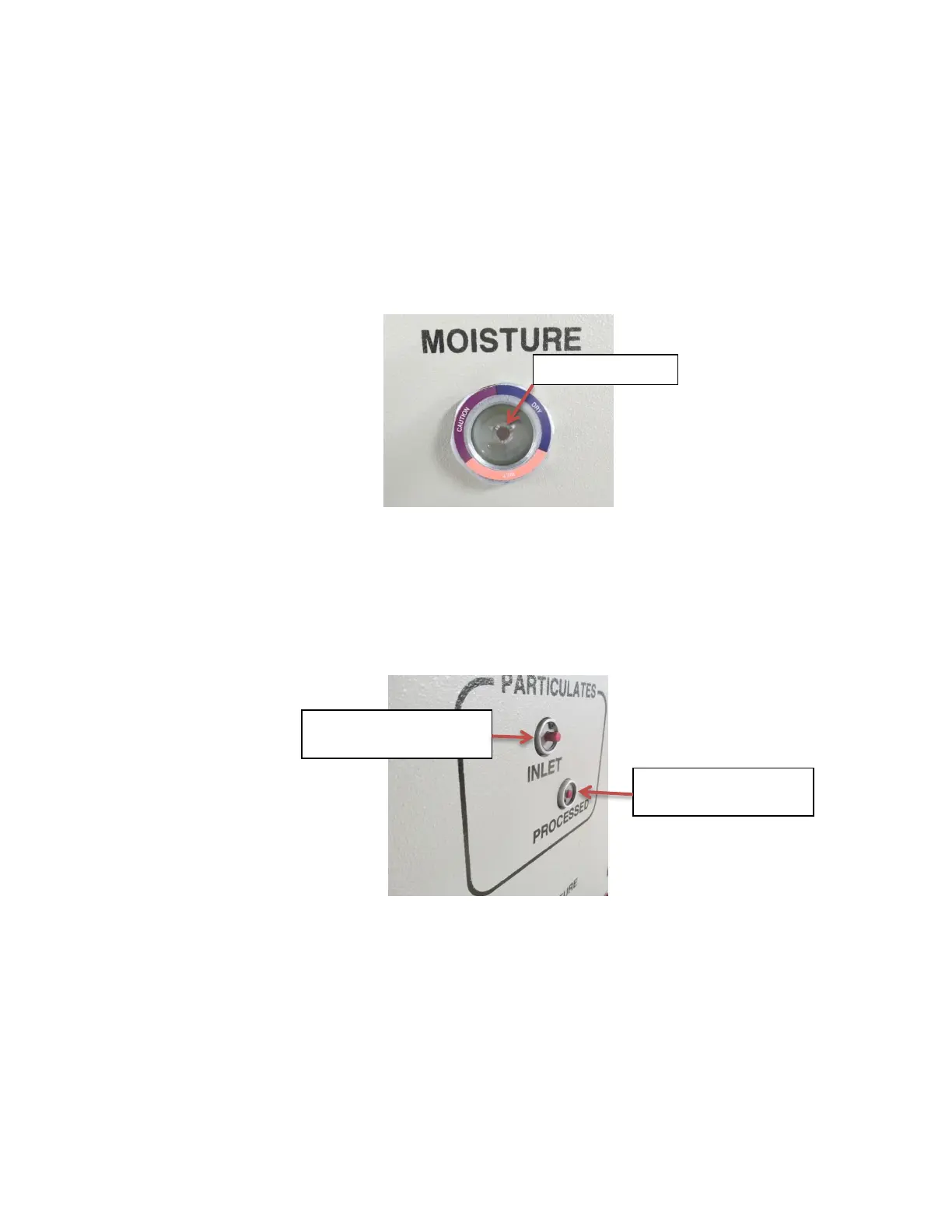
C. Moisture Filter Inspection
View the moisture indicator sight glass located on the front panel of the machine when
liquid AGENT is passing through the sight glass and the color-indicating dot is immersed
in the liquid. If the color indication of the dot ranges between the “wet” and “caution” colors
printed on the sight glass: replace the acid and moisture filter cores per section-H. This
may also indicate that the AGENT currently being processed is heavily contaminated with
water and that a complete system evacuation needs to be performed per section-K. If the
AGENT contains over 100 PPM of water contaminate: the Agent should be dried using
external banks of filter drier cores before continuing processing.
D. Particulate Filter Indicator Inspection
View the red button on the inlet and processed particulate filters visible on the front panel
of the machine while the machine is processing AGENT. If the red button projects out of
the filter: push the button back in using your finger. If the button pops back out again the
filter element for that filter may need to be replaced per section-I for the inlet filter and
section-H for the processed filter. The inlet particulate filter will capture almost all of the
incoming particulates and will need replacement much more often than the processed
particulate filter element.
Red Button Extended:
Filter Change Required
Red Button Normal No
Filter Change Required



 To Next Page