Model H1301 Recovery and Recycling System
Installation, Operation and Maintenance Manual
Revision-L September, 2019
Page 87 of 105
VII. System Maintenance Procedures (continued)
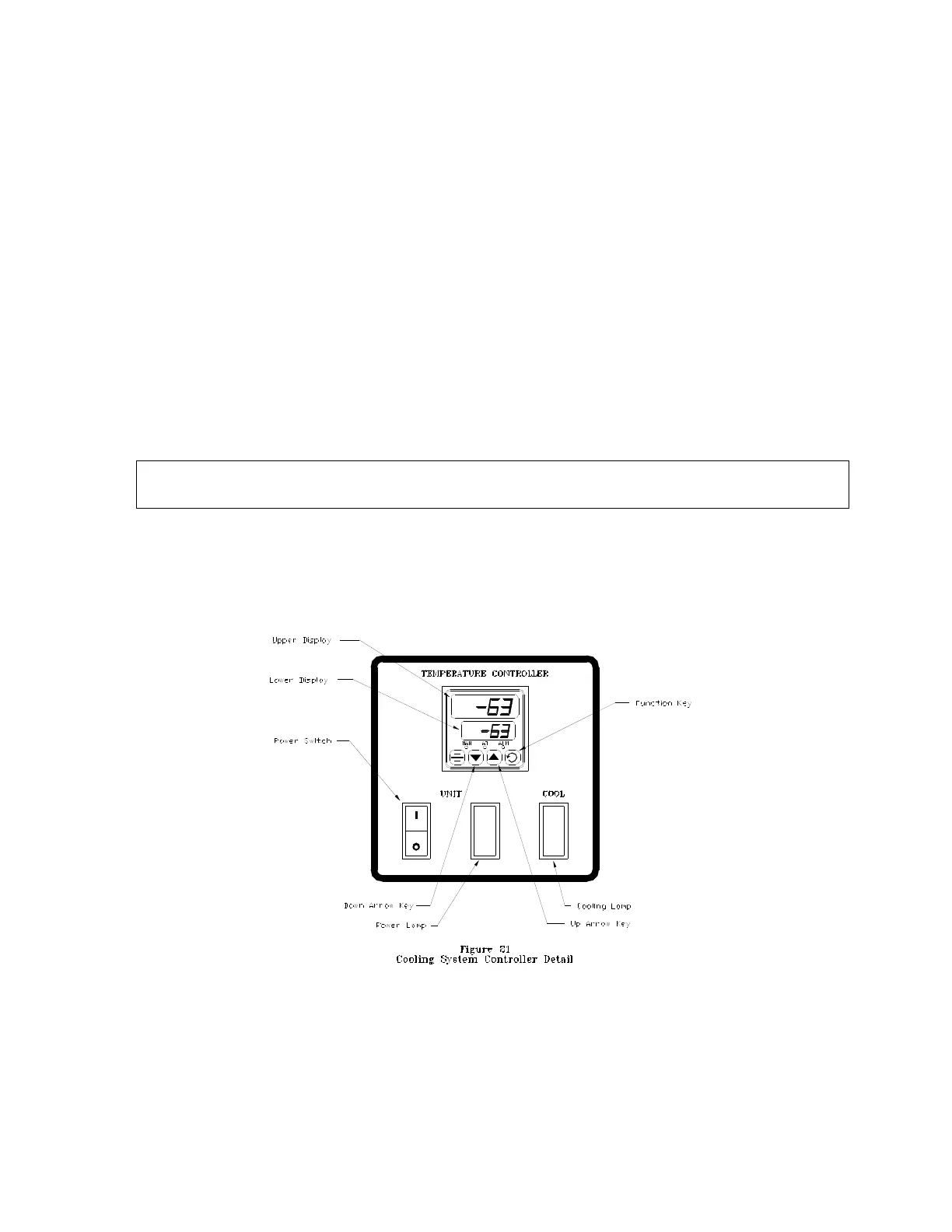
P. Cooling System Controller Setting
The cooling controller will regulate cooling provided by the cascading refrigeration system
to the plate heat exchanger and the process tank. This procedure and figure-21 will detail
set point adjustments.
The upper display line of the Controller shows the measured process variable. This is the
actual temperature as measured by a thermocouple probe soldered onto the bottom of the
process tank. The lower display line of the Controller shows the programmed set point.
The upper display line will display “OPEN” if a fault with the thermocouple probe is
detected. The factory set point is -63F.
Section-2 of this procedure will detail the calibration of the cooling system controller and
section-3 lists the factory settings of the controller setup.
1. To Adjust the Cooling System Temperature Set Point:
a. Place the machine main power switch to the ON position.
b. Verify that the cooling system controller power switch is in the ON position.
CAUTION: The cooling system temperature controller power switch shall always be in
the on position unless otherwise directed by this manual.
c. Press the Function-key of the controller to change the upper display line to the
value of the set point.
d. Use the UP and DOWN arrow keys to change the set point value.
e. Again Press the Function-key of the controller to change the display to normal
mode.



 To Next Page