Model H1301 Recovery and Recycling System
Installation, Operation and Maintenance Manual
Revision-L September, 2019
Page 92 of 105
VII. System Maintenance Procedures
Q. Inlet Vacuum Switch Calibration (continued)
8. Press the Start Button. The machine will immediately enter the evacuation mode. The
evacuation mode will then end as the inlet section of the machine is evacuated.
IMMEDIATELY PRESS THE STOP BUTTON or the machine will attempt to vent and
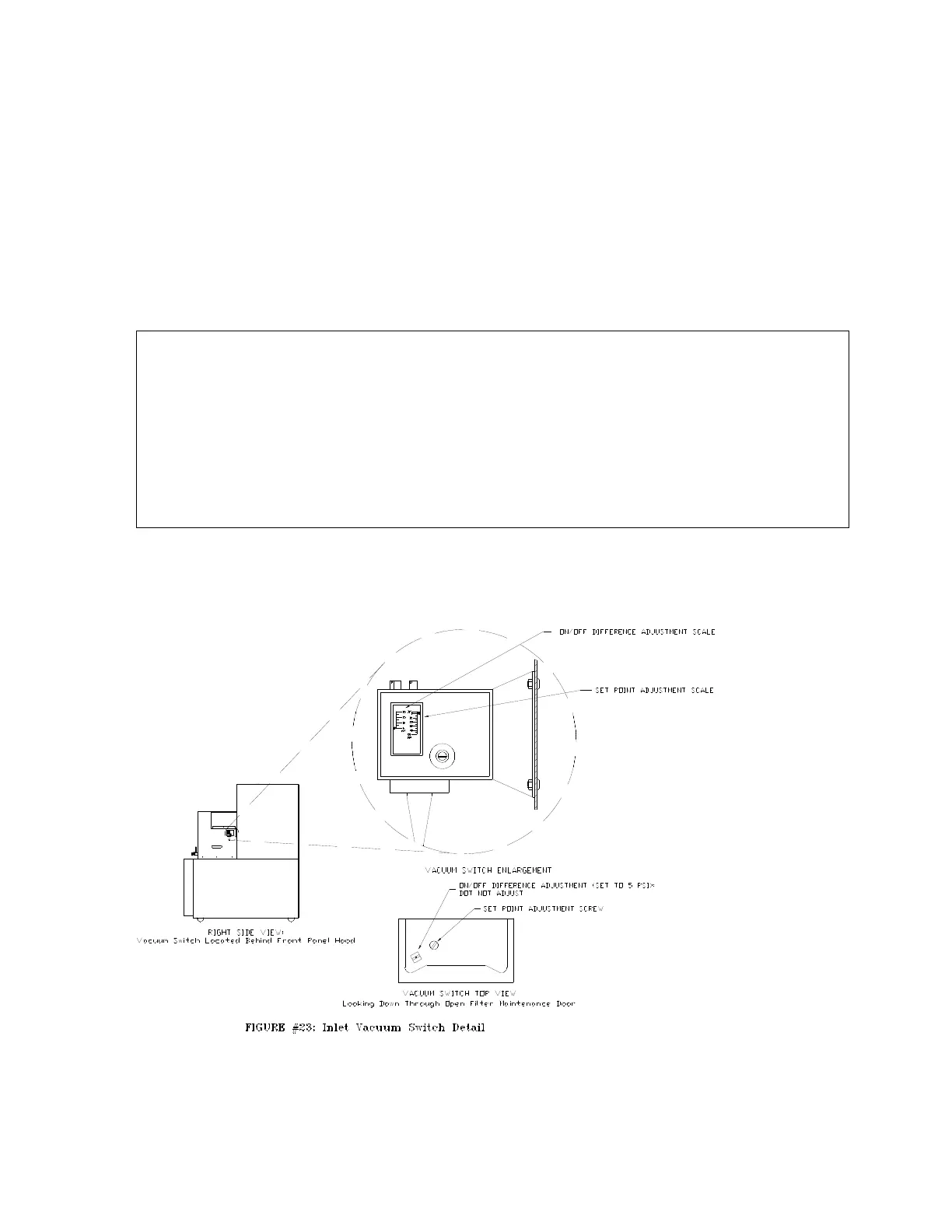
pump out. Observe the indication of the vacuum gauge connected to the inlet port of the
machine. The reading on the gauge is the current switch set point.
9. The vacuum level set point of the switch may be increased for a higher vacuum level by
turning the round adjustment screw in a clockwise direction. Turning the round
adjustment screw counterclockwise will provide reduced vacuum levels up to positive
pressure settings of 50 psi.
CAUTION: DO NOT adjust the square adjustment screw of the vacuum switch. The
square adjustment screw sets the pressure difference between the
activation pressure and the deactivation pressure. This adjustment will
always be maintained at the factory setting of 5-psi.
WARNING! The machine will automatically stop processing from the source
container when the pressure in source container reaches the set point of
Switch. It is possible to adjust the switch to a setting resulting in Agent
remaining in the source container after the machine front panel
Processing Lamp goes out and automatic processing stops.
10. After adjusting the switch, repeat the inlet nitrogen pressurization and automatic
evacuation until the Inlet Pressure Switch is adjusted to the desired set point.



 To Next Page