R3.1_v1.2
8/76
Modem Web Interface
User Manual MDM3X00
4.3 Overview Web Interface
4.3.1 General Lay Out
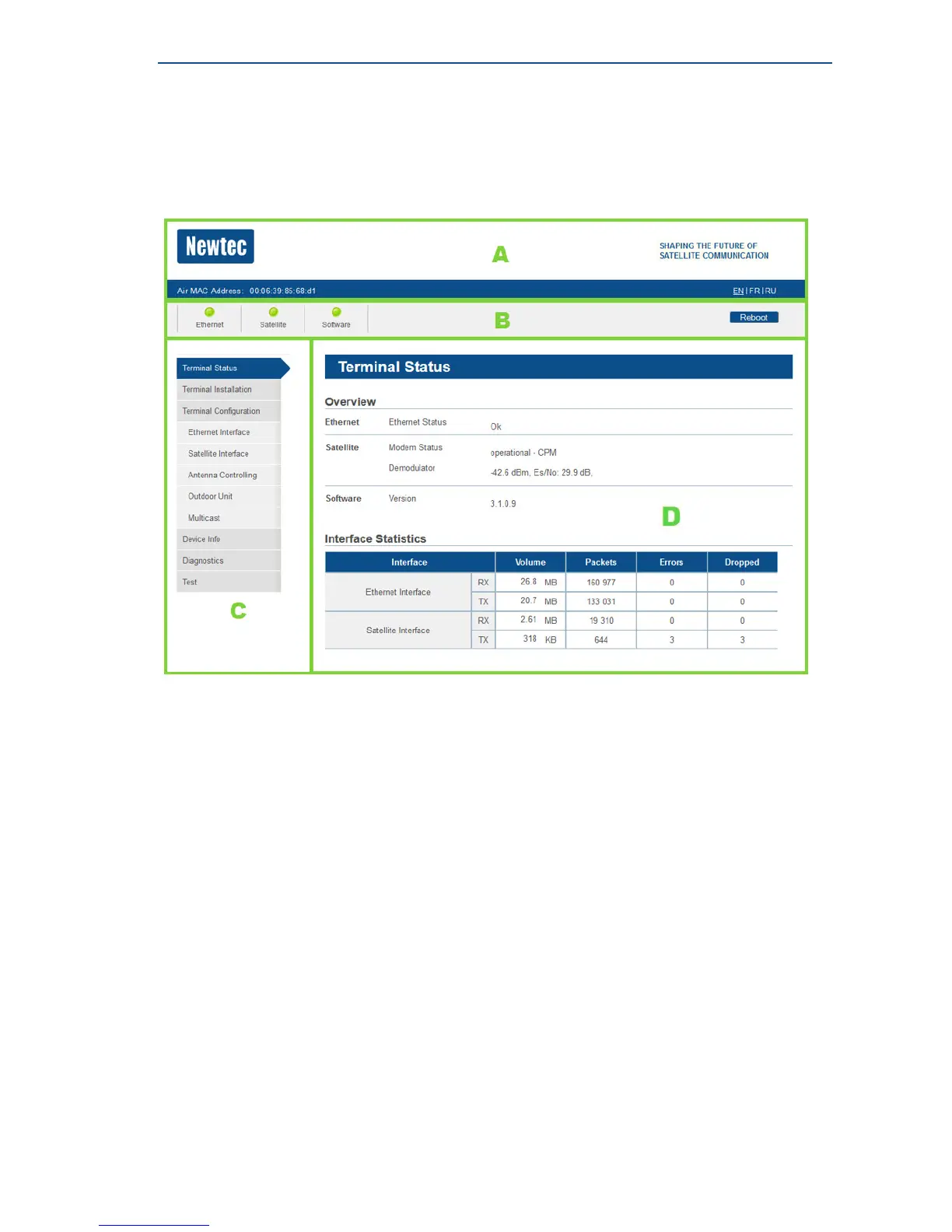
Each of the web interface pages contains the same elements.
A - Banner:
The banner contains the Newtec logo, the Air MAC address and the languages in which the GUI can
be displayed.
B - Status bar:
The status bar always shows the most important status LEDs.
This information will be specified in the body of the Status page.
C - Menu structure:
On the left hand side of the page the site navigation is found.
Click an item to select it.
D - Body:
The actual content of the web interface is shown in the body.
It always shows the page title and one or more content blocks or forms.



 To Next Page