R3.1_v1.2
46/76
Modem Web Interface
User Manual MDM3X00
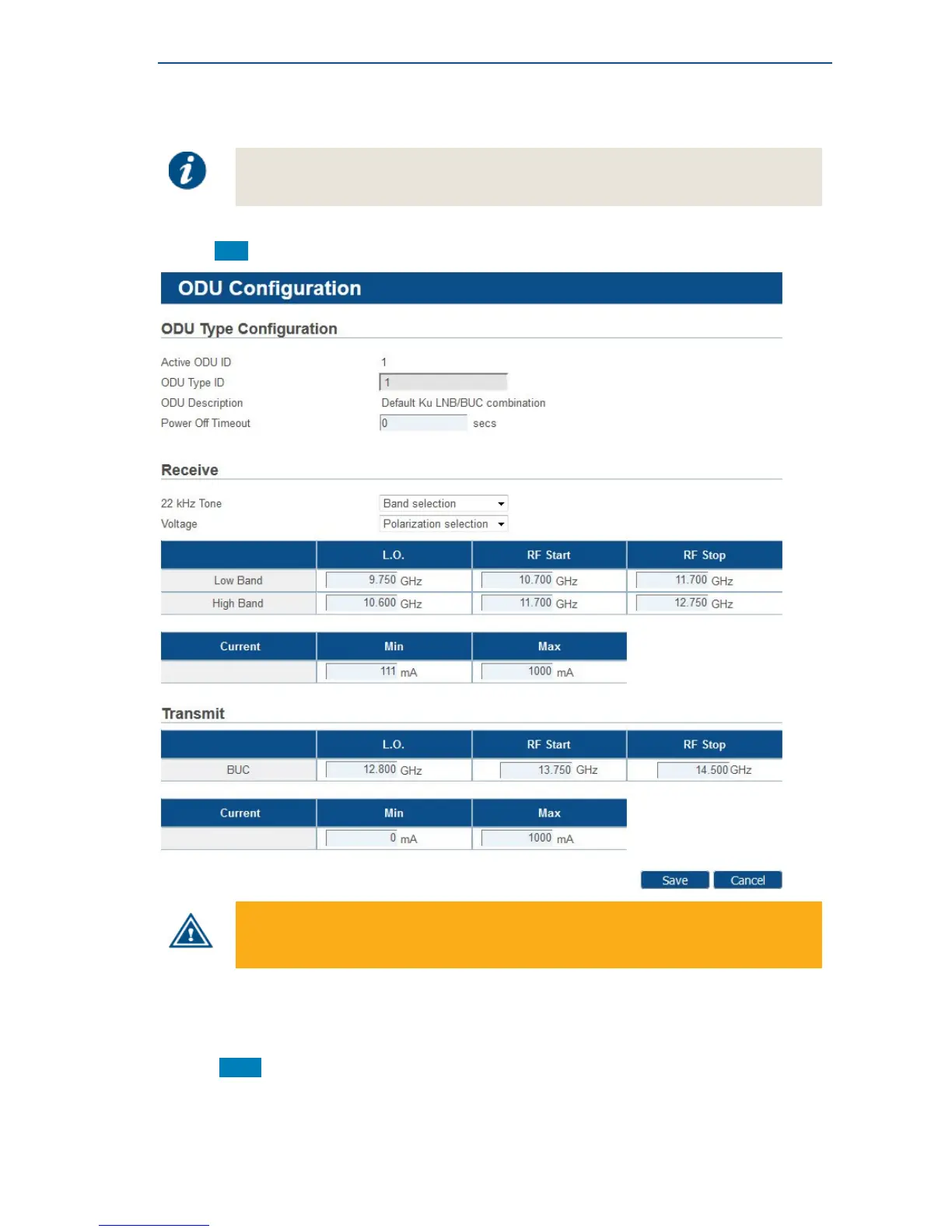
4.7.4.4 Edit Outdoor Unit Type Parameters
Editing an ODU can be disabled by the Network Operator. In such case, the Edit
button is not present and the ODU configuration settings are read-only.
• Click Edit to edit the parameters of an existing outdoor unit type.
Entering incorrect settings can prevent your modem from logging onto the network!
Only change outdoor unit settings when requested by your Service Provider or Network
Operator.
The ODU Type ID and ODU Description parameters cannot be edited.
• Click Save in the Web Interface > Edit Outdoor Unit Parameters to save the new settings.



 To Next Page